Quick Answer
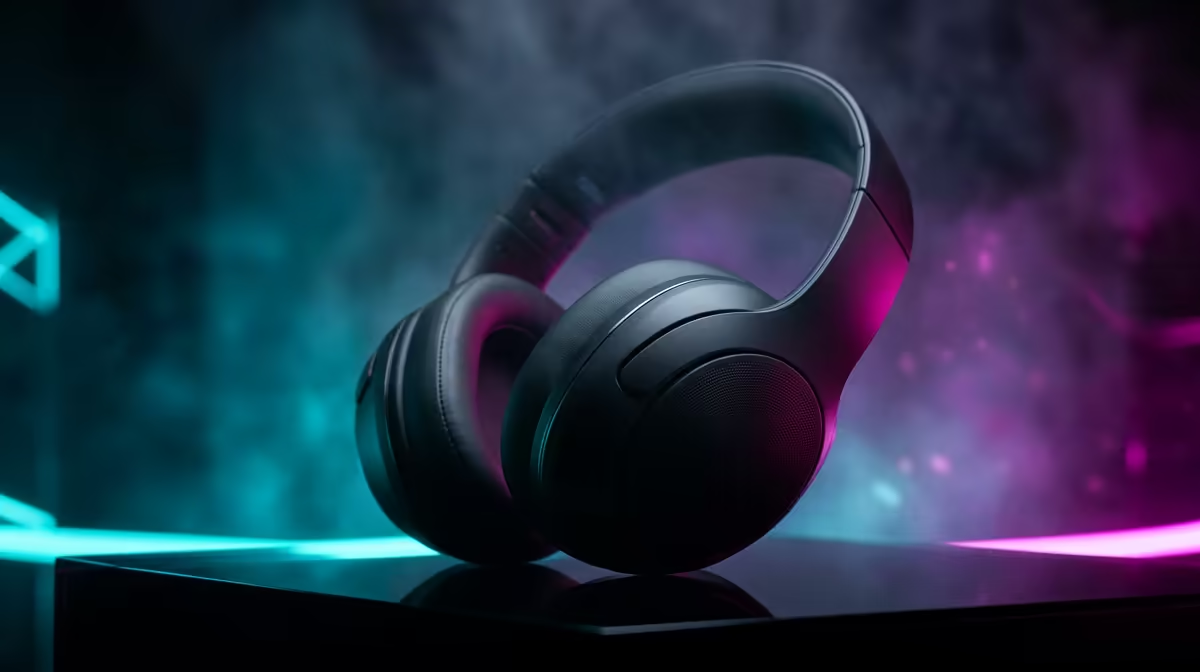
Yes. The Razer Barracuda Pro is a strong choice for South African users who need one headset for gaming and mobile use. It delivers simultaneous 2.4GHz and Bluetooth via Razer SmartSwitch, 50mm bio-cellulose drivers, and 40 hours of battery without ANC. At around R3,000 to R3,500 at Evetech, it sits at the sweet spot between premium audio and multi-platform practicality.
What Makes the Barracuda Pro Work for SA Users 🎮
The defining feature is SmartSwitch dual-wireless. The headset connects to a PC or PlayStation via a 2.4GHz dongle for low-latency gaming while simultaneously holding a Bluetooth 5.2 connection to a smartphone. When a call arrives during a gaming session, the headset mixes both audio streams automatically. For South African professionals who game in the evening and take Teams or WhatsApp calls during the day, this removes constant switching friction. The 50mm bio-cellulose drivers hold up in immersive game soundtracks and compressed streaming audio on a phone. The beamforming microphone handles voice isolation adequately for Teams calls, though not at the level of a dedicated boom mic.
Real-World Battery and ANC Performance in SA Conditions 🔋
Razer rates the Barracuda Pro at 40 hours without ANC and approximately 30 hours with hybrid ANC active. In South African conditions, where home offices can reach 28 to 32 degrees Celsius in summer and air conditioning is common, ANC is useful for blocking the constant drone. Real-world use shows 28 to 32 hours with ANC on, enough for a full workday and an evening gaming session on one charge. Recharging is via USB-C, with a 15-minute fast-charge returning around 3 hours of use. The sealed battery is typical for wireless headsets, and the cell quality is solid for a two-to-three-year ownership cycle.
Limitations Worth Knowing Before You Buy 🔍
The beamforming mic is the main trade-off. In quiet conditions it sounds clear and professional. In a busy South African home, a headset with a detachable boom mic handles noisy environments noticeably better. The earcup suits medium-to-large heads; some users with smaller heads find initial clamping force slightly high, though it relaxes after a week of use. On PlayStation 5 the headset is not officially PlayStation-licensed, so Tempest 3D Audio routes through the PS5's USB audio path. It works well via USB-C dongle, but confirm you have a free USB-C port before ordering.
Barracuda Pro SmartSwitch Setup Tip ⚡
Pair the Barracuda Pro to your phone via Bluetooth before connecting the 2.4GHz dongle to your PC. Complete the Bluetooth sequence first, confirm audio plays on your phone, then insert the dongle. If you insert the dongle first, the Bluetooth pairing sequence can be interrupted on some firmware versions. Always pair Bluetooth first.
FAQ
Is the Razer Barracuda Pro compatible with PlayStation 5 in South Africa?
Yes. Connect the USB-C dongle to the PS5's front or rear USB-C port and it enumerates as a standard USB audio device. Tempest 3D Audio works through this connection. The headset is not PlayStation-licensed but functions fully for gaming audio and voice chat.
How does the Barracuda Pro compare to the Barracuda X?
The Barracuda Pro has significantly better drivers (50mm bio-cellulose versus standard 40mm in the X), adds hybrid ANC, and includes SmartSwitch dual-wireless that the X lacks. The X is priced around R1,200 to R1,800 and suits gamers who need basic wireless without the full multi-platform workflow.
Where is the Razer Barracuda Pro serviced under warranty in South Africa?
Razer products sold through authorised SA retailers like Evetech carry local warranty support. Register your product on the Razer portal after purchase and contact the local authorised service channel for any hardware fault within the warranty period.
Ready to order the Razer Barracuda Pro in South Africa?
Evetech stocks the full Razer Barracuda range with local warranty support and fast nationwide delivery.