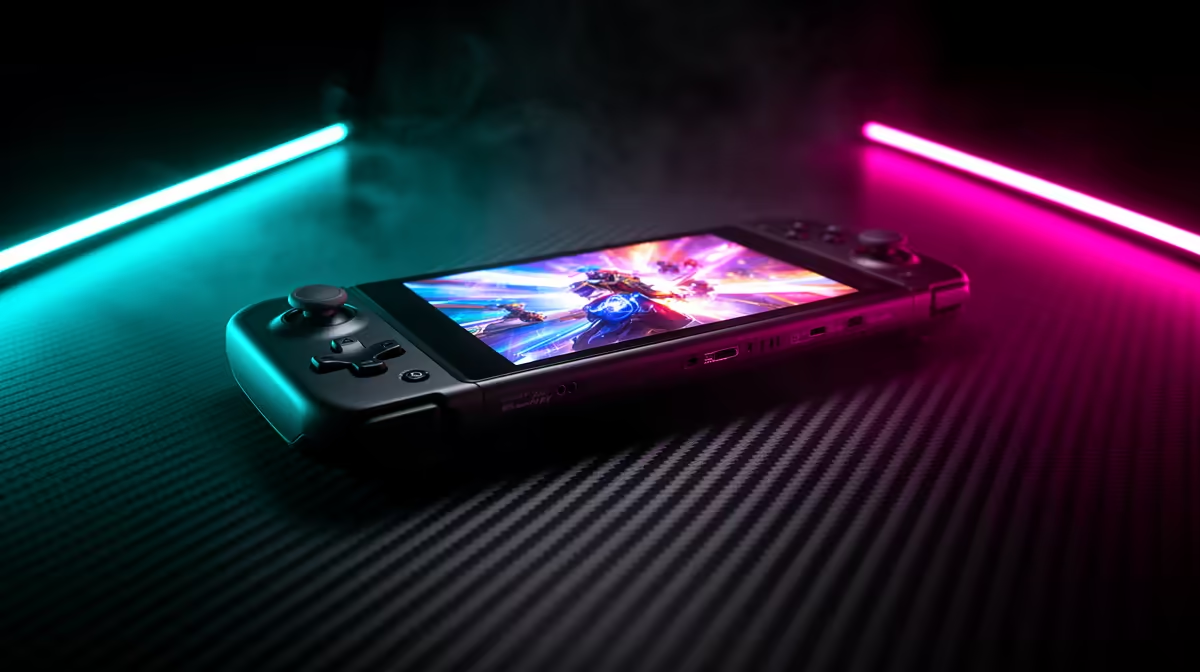
Legion Go Gen 2 gives you a large OLED screen and detachable controllers. ROG Ally X gives you a smaller fixed body, an 80Wh battery and an established Windows handheld layout. Both target premium buyers, but they feel different in the hands and bag. South African model availability and warranty can settle the choice before a narrow benchmark lead does.
Quick Answer
Choose Legion Go Gen 2 for its 8.8-inch OLED, flexible control modes and large-screen docked potential. Choose ROG Ally X for a more compact fixed grip, large battery and 7-inch variable-refresh display. Compare exact processor configurations at the same power setting, then verify the local invoice and warranty for the model you can buy.
Use the current handheld gaming range for local evidence, and compare best-selling PCs when portability is secondary.
Grip and Weight Decide Long Sessions
ROG Ally X keeps its controllers attached and shapes the body around a familiar gamepad hold. It is easy to pick up as one piece, with no controller rails or separate parts to manage.
Legion Go Gen 2 is larger and its controls detach for tabletop or docked use. That flexibility adds mechanisms and changes how weight sits across your hands.
Try both if possible. Reviewers' hand sizes differ, and the best grip is the one that keeps your wrists relaxed through a normal session. Check reach to rear buttons, stick placement and sharp pressure points.
Screen: Large OLED or Compact VRR
Legion Go Gen 2's 8.8-inch WUXGA OLED offers deep contrast, strong colour and a 144Hz ceiling on listed configurations. Text and strategy interfaces gain from the physical size.
ROG Ally X uses a 7-inch 1080p 120Hz IPS-class display with variable refresh. VRR can smooth a changing frame rate without requiring it to match a fixed refresh step.
OLED quality does not guarantee that an integrated GPU can run demanding games at native 1200p and high refresh. Use lower render resolution, upscaling and sensible frame caps where needed.
Battery: Capacity Meets Screen and Power
ROG Ally X carries an 80Wh battery. Lenovo lists 74Wh for Legion Go Gen 2. Capacity gives the Ally X a numerical advantage, though chip mode, display size, brightness and game demand decide actual runtime.
Compare the same title at the same watts, frame cap and brightness. A review that runs one device at maximum performance and another in a quiet profile cannot rank battery life fairly.
Both will last longer in light indie games than in a demanding release. Test sleep and standby behaviour if you play in short bursts.
Performance: Name the Chip First
Legion Go Gen 2 can be configured with different Ryzen Z2-family processors. ROG Ally X configurations can also vary by generation and region. Do not compare family names without the full chip, memory and storage specification.
At matched power, the stronger processor can lead, but cooling and firmware influence sustained results. Look at frame-time consistency and one-per-cent lows. Peak averages during a short run can hide throttling.
Windows updates, graphics drivers and handheld software can move results after launch. Use recent tests of the exact model.
Detachable Controls Change Docked Use
Legion Go Gen 2 can place its screen on a table while the controls work separately, or use a controller mode intended for pointer-style input. This can suit strategy games and desktop navigation.
ROG Ally X needs an external controller for the same screen-detached posture, though its fixed body is simpler for pure handheld play. Both can connect to a display through suitable USB-C docks.
Price the dock, power delivery, external storage and inputs. A premium handheld becomes a costly desktop when every accessory is added.
Windows Brings Freedom and Friction
Both are full Windows PCs on their listed standard configurations. You can use several game stores and launchers, mods where supported and ordinary desktop software.
Windows also presents small menus, updates, account prompts and launcher conflicts on a handheld screen. The manufacturer control layer helps with power modes and buttons but does not remove the operating system.
Set up account recovery, current drivers and offline modes before travelling. Test every launcher without a network connection.
Storage and Ports
Check the exact SSD capacity and form factor. Large modern games can fill a 1TB drive quickly, and an SSD upgrade may involve opening the device. Read warranty and service guidance first.
MicroSD support can be convenient for lighter games, with performance and heat behaviour depending on the device and card. Back up saves before changing storage.
Port count matters when charging, docking and attaching an external SSD at once. Map the desk setup before choosing a hub.
South African Warranty Is a Model-Level Check
A brand having local presence does not prove that an imported variant has South African cover. Ask with the complete model code and serial eligibility. Read battery, controller and accidental-damage exclusions.
If the exact Ally X or Legion Go Gen 2 is absent from a local listing, do not borrow the price or warranty of a related Ally, Legion Go S or earlier model.
International returns can erase a modest price saving. Give local support more weight on a handheld where the screen, battery and controls are integrated.
Which One Suits a Tighter Budget?
The cheaper exact local package wins only after matching storage, processor and warranty. Do not compare a base Legion configuration with a higher Ally X variant and call the family cheaper.
Consider a locally listed lower-tier handheld when both premium models stretch the budget. You may give up OLED, battery or performance while preserving the same broad PC library.
A desktop can also offer more gaming speed for home use. Portability must earn the premium.
FAQ
Which handheld has the better grip?
ROG Ally X offers a compact fixed shape, while Legion Go Gen 2 is larger with detachable controls. Try them with your own hands where possible.
Which has stronger raw performance?
It depends on the exact processor configuration and power mode. Compare recent matched tests rather than family names.
Does ROG Ally X have better battery life?
Its 80Wh battery gives it a strong starting advantage over the Legion's listed 74Wh, but real runtime needs a matched game and settings.
Are both running full Windows?
Their standard listed configurations use Windows, giving broad PC software access with the maintenance and small-screen friction that brings.
Pick Legion Go Gen 2 for OLED size and detachable play or ROG Ally X for fixed comfort and battery, then verify the exact local model and warranty.