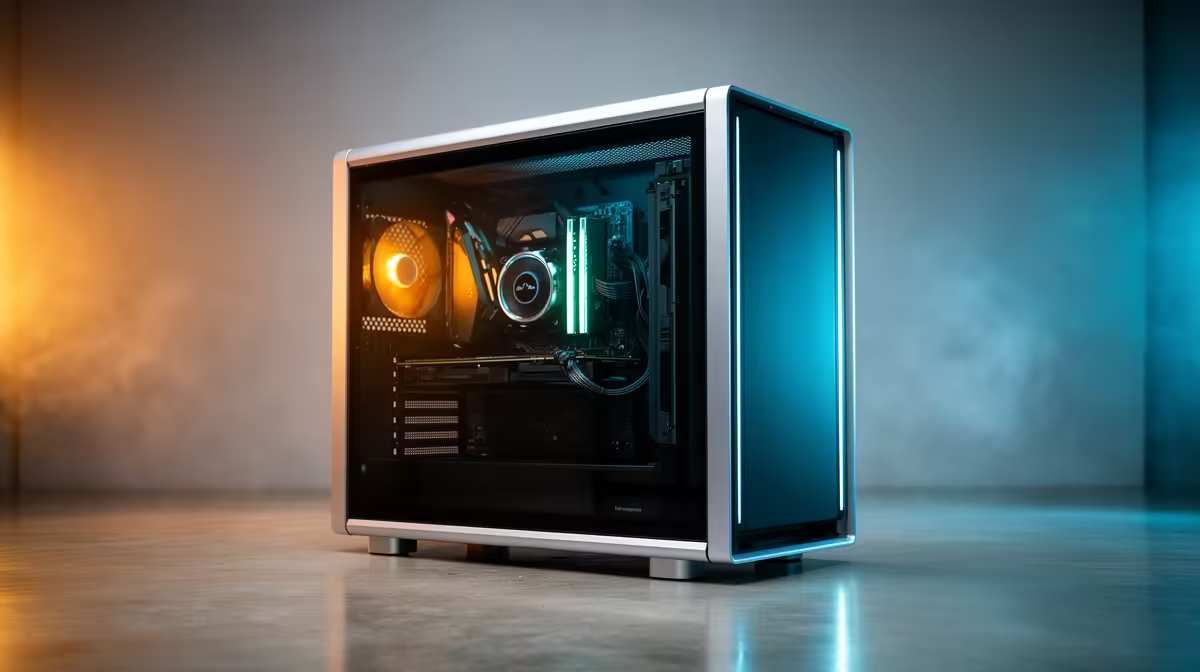
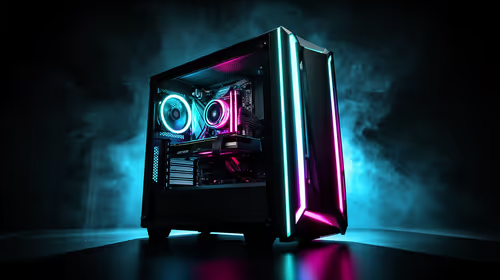
Three glass panels can make a PC look like a display cabinet, and they leave the cooling system with a precise airflow job. The Lian Li O11 Vision price in South Africa should be judged with fans, radiator, graphics-card mount and desk space included. The empty chassis is only the frame of the project.
Quick Answer
The South African Rand price and availability of an O11 Vision can move between versions, colours and shipments. A large case brought across borders may carry substantial delivery costs and customs duty. Compare the full showcase build with Evetech's current gaming PC deals for locally available systems with compatible cooling already planned.
🪟 Decide whether the view serves the build
The O11 Vision is designed around a broad view of the components. That means cable routing, lighting and component colour become part of the purchase. If the PC sits under a desk with its glass against a wall, much of the case's value disappears.
Measure the desk footprint and the direction the glass faces. Leave room to remove panels and clean filters. A wide dual-chamber case can free the main compartment and consume more surface than a traditional tower.
Choose the visual focus. A clean graphics card, organised liquid loop or balanced lighting works better than every component competing for attention. Lighting controllers, extension cables and decorative fans add cost and wiring. Add only the parts the final view uses.
Glass shows dust and fingerprints. Plan easy filter access and a cleaning routine. Avoid placing the case where sunlight creates glare or heats the interior through the day.
🌬️ Build airflow around the glass
Glass reduces the places where air can enter or leave, so side and bottom fan positions do more work. Decide which mounts are intake and which are exhaust before installing the motherboard. Keep the path consistent across the graphics card and CPU cooler.
Bottom intake can feed the graphics card. Side intake can supply the full chamber. A top or rear exhaust can remove warm air where the configuration supports it. Fan direction should be checked by the frame arrows, not by the side with lighting.
Positive pressure can reduce dust through gaps when filtered intake airflow exceeds exhaust. It does not replace cleaning. Dense filters restrict air and need enough fan speed to work without a whistle.
Test temperatures with panels on. An open-case result hides the airflow challenge you paid the case to solve. Log CPU and GPU temperature, fan speed and room conditions through a long game, then adjust one group at a time.
📏 Prove radiator and GPU clearance together
Radiator support on a specification sheet does not guarantee the radiator, fans and tubes fit with every motherboard or graphics card. Add radiator thickness and fan thickness. Check connector access and whether tubes can bend without kinking.
A vertical GPU can improve the showcase view and may move the card close to glass. That can restrict cooler intake. Measure the slot spacing and use a compatible riser. Keep the card far enough from the panel for its fans to breathe.
Riser cables must support the intended PCIe generation and routing. A cable bent sharply or trapped behind the card can create instability. Test the GPU directly in the motherboard before adding the riser, then repeat load testing after installation.
Large power supplies, drive cages and controller hubs live in the second chamber. Lay out cables before closing it. A forced panel can press connectors sideways or crush a fan cable. The hidden side should still be serviceable.
Sequence the build around access. Install lower fans and any radiator hardware before a large graphics card blocks the screws. Test lighting and fan control while the cables remain visible. Once the second chamber is packed, tracing one unpowered fan through several hubs becomes slow work.
Label controller ports and take a clear photograph before fitting the rear panel. Keep firmware tools and lighting software to the minimum required. Several competing control packages can fight over the same device and add background services to a PC built for games.
💰 Price the finished showcase PC
Start with the exact O11 Vision variant. Add fans because cases may ship with different fan counts or none. Include the radiator, controller, vertical mount and riser only where your plan needs them. A showcase case can double its effective cost through presentation hardware.
If the chassis follows an overseas route, account for bulky delivery, customs duty and disclosed carrier handling. Damage risk matters with large glass panels, so confirm packaging, inspection and support terms.
Use Evetech's PC best-sellers to compare complete local systems. Look at graphics-card class, CPU, cooling and case finish. A built PC can provide the showcase look without forcing you to solve every compatibility question separately.
For a used case, inspect every glass edge, panel peg, screw and filter. Ask the seller to remove panels so hidden chips or bent frames are visible. Replacement glass can be expensive and difficult to move safely.
Transport glass panels separately in their original protection where possible. Never lift the completed PC by a decorative rail or glass edge. Support the chassis from underneath and remove a very heavy graphics card before a long journey if the builder's transport guidance calls for it.
Keep the spare brackets and case hardware in a labelled bag. Take photographs before routing cables so a future rebuild has a map. Evetech's gaming PC range changes, so revisit it when your component list is ready. The O11 Vision should win because the view and layout matter to you, not because a photograph made an unfinished parts list look complete.
Frequently Asked Questions
What makes the O11 Vision different from a traditional case?
Its glass-heavy showcase layout and dual-chamber design place component visibility and cable hiding near the centre of the build.
Why do showcase cases cost more to complete?
Fans, lighting, controllers, vertical GPU hardware and careful cable choices can add to the empty chassis amount.
Does it support liquid cooling?
The family is designed with radiator mounting in mind, but verify radiator thickness, fans, tubes and component clearance for the exact version.
Is vertical GPU mounting always better?
It changes the view and can restrict airflow near glass. Use a compatible mount and leave enough intake space.
Where can I compare showcase-style gaming PCs?
Evetech's current gaming PC pages show locally available systems with case, cooling and components selected together.
Ready to plan the build behind the glass?
Check Evetech's current gaming PCs, compare complete showcase systems and cost every fan, mount and clearance in your O11 Vision plan.