



iRacing SA Gaming PC Build Guide
iRacing build planning should focus on the target resolution, settings and total system balance. Treat launch wording as time-sensitive, then verify requirements before choosing SA PC parts.
Read moreMicro-ATX vs Mini-ITX cases: choose the right size for your build. Compare space, cooling, and upgrade trade-offs before you buy. Get it right with confidence. 🧊⚙️
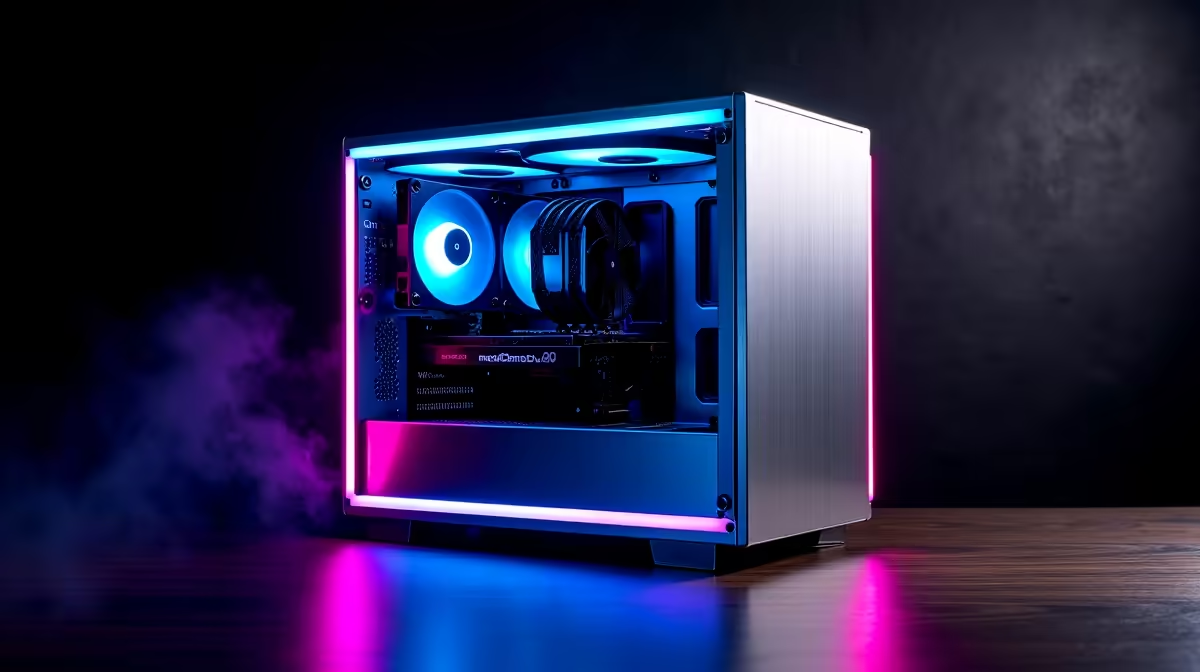
You want a compact PC… but you also want it to game hard in our summer heat. In South Africa, where power cuts and dust build up quickly, case choice matters. The right chassis can mean easier airflow, cleaner cable routing, and upgrades that don’t turn into a wrestling match.
That’s why many buyers compare Micro-ATX vs Mini-ITX Cases: Space, Cooling, Upgrades before buying. Let’s break down what changes when you go smaller, and how to avoid expensive mistakes. 🔧
Micro-ATX usually gives you more “breathing room” inside the frame. Mini-ITX is tighter, which can look sleek on your desk, but it also reduces your tolerance for bulky parts. In practical terms:
If you’re browsing case options first, start with the category pages to compare form factors side-by-side:
Cooling is where “small” becomes “specific”. Mini-ITX cases can struggle if they don’t support enough fan placement or if their radiator compatibility is limited. Micro-ATX tends to offer more flexible airflow paths.
Here’s what you should look for before you buy any case:
For gaming rigs, airflow is also about dust. Our climate can be dusty, and filters only help if they’re easy to access. If you want compact but performance-minded airflow, Gamdias has options worth comparing:
And if your budget is part of the equation, use price filters to avoid compromises:
Upgrades are where you feel the difference most. Mini-ITX owners often plan upgrades like puzzle pieces: “Will my next GPU fit?” “Will my PSU choice still work?” “Can I add another drive?”
A sensible upgrade plan:
On Windows, use the PowerToys FancyZones utility to create custom snap layouts for your windows. It's a lifesaver for managing multiple apps on an ultrawide monitor, letting you organise your timeline, preview window, and asset folders perfectly for video editing.
One builder I know wanted Mini-ITX for the desk footprint. It looked amazing. Then they upgraded the GPU and ran into clearance issues that forced a slower fan curve and more noise. It wasn’t “broken”… just louder than it needed to be. In compact builds, small fit problems create big comfort issues.
So yes, Mini-ITX can be awesome. Just treat compatibility like a checklist, not a hope.
If you want the safest balance for most gamers, Micro-ATX is usually easier: more airflow options, easier cable routing, and more upgrade flexibility. If you prioritise desk space and you’re careful with part sizes, Mini-ITX is a great target… especially with a case that supports the cooling layout you need. 🚀
Ready to Find Your Perfect Match? The Mac vs Windows debate is complex, but for maximum power, choice, and value in South Africa, Windows is hard to beat. Explore our massive range of laptop specials and find the perfect machine to conquer your world.
Micro-ATX cases usually offer easier parts compatibility, while mini-ITX maximizes space savings. Pick based on GPU size and airflow needs.
Not always, but mini-ITX cases often have tighter space. Prioritize radiator support, fan placement, and airflow paths for better cooling.
Check GPU length, thickness, and whether the case supports side/low-profile clearance. Always compare against your exact GPU model specs.
Micro-ATX cases more commonly support bigger radiators and more flexible mounting. Mini-ITX can work with smaller AIOs and careful layout.
Yes. Mini-ITX cases may limit PSU length or airflow. Confirm PSU form factor and max dimensions before buying a case.
Micro-ATX cases typically provide more expansion room for future upgrades. Mini-ITX can stay upgradeable, but options may be narrower.
Often, yes. Space is tighter, so plan for cable routing options, modular PSU usage, and narrower bend radius clearances.
Choose the case that gives your fans and heatsink more room to breathe. Micro-ATX often offers better airflow and quieter thermal performance.
iRacing build planning should focus on the target resolution, settings and total system balance. Treat launch wording as time-sensitive, then verify requirements before choosing SA PC parts.
Read more
Skyrim PC requirements should be mapped to resolution, settings and upgrade budget before choosing a tier. Verify current requirements, then balance GPU, CPU, RAM and SSD around SA pricing.
Read more
Skyrim PC builds is a cautious guide for game PC build planning. Compare game requirements, tier fit, resolution goals, RAM, storage, and GPU choice for SA buyers without assuming live prices, availability, or exact benchmark results.
Read more
Hades 2 PC builds is a cautious guide for game PC build planning. Compare game requirements, tier fit, resolution goals, RAM, storage, and GPU choice for SA buyers without assuming live prices, availability, or exact benchmark results.
Read more
Roblox PC builds is a cautious guide for game PC build planning. Compare game requirements, tier fit, resolution goals, RAM, storage, and GPU choice for SA buyers without assuming live prices, availability, or exact benchmark results.
Read more
Mortal Kombat 1 launch needs a balanced parts plan, not a random basket. Map the CPU, GPU, RAM, SSD, cooling, and monitor target to the budget so SA builders know where to spend first.
Read more
Wondering if a TKL wireless mechanical keyboard is worth it for everyday productivity? We break down latency, battery life, comfort, and workflow gains for real work. ⚡⌨️

Maximise battery life on a fanless 15-inch laptop using efficiency core architecture. Cut idle drain, tune power profiles, and improve thermals for longer runtime. 🔋⚙️

Learn how to reduce desk clutter with a TKL wireless keyboard using fewer cables, smart placement, and tidy essentials. Get a faster, calmer workspace with better ergonomics. ✅🧼

RGB keyboard lighting too distracting? Learn how to manage backlight modes, set brightness, and reduce distraction for focus and productivity 😌🖱️

Are themed gaming keyboards worth the extra cost? Compare build quality, switch options, features, and resale value to find the best fit for your setup 🎮⌨️

Full-Size vs Tenkeyless mechanical keyboards for gaming: find out if a smaller layout truly improves aim, speed, and comfort. We break down layout, desk space, latency-feel, and keybinds 🎮⌨️

Dedicated media rollers vs function key shortcuts: learn which setup gives you better workflow control, faster media access, and fewer mistakes. 🖱️🎧

Best Mechanical Switch Type for Gaming: Clicky vs Linear vs Tactile. Find your feel, speed, and noise balance with practical guidance for FPS, MOBA, and productivity 😄🎮

Direct mouse answer: Mouse not keeping up with your work? Everything that matters about dual-mode 2.4GHz + BT 5.0: DPI behaviour, channel switching, battery curves and per-app button mapping. Covers when 2.4GHz USB wins (low-latency desk) and when BT 5.0 wins (laptop, d

Plain wireless mouse guide: Mouse not keeping up with your work? Everything that matters about wireless productivity mouse: DPI behaviour, channel switching, battery curves and per-app button mapping. Includes DPI tuning tips, channel switch shortcuts, and ZAR-aware fea

Real productivity numbers: Set up your wireless mouse in this order: everything that matters about wireless productivity mouse: DPI behaviour, channel switching, battery curves and per-app button mapping. Includes DPI tuning tips, channel switch shortcuts, and ZAR-aware

Pen not feeling like paper? Stylus lag and skipping usually trace to old drivers, dirty nibs, or display refresh mismatches, not the pen itself. Covers pressure curve tuning, tilt thresholds, nib swap timing, and SA pricing brackets.