Is your gaming rig starting to sound more like a jet engine during a Johannesburg heatwave? With next-gen CPUs and GPUs pushing thermal limits, standard cooling solutions are hitting a wall. For South African enthusiasts chasing absolute peak performance and whisper-quiet operation, the answer isn't inside your case... it's outside. Enter the MO-RA3 External Radiator, a legendary piece of kit that represents the pinnacle of PC cooling for 2025 and beyond.
Why Go External? The MO-RA3 Advantage
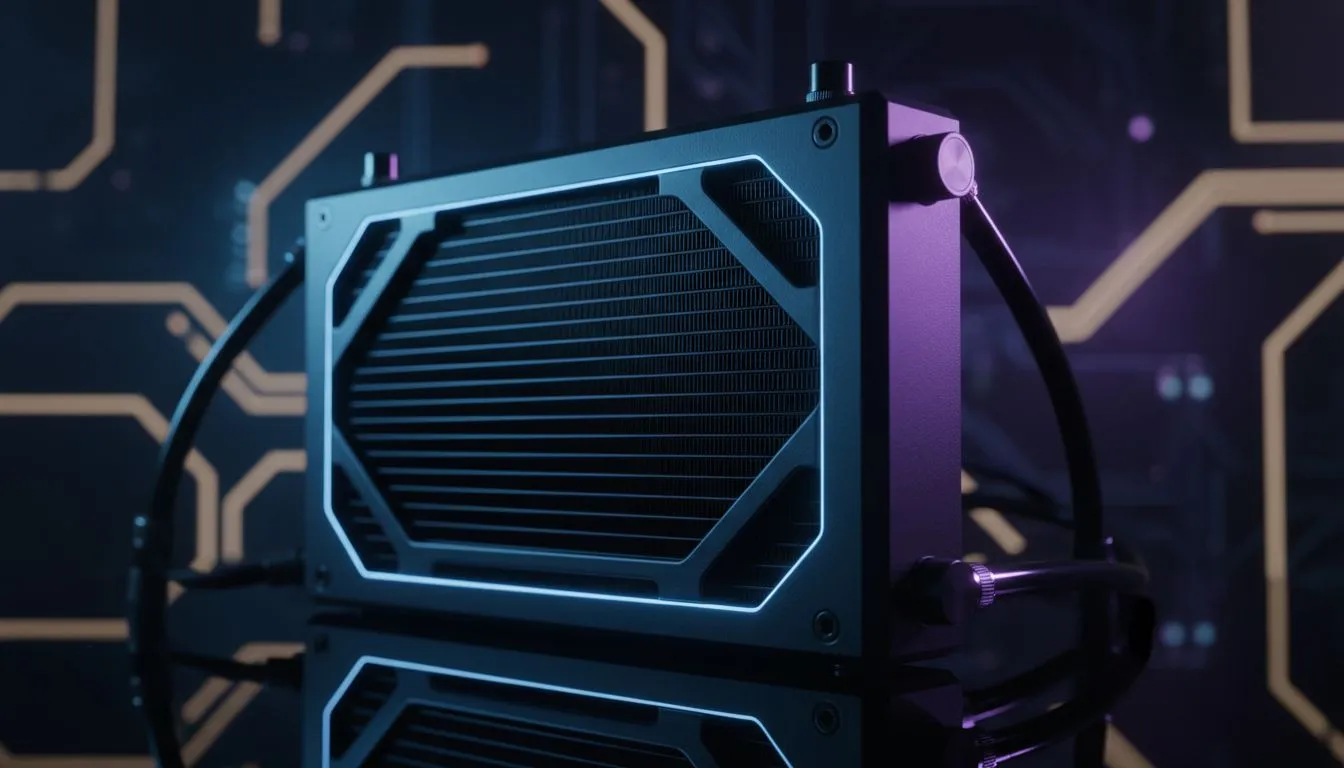
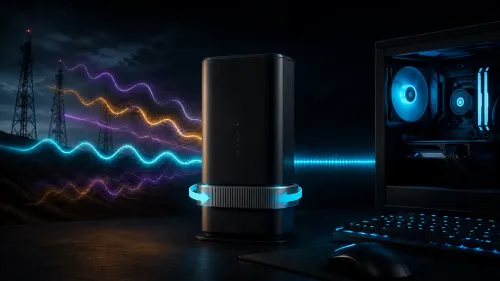
At its core, an external radiator takes the single hottest part of a liquid cooling loop—the radiator itself—and moves it completely outside the chassis. This simple change has a massive impact. Inside a PC case, radiators fight for cool air and dump their heat right back into the system, raising ambient temperatures for your RAM, motherboard, and SSDs.
The MO-RA3 external radiator sidesteps this entire problem. By giving your loop a dedicated, unrestricted cooling station, you achieve thermal efficiency that internal solutions can only dream of. It's a fundamental shift from the compromises of traditional CPU coolers to a solution with virtually no limits. 🔧
The MO-RA3 External Radiator: A Closer Look
So, what makes this the ultimate enthusiast cooling solution? Sheer, unadulterated surface area. The Watercool MO-RA3 420, for example, can mount up to nine 140mm fans. That's the cooling equivalent of three 420mm radiators bolted together, a size that simply won't fit in 99% of consumer cases.
This colossal cooling capacity allows fans to spin at incredibly low RPMs, delivering near-silent operation while dissipating enormous amounts of heat. While a high-performance Liquid Cooler (AIO) is a fantastic upgrade over stock cooling, it's still bound by the thermal constraints of your case. Even the most powerful tower-style Air Coolers can't compete with the raw thermal headroom offered by a MO-RA3 setup.
Silent Build Pro Tip 🤫
For the quietest MO-RA3 setup, pair it with high static pressure fans like the Noctua NF-A12x25 or Phanteks T30. Set a custom fan curve based on your water temperature, not CPU temperature. This prevents your fans from constantly ramping up and down, resulting in a system that's barely audible even under heavy load.
Who Needs This Level of Ultimate Enthusiast Cooling?
Let's be clear: the MO-RA3 is not for your average build. This is specialist gear for those who refuse to compromise. Are you one of them?
- Extreme Overclockers: Pushing your CPU and GPU to their absolute limits requires dissipating hundreds of watts of heat. The MO-RA3 handles this without breaking a sweat.
- Content Creation Professionals: Imagine rendering a complex 8K project for hours on end. An external radiator ensures your system remains cool, stable, and quiet, protecting your workflow and your sanity.
- Silence Fanatics: For those who crave a truly silent PC, the MO-RA3 is king. Its efficiency means fans can run so slowly they become inaudible.
- Multi-GPU Power Users: Cooling two high-end GPUs plus a flagship CPU with a standard internal 360mm Radiator is a serious challenge. For the MO-RA3, it's just another day at the office.
This level of performance requires a full custom water-cooling loop—a rewarding journey for any true PC enthusiast. 🚀
Planning Your MO-RA3 Setup
Integrating a MO-RA3 external radiator into your build is the heart of a custom loop project. You'll need to pair it with a quality pump/reservoir combo, tubing, fittings, and a coolant of your choice. While the initial setup is more involved than installing an AIO, the performance payoff is unparalleled.
For many builders, the path to a MO-RA3 starts with a simpler setup. Getting comfortable with a premium all-in-one cooler from a trusted brand like CORSAIR is a great first step into the world of liquid cooling, teaching you the basics of installation and thermal management before you take the ultimate plunge.
The MO-RA3 isn't just a component; it's a statement. It declares that you prioritise performance above all else, creating a system that can handle anything you throw at it, today and into 2025.
Ready to Tame Your Temps?
Whether you're planning a monster custom loop or starting with your first AIO, the right cooling is key to unlocking your PC's potential. Explore our huge range of PC components and find the perfect hardware to build your dream machine.