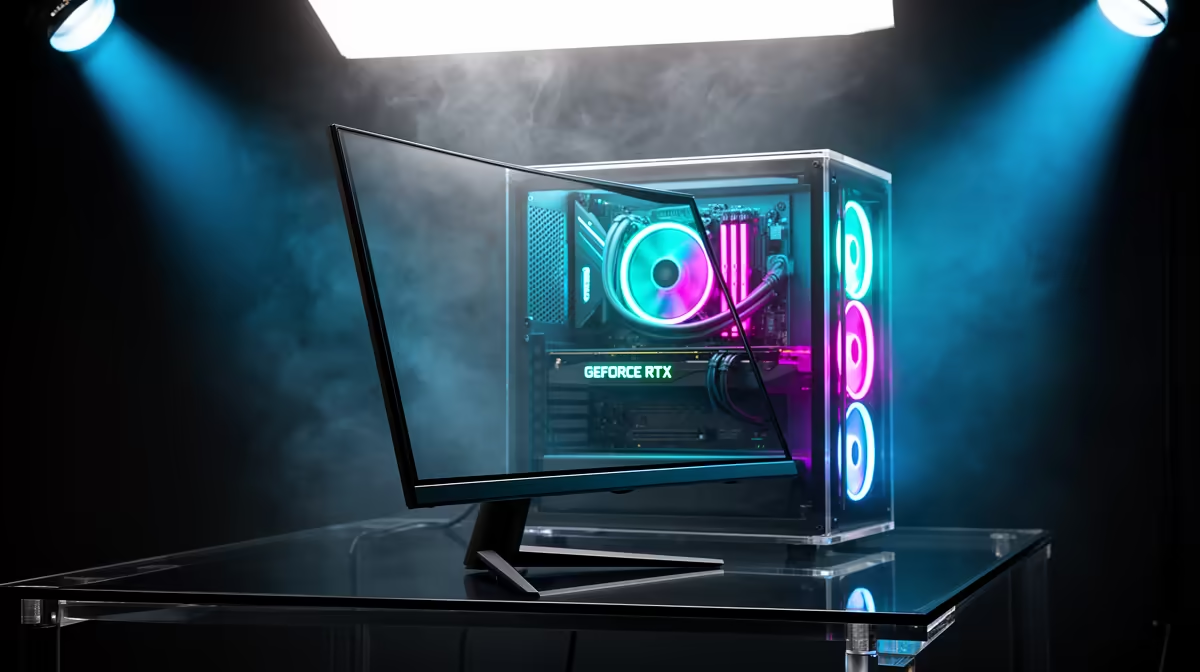
The RTX 5060 is happiest when a monitor asks for speed at 1080p and leaves some room for 1440p experiments. A 24-inch 165Hz or 180Hz screen gives it a clean everyday target. Choose 240Hz for esports, or move to 27-inch 1440p when sharper detail matters enough to tune the heavier games.
Quick Answer
Start with 24-inch 1080p at 165Hz to 240Hz for the easiest RTX 5060 match. A 27-inch 1440p 144Hz to 180Hz monitor also works when you accept lower settings or upscaling in demanding releases. In Evetech's July 2026 snapshot, R6,999 bought Palit's 8GB RTX 5060 Infinity 2 OC, giving this monitor decision a real dated GPU anchor instead of an invented system budget.
🎯 Choose 1080p from the distance you sit
At 24 inches, 1080p looks sensible at normal desktop distance and keeps the GPU workload modest. The RTX 5060 can spend more of its budget on frame rate, ray-tracing effects or a steadier minimum rather than additional pixels.
A 27-inch 1080p panel makes each pixel larger. Some players like the physical scale, while others notice softer text and edges. Sit in front of one if possible; a specification table cannot decide how sensitive you are to pixel density.
Evetech's monitor range helps you compare 24-inch and 27-inch options across their current refresh tiers.
⚡ Use 165Hz as the easy floor for a new gaming panel
The move from 60Hz to 165Hz changes mouse movement, desktop scrolling and every game that can run above 60fps. You do not need a constant 165fps to benefit because variable refresh can follow the output below the ceiling.
An esports player can look at 240Hz. Check one-percent-low frame rates in a real match and make sure the CPU can keep up. A frame counter touching 300 in a training room says little about a crowded round.
For story-driven games, panel quality may beat a higher number. A clean 165Hz IPS with good contrast control, stand adjustment and VRR can create a better evening than a compromised 240Hz screen chosen for its box.
🖌️ Decide between IPS and VA with motion on screen
IPS suits mixed use with clear text, wide viewing angles and consistent colour. Look for overshoot at its fastest overdrive setting and choose the mode that works across your normal frame range.
VA can offer darker blacks and stronger native contrast at a similar price. Slow dark-pixel transitions cause smearing on weaker models, which is visible in night maps and scrolling dark interfaces. Read proper response measurements for the exact panel.
OLED at 1080p is uncommon and can be difficult to justify beside a midrange GPU budget. If you are spending for OLED, 1440p may give the monitor a longer useful life, provided your games can handle the pixel load.
🪜 Step into 1440p with a settings plan
The RTX 5060 can run 1440p well in esports, indie games, older releases and many current titles with tuned settings. The newest heavy games may need a quality upscaling mode, lower ray tracing or a 60fps target.
Start from High rather than Ultra. Keep textures appropriate for the card's memory, then reduce costly shadows, reflections and volumetrics where the visual difference is small. Watch frame time for memory pressure and traversal stutter.
A 1440p monitor can outlast this graphics card. If your next upgrade is already part of the plan and you prefer sharp desktop text, accepting some settings work now may be worth it.
Keep video-memory behaviour in the comparison. At 1440p, a game can run well until a larger area or higher texture pack fills the available memory and introduces stutter. Watch frame time and allocated VRAM in the same repeatable scene. Preserve texture detail when it fits; lower it one step when traversal creates sharp spikes. A smoother 1440p High setup is more useful than an Ultra screenshot followed by rough play.
Evetech's monitor best-sellers show current format choices while you compare the cost of that step.
🧠 Leave enough CPU room for competitive refresh
At 1080p Low settings, the RTX 5060 may wait for the CPU to prepare frames. Overall processor use can look moderate while one game thread is full. Check per-core load and repeat the match before assuming the GPU is underperforming.
Raising visual quality or resolution can use spare GPU capacity without changing FPS much in a CPU-limited scene. That is an opportunity to improve the image, not a reason to panic about a utilisation percentage.
Set a frame cap you can hold through busy moments. A stable 180fps often feels better than swinging between 150 and 260 while the fans chase every peak.
🔄 Configure the signal path properly
Select the monitor's native resolution and maximum refresh in Windows, enable Adaptive-Sync on the panel and set up compatible variable refresh in the NVIDIA controls. Check that the display cable is connected to the RTX 5060, not the motherboard.
Use DisplayPort or HDMI according to the monitor's full-refresh specification. The included cable may be correct, but confirm it when black flashes or missing refresh choices appear.
The RTX 5060 page at Evetech gives you current variants and dated availability while you match the exact card to the screen.
Frequently Asked Questions
What resolution suits the RTX 5060 best?
1080p is the easiest high-refresh target, with 1440p available when you tune demanding games.
What refresh rate should I target?
165Hz to 180Hz suits most players. Consider 240Hz for esports when the CPU and game can feed it.
Is 1440p realistic with the RTX 5060?
Yes, especially with sensible settings and upscaling. Performance varies by game.
Why is the RTX 5060 called a volume card?
That label describes a market position, not a monitor requirement. Use your budget and games to choose the pairing.
Should I choose a fast TN or IPS panel?
TN can deliver competitive motion at low cost; IPS usually gives better colour and viewing angles for mixed use.
Is this pairing good for competitive shooters?
Yes. 1080p high refresh keeps GPU load manageable, while the CPU still needs to sustain the target.
Does Evetech stock 1080p high-refresh monitors in South Africa?
Evetech's monitor category covers 1080p gaming displays. Confirm the exact refresh, price and availability at purchase time.
Want an RTX 5060 setup that feels quick without wasting budget?
Compare 1080p and 1440p gaming monitors at Evetech, then choose from the frame rates your main games hold.