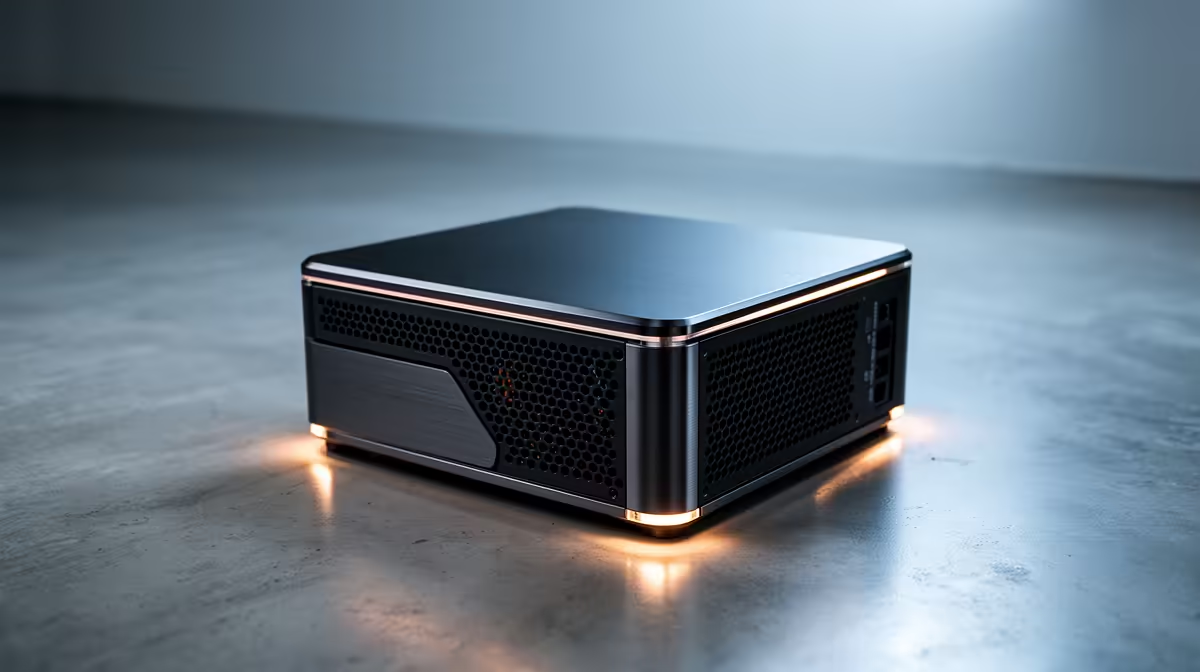
Two Intel mini-PC chips, near-identical on paper, and a 2026 refresh that has buyers wondering whether the newer one is actually a step forward or just a fresh sticker. The N150 versus N100 mini PC question has a clear answer: they share the same architecture and core layout, the N150 adds a small turbo bump and a faster graphics clock, and the real-world gap is modest enough that price usually decides it.
Quick Answer
The N150 and N100 both have 4 cores, 6MB of L3 cache, and a 6W base TDP. The N150 adds a 200MHz higher turbo (3.6GHz versus 3.4GHz) and a roughly 33% faster graphics clock, translating to single-digit gains in CPU benchmarks and a few extra frames in light graphics. Buy the N150 if the price difference is small; otherwise the N100 is still excellent value.
Same foundation, small refinements
Both chips come from Intel's low-power line and share the same fundamental design: four efficiency cores, 6MB of L3 cache, and the same modest 6W thermal envelope at base. The N100 is built on Alder Lake-N, while the N150 carries the Twin Lake name on a more refined process. In practice the architectural DNA is the same, which is why the two feel so similar in everyday use.
The N150's headline changes are a 200MHz higher peak turbo and the ability to draw a bit more power under load, up to around 25W, to hold that clock longer. Its integrated graphics also run about a third faster. These are genuine improvements, but they are refinements on a known quantity rather than a new generation.
What the benchmarks actually show
The measured gap is small. In Geekbench 6 the N150 lands around 1,902 against roughly 1,891 for the N100, and PassMark shows a similar spread of about 1,904 versus 1,896. That is a low single-digit difference in raw CPU terms, the kind you would never feel while browsing, writing, or running office apps.
Where the N150 pulls ahead more clearly is graphics. The roughly 33% faster GPU clock gives a noticeable bump in very light gaming and emulation, a few extra frames where the N100 was already near its limit. Both chips decode 4K video, including H.264, H.265, VP9, and AV1 up to 4K at 60fps, so for a media server or streaming box they are effectively equal.
Where you might feel the difference
For office work, web browsing, a Pi-hole replacement, or a smart-home hub, the two are interchangeable; the N100 handles all of it comfortably. The N150's edge shows up in two places: light gaming and emulation, where the faster iGPU adds frames, and heavy multitasking, where the higher sustained turbo keeps things responsive a little longer. Neither chip is built for demanding gaming or heavy creative work, so set expectations there.
Power efficiency and thermals
One underappreciated advantage of the N150 is its manufacturing node. The N100 is built on Intel's 10nm process while the N150 moves to a more refined 7nm node, and more modern fabrication generally means similar or slightly better power efficiency at the same performance level. In a mini PC that runs 24/7 as a home server, media node, or smart-home hub, that difference accumulates as reduced heat and a marginally lower electricity bill over months of operation. The N150 is broadly power-neutral relative to the N100 in light loads, which means you are not paying an energy penalty for the extra performance it delivers under load.
Both chips stay well within a 6W base envelope, so cooling is rarely a concern. The typical mini PC chassis around these chips is sized to run them passively or near-silently, and upgrading from N100 to N150 will not force you to look for a box with a bigger fan.
Real-world use cases
For most SA buyers, either chip serves equally well in the following roles: a compact office desktop handling spreadsheets and browser tabs, a lightweight media server streaming over the home network, a Pi-hole or home-automation controller running continuously at very low wattage, and a thin-client or remote-desktop terminal. Neither chip will struggle with 4K video over the network; both decode it in hardware across the common codecs.
The N150 tilts the scales for retro emulation up to the PS2-era, where the faster integrated GPU sheds just enough overhead to hold full speed in titles the N100 approached but could not quite sustain. It also handles a second display more comfortably in split-screen productivity setups, where the small GPU gain reduces stutter when dragging windows across monitors.
Which one to buy
Pick the N150 when the price premium over an N100 box is small, because you get a slightly faster GPU, a more efficient process node, and a touch more longevity for very little extra. Pick the N100 when it is meaningfully cheaper and your use is office, media, or always-on services, where the difference simply will not register. The decision is almost entirely about price, not capability. The mini PC range at Evetech lets you compare current N100 and N150 boxes side by side so you can see which one lands at the better value on the day.
For buyers weighing a small box against a full desktop, it helps to see where compact machines sit against larger builds; the best-selling PCs at Evetech give that context across price points.
Frequently Asked Questions
Is the N150 a big upgrade over the N100?
No. They share the same 4 cores, 6MB cache, and base TDP. The N150 adds a 200MHz turbo bump and a roughly 33% faster GPU clock, which shows up as low single-digit CPU gains and a few extra frames in light graphics, not a generational leap.
Should I pay more for an N150 mini PC?
Only if the premium is small. The N150's modest GPU and turbo advantage is worth a little extra, but if an N100 box is meaningfully cheaper and you only need office, media, or always-on duties, the N100 is the smarter buy.
Can the N150 or N100 handle 4K video?
Yes, both. Each chip hardware-decodes H.264, H.265, VP9, and AV1 up to 4K at 60fps, so both make excellent low-power media servers or streaming boxes. There is no practical difference between them for video playback.
Are these chips any good for gaming?
Only for very light games and emulation. The N150's faster integrated graphics adds a few frames over the N100, but neither is built for modern demanding titles. For real gaming you want a dedicated GPU, not a low-power mini PC.
What is the difference between Twin Lake and Alder Lake-N?
The N100 uses Alder Lake-N and the N150 uses Twin Lake on a more refined process. The underlying architecture is effectively the same, which is why the two chips perform so closely in everyday use despite the different names.
Comparing low-power boxes for a home or office setup? Browse current N100 and N150 machines in the mini PC range at Evetech and pick the one that lands at the better price for your needs.