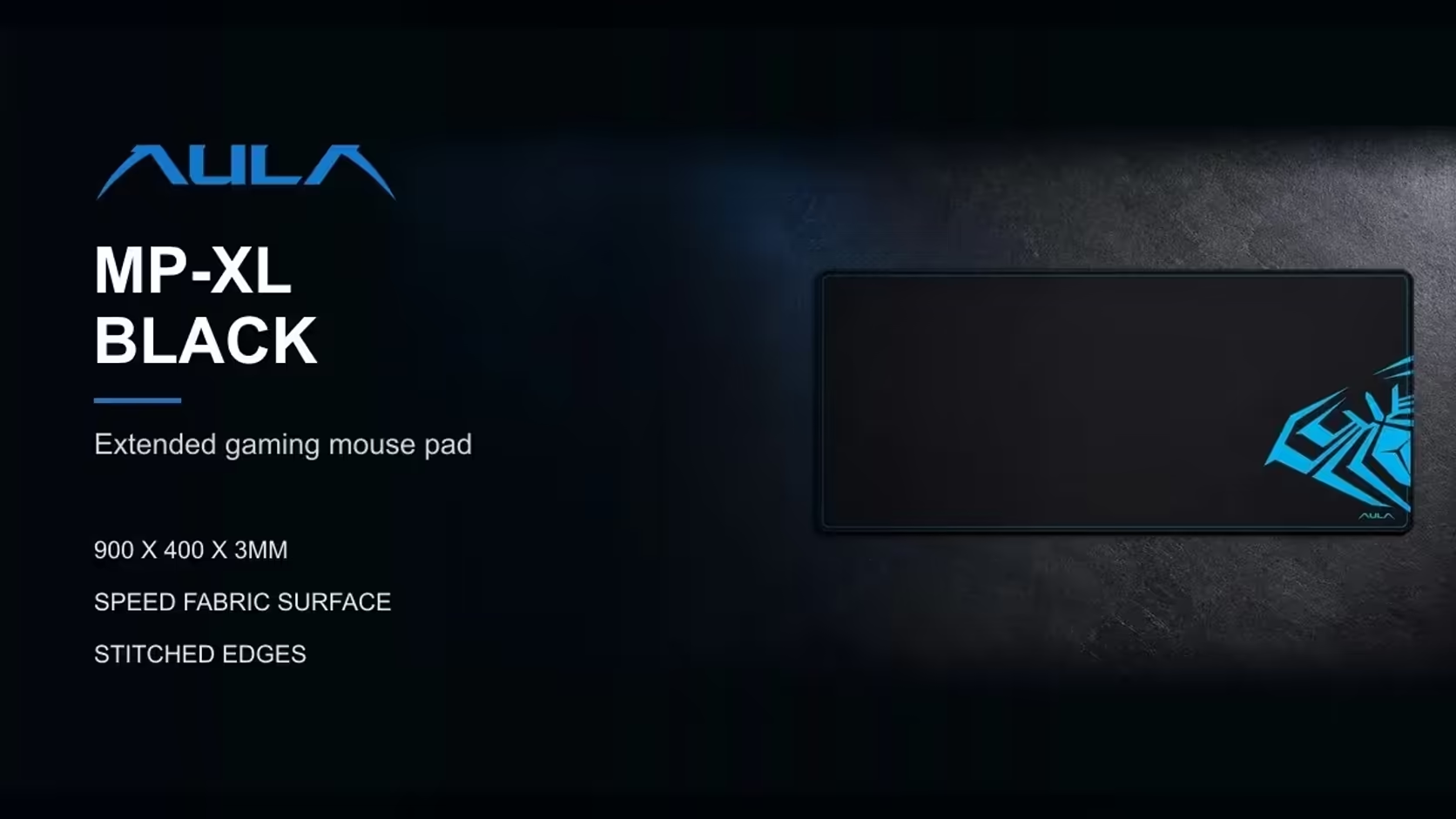
There are two ways to put fabric under a desk setup. You can lay one big pad that covers keyboard and mouse together, or you can use a separate keyboard mat and a separate mouse pad. Each approach has real advantages, and the choice depends on how you use your desk more than on which looks better. The AULA MP-XL is a single 900 x 400mm surface, so it makes a good test case for the XL mouse pad versus separate mats question.
Quick Answer
One AULA MP-XL covers keyboard and mouse in a single 900 x 400mm surface, with one anti-slip rubber base and one Speed-type glide and no seam for the mouse to catch on. Evetech lists the MP-XL at R129. Two separate mats let you mix textures, such as a control surface for the mouse and something else under the keyboard, and move each piece on its own. Pick one pad for simplicity and a tidy look; pick two for flexibility.
🟦 The case for one big pad
No seams, no edges
With two separate mats, there is always a gap or an overlap between them. If your mouse movements are wide, the mouse can hit that edge mid-swipe, catch on it or drop off the fabric onto the desk. A single pad removes the problem. The MP-XL's surface runs uninterrupted across its full 900mm.
One consistent surface
The whole MP-XL uses the same Speed-type polyester fabric, rated for optical and laser sensors. Wherever the mouse goes, the glide feels the same. That matters most for low-sensitivity players whose mouse sometimes drifts towards the keyboard side during big turns.
Stays aligned as one piece
A single anti-slip rubber base holds the whole pad at once. Two separate mats can creep independently, and you end up nudging them back into line. One pad stays square with the desk edge.
A tidier look
One large surface under keyboard and mouse gives a clean, deliberate look, especially on a photographed or streamed desk. The MP-XL is black with a blue AULA graphic and stitched edges that keep the border neat.
🟨 The case for two separate mats
Mixing textures
The biggest argument for two mats is choice. You might want a slower control surface under the mouse for precise aim, while the keyboard sits on something different, such as a felt or leather-look mat. With one pad, the whole surface has the same texture. The MP-XL is on the fast, Speed-type side, which suits many players but not everyone.
Moving pieces independently
If you frequently push your keyboard aside to write, eat or make room for a laptop, separate mats make that easy. You move the keyboard mat and leave the mouse pad in place. With a single large pad, the keyboard can move on the surface, but the pad itself stays put.
Replacing wear separately
Mouse surfaces wear faster than keyboard surfaces. With separate mats, you can replace the mouse pad alone when it gets tired. With one large pad, the whole surface goes when one area wears. The MP-XL's stitched edges help slow the most common wear point, the front border, from fraying.
⚖️ Common concerns, answered
Does one big pad get in the way when the keyboard moves?
Not really. The keyboard can still slide on top of the pad; the difference is that the pad does not move with it. If you regularly lift the keyboard off the desk entirely, one pad is no obstacle, since it simply stays in place underneath.
Can a single pad wear unevenly?
Yes. The mouse area usually wears before the keyboard area, and the front edge takes the most wrist contact. Rotating the pad occasionally, if your layout allows, spreads that wear. The stitched border resists fraying at the front edge.
Which is easier to keep clean?
One pad has fewer edges and gaps for dust to collect in, and the pad's fabric is described by AULA as easy to clean. Two mats mean two things to lift and wipe, but each is smaller and easier to handle.
Which is easier to pack away?
One pad is usually simpler. The MP-XL is 3mm thick and rolls up for transport and storage, then lies flat again without losing its shape. Two mats mean two rolls, though each is smaller. If you move between a home desk and a second workspace, carrying one rolled pad is simpler than keeping a matched pair together, and it means your keyboard and mouse surface is identical in both places.
🧭 Choosing for your desk
Pick one XL pad if you...
- Use wide, low-sensitivity mouse movements and want no edges.
- Like a consistent glide across the whole surface.
- Want a clean, single-piece look.
- Rarely move your keyboard off to one side.
Pick two mats if you...
- Want a different texture under the mouse than under the keyboard.
- Often move the keyboard aside for other tasks.
- Prefer to replace the mouse surface on its own when it wears.
What about desk space?
The MP-XL's 900 x 400mm fits a full-size keyboard and a mouse side by side. On narrow desks, measure the free width in front of your chair and check that 900mm fits before buying, remembering that the pad should sit square with the desk edge rather than hang over it; on wider desks, it covers the working zone in front of you, leaving space either side for a monitor stand or speakers.
For extended single-surface options like the MP-XL, browse Evetech's desk mats. If you would rather build a two-mat setup, the gaming mouse pads range covers the mouse side. Evetech carries the AULA pad, covered by a 1 Year Local Warranty.
Frequently Asked Questions
Why choose one MP-XL over two smaller mats?
No seam for the mouse to catch on, one consistent Speed-type surface, and a single rubber base that keeps everything aligned.
When do separate mats make more sense?
When you want different textures for keyboard and mouse, or often move the keyboard aside.
Does one big pad get in the way if the keyboard moves often?
Not much. The keyboard can slide on top while the pad stays in place.
Is there a tidiness advantage to one pad?
Yes. One surface with stitched edges looks clean and has fewer gaps for dust.
Could a single pad wear unevenly?
Yes, mostly in the mouse area and along the front edge. Occasional rotation can spread the wear.
Is one pad easier to roll away?
Usually. The MP-XL is 3mm thick and rolls up, then lies flat again.
One surface or two for your setup?
Compare Evetech's desk mats and gaming mouse pads, including the 900 x 400mm AULA MP-XL.