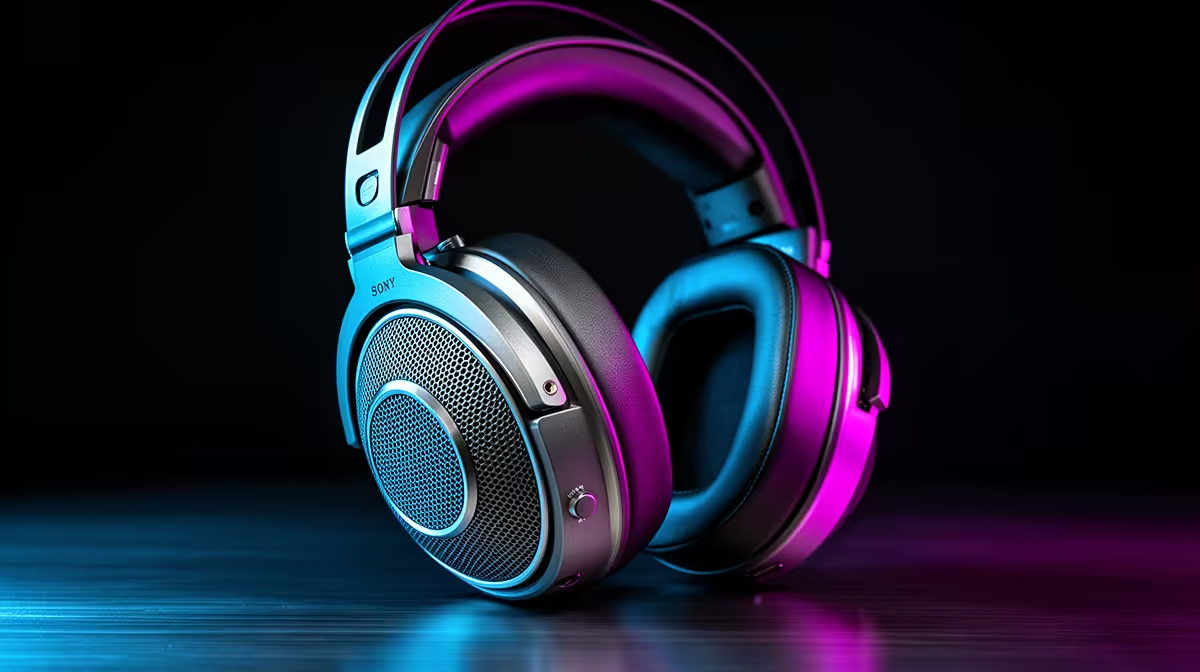
Open-back and closed-back headsets manage the rear of the driver in different ways. Open cups let air and sound pass through. Closed cups contain more of it. That choice affects room awareness, leakage, bass behaviour and how spacious the presentation can feel.
Quick Answer
Choose open-back for a quiet private room where you want an airy presentation and can allow sound to leak. Choose closed-back for a shared home, LAN event or noisy room where isolation and microphone control matter.
Footstep accuracy depends on imaging, frequency tuning and the game's audio as well as enclosure. Compare complete models in the gaming headset deals, then use the headset best sellers to shortlist fit, microphone and connection options.
What Open-Back Means
An open-back earcup uses a vented grille or an acoustically open rear enclosure. Sound from the back of the driver can pass into the room instead of being trapped inside the cup.
This can reduce internal reflections and create a presentation that feels less confined. Instruments and game effects may appear to occupy a wider space around the listener. A good open headset can make front, side and distance cues easy to separate.
Open design does not guarantee accurate imaging. Driver matching, earcup geometry and tuning still decide where a sound appears. Some open models have broad ambience and vague placement; some closed models image with precision.
What Closed-Back Means
A closed-back earcup has a solid outer shell that limits sound passing between the driver and room. The pad seal becomes a major part of the acoustic system.
Closed designs can preserve low-frequency energy and block a useful amount of household noise. They also reduce how much game audio reaches people nearby and how much leaks into a boom microphone.
Internal cup reflections have to be controlled by the design. A well-tuned closed headset can sound clear and spacious enough for competitive play. A poor one can sound congested or boomy.
Soundstage and Imaging Are Different
Soundstage describes the perceived space and scale around the listener. Imaging describes how precisely a sound can be placed within that space. A huge stage with blurry positions is less useful for a footstep than a moderate stage with stable left, right, front and rear cues.
Open headsets often create a natural sense of space because sound is less enclosed. Closed headsets can use cup geometry and tuning to create convincing width. Test the exact model rather than buying from the enclosure word.
Use a familiar game scene. Listen for a character crossing from behind to the side, moving between floors and changing distance. Repeat the route at the same volume.
Isolation Changes What You Can Hear
An open headset lets keyboard clicks, fans, traffic and conversation reach your ears. In a quiet room, that awareness can feel comfortable. In a noisy home, the room can mask the same details you bought the headset to reveal.
Closed pads reduce outside sound without electronic noise cancellation. The amount depends on pad material, clamp, cup shape and how well the seal fits around glasses and hair.
Passive isolation works most on some frequencies and less on others. A closed headset will not make a loud LAN silent. It can lower the distraction enough to hear the game at a safer, more moderate volume.
Leakage Matters to Everyone Nearby
People in the room can hear an open headset, especially at higher volume. The sound may be faint across a room and obvious to someone at the same desk.
A sensitive microphone can pick up leakage and send game audio back into voice chat. Microphone direction, placement, gain and noise processing affect the result. Closed cups make the problem easier to control.
If you stream with a condenser microphone near the desk, test open-headset bleed before recording an important session. A dynamic microphone placed close to the mouth may reject more room and cup sound, but setup matters.
Bass Depends on Seal and Tuning
Closed headsets often provide stronger bass impact because the rear volume and pad seal support low-frequency pressure. A broken seal from glasses, beard, hair or worn pads can change that response between ears.
Open models can deliver deep bass, but they often emphasise texture and openness over physical thump. The exact driver and tuning matter more than a general rule.
For competitive play, too much mid-bass can mask footsteps and reload details. Use equalisation in small steps if the manufacturer or operating system offers it. Avoid turning the entire volume up to overcome one frequency imbalance.
Heat, Clamp and Long Sessions
Open cups allow more airflow through the enclosure and can feel less stuffy. The earpad material still touches the skin, and clamp force can cause fatigue on either design.
Closed pads made from leather-like material often seal well and can trap heat. Fabric or velour can breathe more and may reduce bass isolation. Replacement pad material can change the sound, so use compatible parts.
Check cup depth so your ears do not press against the driver cover. Adjust the headband and wear the headset for at least fifteen minutes. A light model can still be uncomfortable when its clamp or pressure points miss your head.
A Quiet Room Favours Open-Back
In a private study or gaming room, an open headset lets you hear a door, phone or someone calling without removing it. The wider presentation can suit single-player games, music and long mixed-use sessions.
You also hear the PC. A loud graphics-card fan or mechanical keyboard can sit inside the game sound. Fix noisy equipment or choose closed cups if those distractions break concentration.
Open headsets make poor travel partners. They give little privacy on a plane, bus or office desk, and surrounding noise encourages higher listening levels.
Shared Spaces Favour Closed-Back
A bedroom shared with another person, an open-plan home and a LAN venue benefit from isolation. Closed cups keep more game sound to you and reduce room noise in the mix.
They can also suit voice chat because less leakage reaches the microphone. Check sidetone or microphone monitoring if isolation makes your own voice feel unnatural.
For a console in a living room, confirm cable reach, controller connection and microphone compatibility. An acoustically good headset is no use when its connector cannot carry chat on your platform.
Game Audio Mode Comes First
Set the game to headphones. If it offers HRTF or binaural audio, test that with ordinary stereo output before adding another virtual-surround layer.
Running the game's spatial processing through a headset 7.1 mode can alter cues twice. The result may sound large and make front-back placement worse. Use one spatial system at a time.
Open and closed headsets can both use stereo, game HRTF or operating-system spatial audio. The enclosure does not decide the software mode.
Connection and Amplification
USB headsets include their own audio interface and software features. Analogue models use the PC, controller or external interface. Check microphone connector wiring and console support.
Impedance and sensitivity together affect how much output a headset needs. A high impedance number does not guarantee quality or require a huge amplifier in every case. Use the maker's requirements and confirm that your device reaches a clean comfortable volume.
Wireless adds battery, radio and codec choices. A dedicated low-latency receiver is usually the gaming path, while Bluetooth can serve phones and travel. Check whether the microphone and spatial features work in each mode.
Microphone Quality Is Its Own Test
Record your voice in a quiet room and with the keyboard in use. Listen for clarity, plosives, background pickup and compression. Place the microphone near the corner of the mouth rather than directly in front of it.
Open-back leakage can show up during loud scenes. Closed-back isolation can make you speak louder than needed. Sidetone helps you monitor voice level, provided it has low delay and a useful volume range.
Detachable microphones make the headset easier to use for music. A flip-to-mute boom is convenient when its mute state is obvious.
Make the Choice With Your Room
List the sounds around you during the hours you play. Add whether someone sleeps, studies or joins calls nearby. Decide whether hearing the room is useful or distracting.
Then test positional audio at matched volume. Use the same game route and one spatial mode. Judge direction, distance and fatigue instead of choosing the loudest or widest presentation.
Pick open-back when the room permits its strengths. Pick closed-back when control over the room matters. The better enclosure is the one that lets the tuned driver reach your ears without fighting the environment.
FAQ
Are open-back headsets better for footsteps?
They can provide a spacious presentation, but imaging and tuning decide placement. A strong closed headset can locate footsteps with equal confidence.
Do closed-back headsets block all noise?
No. They provide passive isolation that varies by frequency, pad seal and design. Loud voices and venue noise can still be heard.
Will an open headset leak into the microphone?
It can, depending on listening level, microphone direction and placement. Record a loud game scene and adjust gain before relying on it for chat or streaming.
Match the headset enclosure to your room, then choose the model whose imaging, fit and microphone stay clear through a full session.