



iRacing SA Gaming PC Build Guide
iRacing build planning should focus on the target resolution, settings and total system balance. Treat launch wording as time-sensitive, then verify requirements before choosing SA PC parts.
Read moreReal-world pcie 4.0 value comes from radiator support, fan headers, GPU clearance, and front I/O. The guide ranks each by SA gaming PC fit. Built for SA gaming PC buyers. See the breakdown. Spec, price, and SA-builder notes covered.
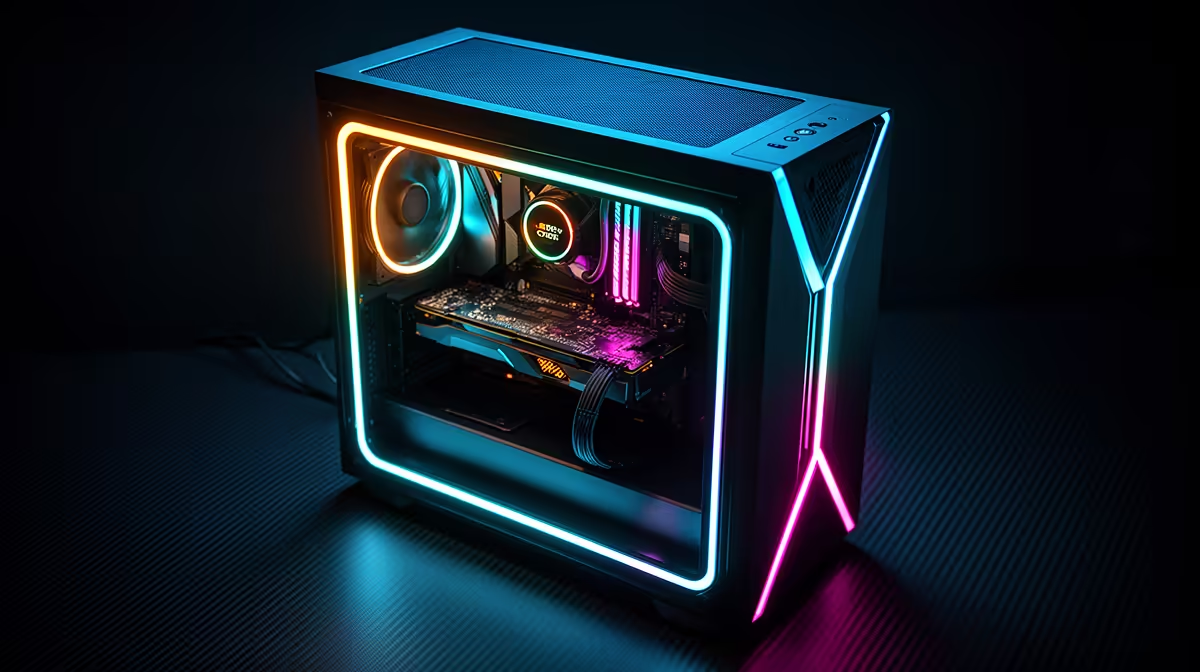
For gaming in 2026, PCIe 5.0 GPU slot readiness is not a must-have priority over PCIe 4.0. The RTX 5090 and RX 9070 XT run at full gaming performance in PCIe 4.0 x16 slots. PCIe 5.0 matters today only for NVMe SSD access speeds in content creation workloads, not for gaming GPU throughput.
PCIe 4.0 x16 provides 32 GB/s of bidirectional bandwidth. PCIe 5.0 x16 doubles this to 64 GB/s. Current-generation gaming GPUs, including the RTX 5090, do not saturate a PCIe 4.0 x16 connection during gaming. GPU bandwidth requirements for draw calls, command buffers, and texture uploads remain well below 10 GB/s in typical gaming scenarios. Benchmarks comparing the RTX 5090 in PCIe 4.0 x16 versus PCIe 5.0 x16 show less than 2% performance difference in gaming. The bandwidth difference only becomes measurable in synthetic tests or large AI inference batches run locally. For a South African gamer buying a PC in mid-2026, PCIe 4.0 is not a limiting factor for any available GPU.
PCIe 5.0 delivers meaningful gains in two areas. First, PCIe 5.0 NVMe SSDs achieve sequential reads above 14,000 MB/s, doubling the fastest PCIe 4.0 drives. This benefits video editors working with 8K raw footage and 3D rendering workflows with massive texture atlases. For these users, a PCIe 5.0 M.2 slot on the motherboard is a genuine upgrade. Second, for future-proofing over a 5-year ownership period, a PCIe 5.0 GPU slot on a current Z890 or X870E board ensures compatibility with GPUs that may eventually use additional PCIe 5.0 bandwidth after 2027.
A B650 motherboard supporting PCIe 4.0 x16 for the GPU slot costs R2,500 to R4,000 in South Africa. An X670E or Z890 board offering PCIe 5.0 x16 GPU support costs R5,000 to R12,000. The R2,500 to R8,000 premium for PCIe 5.0 GPU slot capability delivers no measurable gaming performance improvement today. A better rationale for the more expensive board is PCIe 5.0 NVMe slots (useful for creators), more USB 4 connectivity, or better power delivery for overclocking a high-end CPU.
Not all M.2 slots on a PCIe 5.0 motherboard run at PCIe 5.0 speeds. Typically only the primary M.2 slot closest to the CPU is connected to CPU PCIe 5.0 lanes; secondary slots route through the chipset at PCIe 4.0 or 3.0. Check the motherboard manual before installing your fastest NVMe drive.
No. The RTX 5090 loses less than 2% performance in PCIe 4.0 x16 versus PCIe 5.0 x16 in gaming workloads. A PCIe 4.0 system with a Ryzen 7 7800X3D or Core i7-13700K remains an excellent platform for RTX 5090 gaming at 1440p and 4K.
For GPUs up to RTX 4070 or RX 7700 XT class, PCIe 3.0 x16 (16 GB/s) is adequate for gaming with minimal performance loss, typically under 3% versus PCIe 4.0. For an RTX 5080 or RTX 5090, upgrade to a platform supporting at least PCIe 4.0 x16.
PCIe 6.0 consumer platforms are not expected until 2028 or beyond for mainstream gaming hardware. Waiting means delaying a purchase for two or more years while a current PCIe 4.0 or 5.0 system delivers excellent gaming performance. Buy now without concern.
Shopping for a future-ready gaming PC? Evetech stocks gaming PCs on PCIe 4.0 and PCIe 5.0 platforms, with expert guidance on matching the right spec to your budget and upgrade path.
iRacing build planning should focus on the target resolution, settings and total system balance. Treat launch wording as time-sensitive, then verify requirements before choosing SA PC parts.
Read more
Skyrim PC requirements should be mapped to resolution, settings and upgrade budget before choosing a tier. Verify current requirements, then balance GPU, CPU, RAM and SSD around SA pricing.
Read more
Skyrim PC builds is a cautious guide for game PC build planning. Compare game requirements, tier fit, resolution goals, RAM, storage, and GPU choice for SA buyers without assuming live prices, availability, or exact benchmark results.
Read more
Hades 2 PC builds is a cautious guide for game PC build planning. Compare game requirements, tier fit, resolution goals, RAM, storage, and GPU choice for SA buyers without assuming live prices, availability, or exact benchmark results.
Read more
Roblox PC builds is a cautious guide for game PC build planning. Compare game requirements, tier fit, resolution goals, RAM, storage, and GPU choice for SA buyers without assuming live prices, availability, or exact benchmark results.
Read more
Mortal Kombat 1 launch needs a balanced parts plan, not a random basket. Map the CPU, GPU, RAM, SSD, cooling, and monitor target to the budget so SA builders know where to spend first.
Read more
Wondering if a TKL wireless mechanical keyboard is worth it for everyday productivity? We break down latency, battery life, comfort, and workflow gains for real work. ⚡⌨️

Maximise battery life on a fanless 15-inch laptop using efficiency core architecture. Cut idle drain, tune power profiles, and improve thermals for longer runtime. 🔋⚙️

Learn how to reduce desk clutter with a TKL wireless keyboard using fewer cables, smart placement, and tidy essentials. Get a faster, calmer workspace with better ergonomics. ✅🧼

RGB keyboard lighting too distracting? Learn how to manage backlight modes, set brightness, and reduce distraction for focus and productivity 😌🖱️

Are themed gaming keyboards worth the extra cost? Compare build quality, switch options, features, and resale value to find the best fit for your setup 🎮⌨️

Full-Size vs Tenkeyless mechanical keyboards for gaming: find out if a smaller layout truly improves aim, speed, and comfort. We break down layout, desk space, latency-feel, and keybinds 🎮⌨️

Dedicated media rollers vs function key shortcuts: learn which setup gives you better workflow control, faster media access, and fewer mistakes. 🖱️🎧

Best Mechanical Switch Type for Gaming: Clicky vs Linear vs Tactile. Find your feel, speed, and noise balance with practical guidance for FPS, MOBA, and productivity 😄🎮

Direct mouse answer: Mouse not keeping up with your work? Everything that matters about dual-mode 2.4GHz + BT 5.0: DPI behaviour, channel switching, battery curves and per-app button mapping. Covers when 2.4GHz USB wins (low-latency desk) and when BT 5.0 wins (laptop, d

Plain wireless mouse guide: Mouse not keeping up with your work? Everything that matters about wireless productivity mouse: DPI behaviour, channel switching, battery curves and per-app button mapping. Includes DPI tuning tips, channel switch shortcuts, and ZAR-aware fea

Real productivity numbers: Set up your wireless mouse in this order: everything that matters about wireless productivity mouse: DPI behaviour, channel switching, battery curves and per-app button mapping. Includes DPI tuning tips, channel switch shortcuts, and ZAR-aware

Pen not feeling like paper? Stylus lag and skipping usually trace to old drivers, dirty nibs, or display refresh mismatches, not the pen itself. Covers pressure curve tuning, tilt thresholds, nib swap timing, and SA pricing brackets.