



iRacing SA Gaming PC Build Guide
iRacing build planning should focus on the target resolution, settings and total system balance. Treat launch wording as time-sensitive, then verify requirements before choosing SA PC parts.
Read moreConfused by PoE Mode A vs Mode B? ⚡ We break down the technical differences to help you choose the right power delivery method for your network gear and IP cameras. Get the best performance from your setup today! 🌐
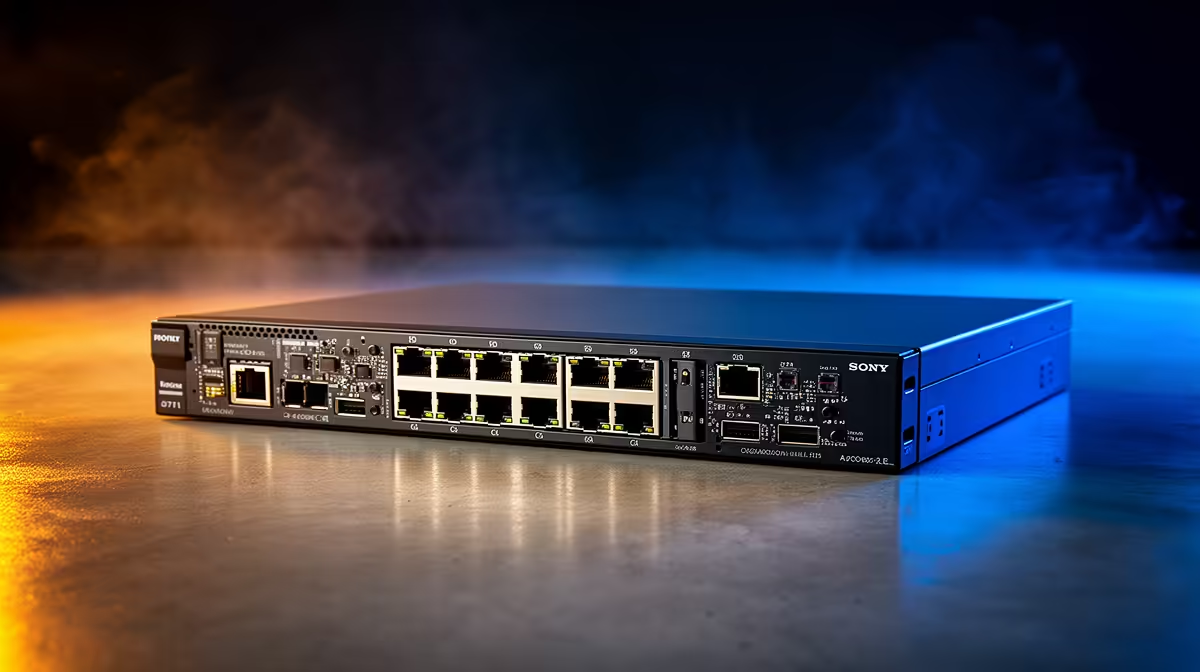
If you are setting up a home office or a high-end gaming network, you have likely stumbled across the term PoE. Power over Ethernet is a brilliant piece of tech that sends both data and electricity down a single Cat5e or Cat6 cable. But here is the catch: not all standards are identical. Understanding PoE Mode A vs Mode B differences is essential if you want to avoid frying your devices or dealing with constant, frustrating connection drops. ⚡
In Mode A, power is delivered over the same pairs used for data transmission. This is common in 10/100 Mbps networks where only two of the four pairs in an Ethernet cable are used for data. By "piggybacking" the voltage onto these data pairs, the switch can power your IP cameras or VoIP phones without needing extra cabling. If you are looking to upgrade your home infrastructure, you can browse our latest network switches to see which models support this configuration.
Mode B takes a different approach. Instead of sharing data wires, it uses the "spare" pairs in the cable to transmit power. This is often preferred for Gigabit networks where all four pairs are required for data throughput. It is a cleaner way to handle higher power demands without creating interference. If you are specifically looking for reliable, high-performance hardware, check out our Cudy networking range for options that handle modern power delivery with ease.
Always ensure your Ethernet cables are high-quality copper rather than copper-clad aluminium (CCA). CCA cables have higher resistance, which causes significant voltage drop over long distances, potentially causing your PoE devices to reboot randomly during peak usage.
Before you commit to a purchase, check the power requirements of your peripheral devices. Many modern devices are "auto-sensing," meaning they can handle either mode, but older equipment might be picky. If you are working on a budget, you can find affordable networking solutions starting from R1153 that provide the stability your home or small business network deserves. Getting the right gear the first time saves you the headache of troubleshooting intermittent power issues later... 🚀
Ready to Power Up Your Network? Navigating the world of PoE can be tricky, but getting the right hardware is the first step toward a seamless setup. Explore our full range of network switches and find the perfect match to keep your gear running efficiently and reliably.
The primary difference lies in the pins used for power delivery. Mode A uses data pairs 1-2 and 3-6, while Mode B uses spare pairs 4-5 and 7-8.
Most modern IP cameras support both modes. However, always check your camera's datasheet to confirm compatibility with your PoE switch's power delivery standard.
Yes, Mode B works with Gigabit Ethernet because Gigabit uses all four data pairs, allowing power to be sent over the spare pairs without interfering with data.
Yes, if the device is IEEE 802.3af/at/bt compliant, it is designed to accept power regardless of whether the switch uses Mode A or Mode B.
This is often due to a mismatch in power standards or wattage requirements. Ensure your PoE switch provides enough power for your specific device class.
No, neither mode affects data transmission speeds, provided your cabling meets the required category standards like Cat5e or Cat6.
iRacing build planning should focus on the target resolution, settings and total system balance. Treat launch wording as time-sensitive, then verify requirements before choosing SA PC parts.
Read more
Skyrim PC requirements should be mapped to resolution, settings and upgrade budget before choosing a tier. Verify current requirements, then balance GPU, CPU, RAM and SSD around SA pricing.
Read more
Skyrim PC builds is a cautious guide for game PC build planning. Compare game requirements, tier fit, resolution goals, RAM, storage, and GPU choice for SA buyers without assuming live prices, availability, or exact benchmark results.
Read more
Hades 2 PC builds is a cautious guide for game PC build planning. Compare game requirements, tier fit, resolution goals, RAM, storage, and GPU choice for SA buyers without assuming live prices, availability, or exact benchmark results.
Read more
Roblox PC builds is a cautious guide for game PC build planning. Compare game requirements, tier fit, resolution goals, RAM, storage, and GPU choice for SA buyers without assuming live prices, availability, or exact benchmark results.
Read more
Mortal Kombat 1 launch needs a balanced parts plan, not a random basket. Map the CPU, GPU, RAM, SSD, cooling, and monitor target to the budget so SA builders know where to spend first.
Read more
Wondering if a TKL wireless mechanical keyboard is worth it for everyday productivity? We break down latency, battery life, comfort, and workflow gains for real work. ⚡⌨️

Maximise battery life on a fanless 15-inch laptop using efficiency core architecture. Cut idle drain, tune power profiles, and improve thermals for longer runtime. 🔋⚙️

Learn how to reduce desk clutter with a TKL wireless keyboard using fewer cables, smart placement, and tidy essentials. Get a faster, calmer workspace with better ergonomics. ✅🧼

RGB keyboard lighting too distracting? Learn how to manage backlight modes, set brightness, and reduce distraction for focus and productivity 😌🖱️

Are themed gaming keyboards worth the extra cost? Compare build quality, switch options, features, and resale value to find the best fit for your setup 🎮⌨️

Full-Size vs Tenkeyless mechanical keyboards for gaming: find out if a smaller layout truly improves aim, speed, and comfort. We break down layout, desk space, latency-feel, and keybinds 🎮⌨️

Dedicated media rollers vs function key shortcuts: learn which setup gives you better workflow control, faster media access, and fewer mistakes. 🖱️🎧

Best Mechanical Switch Type for Gaming: Clicky vs Linear vs Tactile. Find your feel, speed, and noise balance with practical guidance for FPS, MOBA, and productivity 😄🎮

Direct mouse answer: Mouse not keeping up with your work? Everything that matters about dual-mode 2.4GHz + BT 5.0: DPI behaviour, channel switching, battery curves and per-app button mapping. Covers when 2.4GHz USB wins (low-latency desk) and when BT 5.0 wins (laptop, d

Plain wireless mouse guide: Mouse not keeping up with your work? Everything that matters about wireless productivity mouse: DPI behaviour, channel switching, battery curves and per-app button mapping. Includes DPI tuning tips, channel switch shortcuts, and ZAR-aware fea

Real productivity numbers: Set up your wireless mouse in this order: everything that matters about wireless productivity mouse: DPI behaviour, channel switching, battery curves and per-app button mapping. Includes DPI tuning tips, channel switch shortcuts, and ZAR-aware

Pen not feeling like paper? Stylus lag and skipping usually trace to old drivers, dirty nibs, or display refresh mismatches, not the pen itself. Covers pressure curve tuning, tilt thresholds, nib swap timing, and SA pricing brackets.