



Marvel Rivals launch in South Africa
Marvel Rivals launch needs a balanced parts plan, not a random basket. Map the CPU, GPU, RAM, SSD, cooling, and monitor target to the budget so SA builders know where to spend first.
Read morepower bank lcd display meaning: Learn what the percentage, icons, mAh readout, and input/output info actually indicate — and what they don’t. Save battery life and avoid charging mistakes ⚡🔍
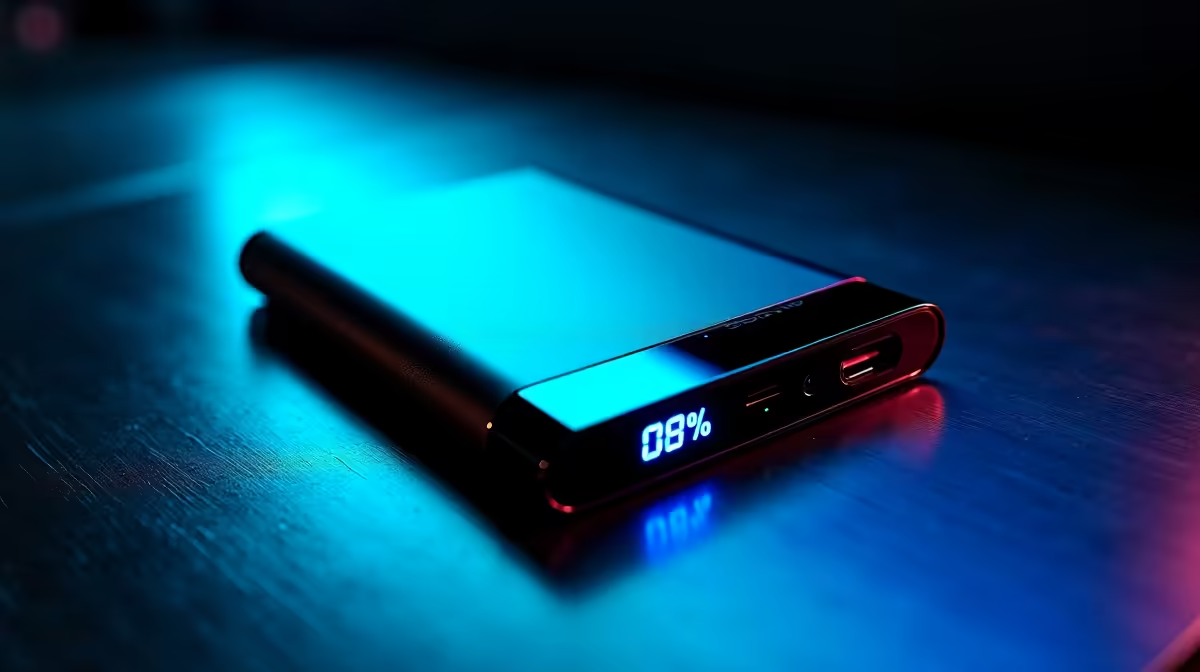
Picture this: Loadshedding hits, your phone's on 5%, and your trusty power bank is plugged in, but what do those cryptic numbers and symbols on its little screen actually mean? For South African gamers and tech enthusiasts, a dead device is a disaster. Understanding your power bank's LCD display meaning isn't just tech-savvy; it's essential for staying charged and in control, whether you’re mid-raid or just trying to keep WhatsApp alive. Let's demystify it together!
That small screen isn't just for show; it's a vital communication hub. At its core, the power bank LCD display meaning revolves around providing real-time information about its charge status, current activity, and sometimes, even the health of your connected devices. Knowing how to read it ensures you're never caught off guard.
This is probably the most straightforward and frequently checked metric. A large number, typically from 0-100, indicates the remaining charge in your power bank. When you see "100", you're fully charged and ready to go. As it drops, you know it's time to find a wall socket. Some displays might show a small battery icon filling up or draining, alongside the percentage, offering a quick visual cue.
This is where many users get confused. Your power bank's display will often differentiate between "Input" and "Output" modes, sometimes indicated by small arrows or specific labels.
These two figures give you a deeper insight into the power transfer.
Some power banks, especially those designed for high performance or specific use cases, offer even more detail on their LCD.
To extend the lifespan of your power bank, avoid fully draining it to 0% or leaving it at 100% for extended periods. Aim to keep its charge between 20% and 80% when storing it, and always use reputable charging cables to prevent damage.
Now that you understand what the numbers tell you, you're better equipped to choose the right power bank for your lifestyle. Consider how much capacity you need, which charging speeds are important, and of course, your budget.
If you're after a reliable, budget-friendly option to keep your phone topped up during loadshedding, you can find excellent choices for under R500. Check out power banks under R500 at Evetech. For those who need more juice for longer trips or multiple devices, investing a bit more can get you significantly higher capacity and faster charging. Many great options fall within the R500-R1200 range, offering a balance of performance and value. Browse power banks up to R1200. Ultimately, the best power bank for you is one that meets your specific needs and keeps your tech running smoothly.
Ready to Keep Your Devices Charged? Understanding your power bank's LCD display meaning is the first step to smart charging. Whether you're battling loadshedding or exploring the great outdoors, a reliable power bank is essential. Explore Evetech's extensive range of power banks and find the perfect portable power solution for your needs.
It usually shows estimated remaining percentage or mAh based on voltage and load. Treat it as an approximation, not an exact capacity readout.
No. LCD mAh often estimates remaining charge or shows rated capacity. Real usable capacity is lower due to converter losses and age.
Voltage under load differs from resting voltage. The display recalculates capacity under actual draw, so percentage can fall suddenly.
Most consumer power bank LCDs don’t report health or cycles. They present charge level, not detailed battery diagnostics.
You can improve estimates by performing one full charge and discharge cycle, but full calibration tools are rare on simple LCD models.
They show current charging or discharging rates. Higher amps/watts mean faster charging but also more heat and faster depletion.
Use the LCD for status, but rely on the manufacturer’s protection circuits. The display doesn’t replace built-in safety features.
Marvel Rivals launch needs a balanced parts plan, not a random basket. Map the CPU, GPU, RAM, SSD, cooling, and monitor target to the budget so SA builders know where to spend first.
Read more
Path of Exile 2 launch needs a balanced parts plan, not a random basket. Map the CPU, GPU, RAM, SSD, cooling, and monitor target to the budget so SA builders know where to spend first.
Read more
Black Myth Wukong launch needs a balanced parts plan, not a random basket. Map the CPU, GPU, RAM, SSD, cooling, and monitor target to the budget so SA builders know where to spend first.
Read more
Hollow Knight PC requirements should be mapped to resolution, settings and upgrade budget before choosing a tier. Verify current requirements, then balance GPU, CPU, RAM and SSD around SA pricing.
Read more
Hollow Knight build planning should focus on the target resolution, settings and total system balance. Treat launch wording as time-sensitive, then verify requirements before choosing SA PC parts.
Read more
Fallout 4 PC requirements should be mapped to resolution, settings and upgrade budget before choosing a tier. Verify current requirements, then balance GPU, CPU, RAM and SSD around SA pricing.
Read more
Wondering if a TKL wireless mechanical keyboard is worth it for everyday productivity? We break down latency, battery life, comfort, and workflow gains for real work. ⚡⌨️

Maximise battery life on a fanless 15-inch laptop using efficiency core architecture. Cut idle drain, tune power profiles, and improve thermals for longer runtime. 🔋⚙️

Learn how to reduce desk clutter with a TKL wireless keyboard using fewer cables, smart placement, and tidy essentials. Get a faster, calmer workspace with better ergonomics. ✅🧼

RGB keyboard lighting too distracting? Learn how to manage backlight modes, set brightness, and reduce distraction for focus and productivity 😌🖱️

Are themed gaming keyboards worth the extra cost? Compare build quality, switch options, features, and resale value to find the best fit for your setup 🎮⌨️

Full-Size vs Tenkeyless mechanical keyboards for gaming: find out if a smaller layout truly improves aim, speed, and comfort. We break down layout, desk space, latency-feel, and keybinds 🎮⌨️

Dedicated media rollers vs function key shortcuts: learn which setup gives you better workflow control, faster media access, and fewer mistakes. 🖱️🎧

Best Mechanical Switch Type for Gaming: Clicky vs Linear vs Tactile. Find your feel, speed, and noise balance with practical guidance for FPS, MOBA, and productivity 😄🎮

Direct mouse answer: Mouse not keeping up with your work? Everything that matters about dual-mode 2.4GHz + BT 5.0: DPI behaviour, channel switching, battery curves and per-app button mapping. Covers when 2.4GHz USB wins (low-latency desk) and when BT 5.0 wins (laptop, d

Plain wireless mouse guide: Mouse not keeping up with your work? Everything that matters about wireless productivity mouse: DPI behaviour, channel switching, battery curves and per-app button mapping. Includes DPI tuning tips, channel switch shortcuts, and ZAR-aware fea

Real productivity numbers: Set up your wireless mouse in this order: everything that matters about wireless productivity mouse: DPI behaviour, channel switching, battery curves and per-app button mapping. Includes DPI tuning tips, channel switch shortcuts, and ZAR-aware

Pen not feeling like paper? Stylus lag and skipping usually trace to old drivers, dirty nibs, or display refresh mismatches, not the pen itself. Covers pressure curve tuning, tilt thresholds, nib swap timing, and SA pricing brackets.