



iRacing SA Gaming PC Build Guide
iRacing build planning should focus on the target resolution, settings and total system balance. Treat launch wording as time-sensitive, then verify requirements before choosing SA PC parts.
Read morePower Bank vs Mini UPS: Decide which backup keeps your fibre internet online during load shedding. Quick runtime estimates, compatibility checks, and buying tips. ⚡📶
Loads of South Africans know that familiar dread: the lights flicker, then loadshedding hits. Your gaming session drops, the series you're binging freezes, and suddenly, you're offline. While your phone might have juice, keeping your fibre internet alive during outages is a whole other ball game. You’re probably wondering: should I grab a power bank or invest in a mini UPS for fibre internet? Let's dive deep into the tech to keep you connected, no matter what Eskom throws your way.
Your fibre setup typically involves two main components: the Fibre Network Terminal (FNT) or Optical Network Unit (ONU) and your Wi-Fi router. Both rely on a constant, stable DC power supply, usually around 9V or 12V, and specific amperage. This isn't your average USB-A or USB-C phone charger. A dedicated power solution needs to match these specific voltage and current requirements to keep your internet humming.
Power banks are fantastic for charging your everyday gadgets. They're designed for mobility, offering USB-A or USB-C outputs to top up your smartphone, tablet, or even some laptops.
For general loadshedding preparedness, a reliable power bank is a must-have. Brands like Promate offer a wide range of power banks that can keep your mobile devices charged for hours. If you're on a budget, you can even find decent power banks for under R500 that are perfect for keeping your phone alive.
Can a Power Bank Power Your Fibre Router?
This is where it gets tricky. Most standard power banks are not designed to directly power a fibre router or ONU. They typically output 5V via USB, which isn't enough for most routers. Some newer, higher-capacity power banks with Power Delivery (PD) over USB-C can output 9V or 12V, but you'd still need a compatible USB-C to DC barrel jack cable and ensure the voltage and current match your router precisely. It's often a gamble and not the most reliable long-term solution for your fibre internet.
When considering a power bank, don't just look at mAh. Check the output ports and their voltage amperage. For laptops or devices needing more grunt, look for USB-C PD outputs. This ensures faster, more efficient charging for compatible tech.
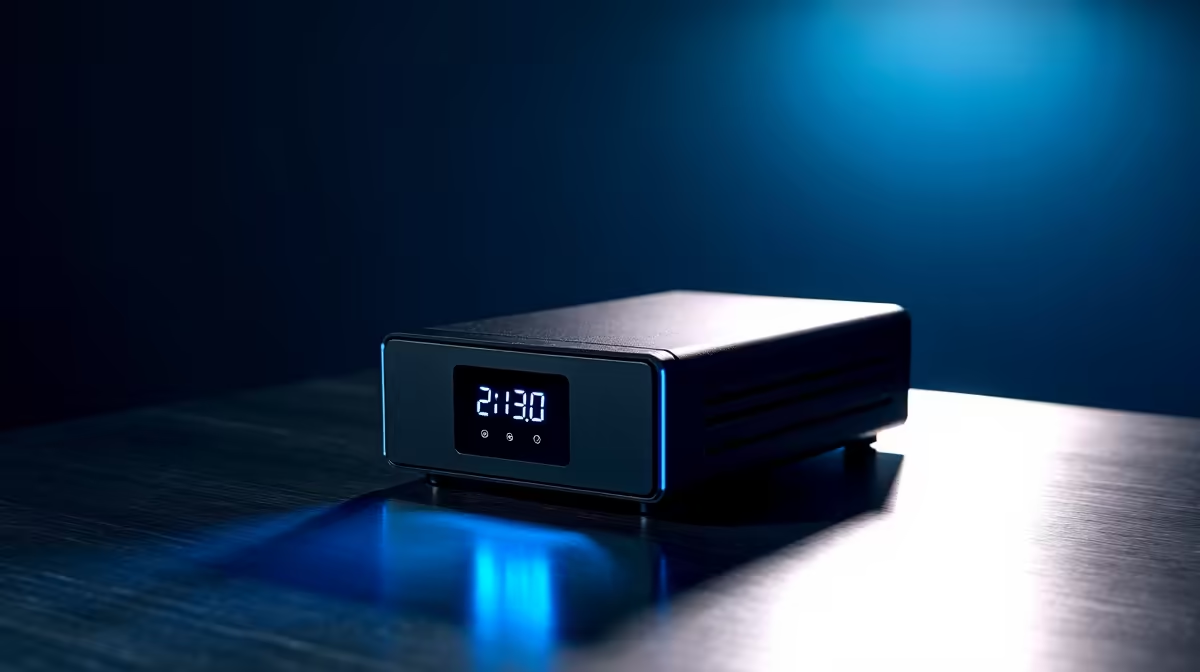
A mini UPS (Uninterruptible Power Supply) is specifically designed to provide backup power to low-power DC devices like your fibre router, ONU, and even CCTV cameras. They sit between your power adapter and your device, seamlessly taking over when the power drops.
Why a Mini UPS is Often Better for Fibre Internet:
When it comes to keeping your fibre internet online during loadshedding, the choice between a power bank and a mini UPS boils down to reliability, compatibility, and dedicated purpose.
| Feature | Power Bank (for Fibre Router) | Mini UPS (for Fibre Router) |
|---|---|---|
| Primary Use | Portable charging for phones, tablets, some laptops. | Dedicated backup power for DC devices like routers, ONUs. |
| Router Power | Possible with specific PD-enabled models and adapter cables, but often unreliable and complex. | Designed for direct, seamless, and reliable router power with correct voltage/connector. |
| Switchover | Manual connection, leading to internet downtime. | Automatic, instant switchover; no internet interruption. |
| Runtime | Varies greatly; can be good for general devices, but less efficient for continuous router power. | Typically 4-8+ hours for routers, specifically designed for sustained low-power output. |
| Cost | Wide range, from budget-friendly to high-end. | Generally a focused investment, but pays off in reliability. |
While a power bank is an excellent addition to your general loadshedding kit, providing power for mobile devices and even laptops (you can explore the full range of power banks available), it's rarely the ideal solution for your fibre router itself. For that critical, uninterrupted internet connection, a mini UPS takes the lead. You can find some higher-capacity power banks up to R1200 that might offer PD, but always check compatibility for your specific router.
For truly reliable, seamless internet during loadshedding, a dedicated mini UPS is the undisputed champion for your fibre router. It's purpose-built for the job, ensuring you stay connected without a hitch.
Ready to Power Up Your Life? Don't let loadshedding disconnect you from what matters. Whether you need a robust power bank for your mobile devices or a dedicated mini UPS to keep your fibre internet running, Evetech has the power solutions you need. Explore our massive range of power banks and UPS solutions today and conquer loadshedding like a pro!
Yes, a high-capacity power bank with the right voltage/current and a DC adapter can run a router for a few hours; check power bank for router compatibility.
A mini UPS provides seamless switch-over, regulated output and often 12V support for ONTs and routers; power banks need adapters and may lack auto-switching.
Runtime depends on device draw: a 40W load on a 100Wh mini UPS runs ~2.5 hours. Calculate using device wattage and UPS usable Wh.
Choose mini UPS for low latency and uninterrupted power. Power banks work but may interrupt during switchover and need correct voltage.
Yes. Many ONTs need 12V DC. Use a power bank with DC output or a DC-DC converter and the correct barrel plug for safe connection.
Estimate total watt-hour need (router + ONT). For 8+ hours, you'll likely need 200Wh+ (mini UPS) or multiple high-capacity power banks.
Yes. Mini UPS units and some power banks have USB outputs to charge phones while powering router and ONT, but check total load limits.
iRacing build planning should focus on the target resolution, settings and total system balance. Treat launch wording as time-sensitive, then verify requirements before choosing SA PC parts.
Read more
Skyrim PC requirements should be mapped to resolution, settings and upgrade budget before choosing a tier. Verify current requirements, then balance GPU, CPU, RAM and SSD around SA pricing.
Read more
Skyrim PC builds is a cautious guide for game PC build planning. Compare game requirements, tier fit, resolution goals, RAM, storage, and GPU choice for SA buyers without assuming live prices, availability, or exact benchmark results.
Read more
Hades 2 PC builds is a cautious guide for game PC build planning. Compare game requirements, tier fit, resolution goals, RAM, storage, and GPU choice for SA buyers without assuming live prices, availability, or exact benchmark results.
Read more
Roblox PC builds is a cautious guide for game PC build planning. Compare game requirements, tier fit, resolution goals, RAM, storage, and GPU choice for SA buyers without assuming live prices, availability, or exact benchmark results.
Read more
Mortal Kombat 1 launch needs a balanced parts plan, not a random basket. Map the CPU, GPU, RAM, SSD, cooling, and monitor target to the budget so SA builders know where to spend first.
Read more
Wondering if a TKL wireless mechanical keyboard is worth it for everyday productivity? We break down latency, battery life, comfort, and workflow gains for real work. ⚡⌨️

Maximise battery life on a fanless 15-inch laptop using efficiency core architecture. Cut idle drain, tune power profiles, and improve thermals for longer runtime. 🔋⚙️

Learn how to reduce desk clutter with a TKL wireless keyboard using fewer cables, smart placement, and tidy essentials. Get a faster, calmer workspace with better ergonomics. ✅🧼

RGB keyboard lighting too distracting? Learn how to manage backlight modes, set brightness, and reduce distraction for focus and productivity 😌🖱️

Are themed gaming keyboards worth the extra cost? Compare build quality, switch options, features, and resale value to find the best fit for your setup 🎮⌨️

Full-Size vs Tenkeyless mechanical keyboards for gaming: find out if a smaller layout truly improves aim, speed, and comfort. We break down layout, desk space, latency-feel, and keybinds 🎮⌨️

Dedicated media rollers vs function key shortcuts: learn which setup gives you better workflow control, faster media access, and fewer mistakes. 🖱️🎧

Best Mechanical Switch Type for Gaming: Clicky vs Linear vs Tactile. Find your feel, speed, and noise balance with practical guidance for FPS, MOBA, and productivity 😄🎮

Direct mouse answer: Mouse not keeping up with your work? Everything that matters about dual-mode 2.4GHz + BT 5.0: DPI behaviour, channel switching, battery curves and per-app button mapping. Covers when 2.4GHz USB wins (low-latency desk) and when BT 5.0 wins (laptop, d

Plain wireless mouse guide: Mouse not keeping up with your work? Everything that matters about wireless productivity mouse: DPI behaviour, channel switching, battery curves and per-app button mapping. Includes DPI tuning tips, channel switch shortcuts, and ZAR-aware fea

Real productivity numbers: Set up your wireless mouse in this order: everything that matters about wireless productivity mouse: DPI behaviour, channel switching, battery curves and per-app button mapping. Includes DPI tuning tips, channel switch shortcuts, and ZAR-aware

Pen not feeling like paper? Stylus lag and skipping usually trace to old drivers, dirty nibs, or display refresh mismatches, not the pen itself. Covers pressure curve tuning, tilt thresholds, nib swap timing, and SA pricing brackets.