



Hot-Swappable PCB Architecture in Modern Keyboards: Guide
Learn hot-swappable PCB architecture in modern keyboards—what it is, how sockets and traces work, and how to pick the right board. Speed up swaps, reduce risk, and upgrade faster 🔧⚡
Read moreProtect mechanical keyboard switches from South African dust and summer humidity with practical cleaning and storage habits. Keep your switches smooth, reduce failures, and extend lifespan. 🌬️💧
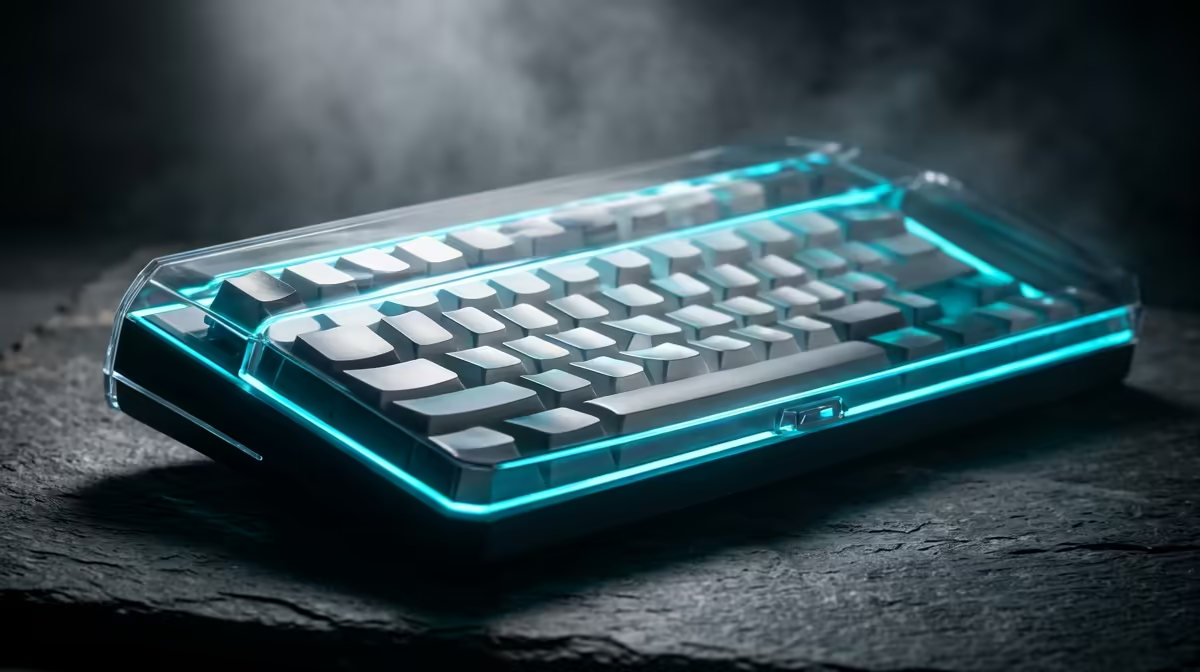
If your keyboard feels scratchy, sticky, or just a bit “off”, South African dust might be the culprit. It sneaks into offices, gaming rooms, and home setups fast, especially in drier months. For anyone who spends hours typing or fragging after load shedding, protecting your switches is not just maintenance… it is money saved and frustration avoided. 🔧
Mechanical switches are built for repeated presses, but they are not immune to grime. Dust can sit around the stem, affect key feel, and make a board sound less consistent over time. In harsher environments, tiny particles can also find their way under keycaps and into the switch housing.
That does not mean your keyboard is doomed. It just means your cleaning routine matters. A little prevention goes a long way, especially if you are using one of Evetech’s best gaming keyboard deals to get more performance for your rand.
The easiest win is also the most boring… keep the board covered when you are not using it. A dust cover, a clean desk surface, and a quick wipe with a microfibre cloth all help. If you snack at your desk, even more so. Crumbs and dust love each other.
Another smart move is choosing the right board for your space. If your setup changes often, or you move between work and play, a combo can keep things neat. You can browse a practical keyboard and mouse combo if you want a cleaner all-in-one desk setup.
There is no perfect schedule, but monthly is a good starting point for most homes. If your room gets dusty quickly, clean sooner. Use compressed air gently, tilt the keyboard while cleaning, and avoid blasting debris deeper into the switches.
If you want a budget-friendly backup board for a second room or work area, Evetech also lists options to buy a cheapest gaming keyboard in South Africa. A spare board can be useful while your main keyboard gets a proper clean.
Keep your keyboard slightly elevated and avoid placing it directly under open windows or fans. If you can, cover it overnight. A simple dust cover costs far less than replacing worn-feeling switches later.
Connectivity can influence your setup habits too. Wired keyboards often stay put, which makes desk protection simpler. Wireless boards may travel more, so they benefit from a carrying pouch or a dedicated storage spot.
If you prefer a more traditional setup, check the wired options here: cheapest gaming keyboard in South Africa. If flexibility matters more, a wireless gaming keyboard option may suit your desk better. Neither choice is automatically better… it depends on how you use your gear.
When shopping, think beyond colour and switches. Look at the key layout, cleaning access, and whether the board has features that make maintenance easier. South African buyers often want value first, so a keyboard that lasts longer can be the smarter purchase even if it costs a little more upfront in ZAR.
If you are comparing options, a good starting point is Evetech’s page for best gaming keyboard deals. It helps narrow the search before you commit to a new board.
Dust will never fully disappear, especially here. But it does not need to ruin your switches. A cover, a regular clean, and a sensible desk setup are usually enough to keep your mechanical keyboard feeling crisp.
Small habits protect big investments. That is the real trick.
Ready to Find Your Perfect Match? The Mac vs Windows debate is complex, but for maximum power, choice, and value in South Africa, Windows is hard to beat. Explore our massive range of laptop specials and find the perfect machine to conquer your world.
Dust can settle around stems and contacts, causing gritty actuation and inconsistent keypresses. Protect mechanical keyboard switches with regular, gentle cleaning.
Use compressed air in short bursts, a soft anti-static brush, and avoid soaking parts. Follow with a careful wipe of exterior surfaces to remove debris.
Yes. High humidity can promote corrosion and make keys feel sticky. Use humidity control and dry storage to protect switches from moisture.
A stable, lower humidity environment helps prevent condensation. Keep your keyboard away from windows and use a dehumidifier when humidity spikes.
Maintain a clean, dry setup: cover the keyboard when not in use, avoid humid rooms, and clean dust buildup. For heavy issues, consider professional servicing.
Lubing can improve smoothness, but it won’t fully block dust or moisture. Combine lubrication with regular cleaning and proper storage.
Monthly: wipe surfaces, brush visible dust, and use short bursts of air. Every few months, deep clean keycaps and consider humidity checks.
Learn hot-swappable PCB architecture in modern keyboards—what it is, how sockets and traces work, and how to pick the right board. Speed up swaps, reduce risk, and upgrade faster 🔧⚡
Read more
Mechanical switch lifespan explained—what the 50 million keystroke rating really means, plus tips to extend switch life and reduce double-press issues 🔧⌨️
Read more
60-percent vs full-size mechanical keyboard layouts—learn what each layout includes, who it suits, and how to choose the right fit 🧩⌨️ for typing, gaming, and productivity.
Read more
Double injection keycaps last far longer than standard printed keycaps in most setups. Learn typical lifespan ranges, what shortens them, and how to maximize durability for smoother daily typing and gaming 😊⌨️
Read more
Full-key anti-ghosting: does it stop missed inputs during fast-paced gaming? We break down latency, polling, and key matrix limits so you can buy smarter 🎮⚡
Read more
Fix dead keyboard keys instantly with solder-free hot-swappable switch technology. Swap a bad switch in minutes, bring keys back to life, and avoid re-soldering 🔧✨
Read more
Wondering if a TKL wireless mechanical keyboard is worth it for everyday productivity? We break down latency, battery life, comfort, and workflow gains for real work. ⚡⌨️

Maximise battery life on a fanless 15-inch laptop using efficiency core architecture. Cut idle drain, tune power profiles, and improve thermals for longer runtime. 🔋⚙️

Learn how to reduce desk clutter with a TKL wireless keyboard using fewer cables, smart placement, and tidy essentials. Get a faster, calmer workspace with better ergonomics. ✅🧼

RGB keyboard lighting too distracting? Learn how to manage backlight modes, set brightness, and reduce distraction for focus and productivity 😌🖱️

Are themed gaming keyboards worth the extra cost? Compare build quality, switch options, features, and resale value to find the best fit for your setup 🎮⌨️

Full-Size vs Tenkeyless mechanical keyboards for gaming: find out if a smaller layout truly improves aim, speed, and comfort. We break down layout, desk space, latency-feel, and keybinds 🎮⌨️

Dedicated media rollers vs function key shortcuts: learn which setup gives you better workflow control, faster media access, and fewer mistakes. 🖱️🎧

Best Mechanical Switch Type for Gaming: Clicky vs Linear vs Tactile. Find your feel, speed, and noise balance with practical guidance for FPS, MOBA, and productivity 😄🎮

Direct mouse answer: Mouse not keeping up with your work? Everything that matters about dual-mode 2.4GHz + BT 5.0: DPI behaviour, channel switching, battery curves and per-app button mapping. Covers when 2.4GHz USB wins (low-latency desk) and when BT 5.0 wins (laptop, d

Plain wireless mouse guide: Mouse not keeping up with your work? Everything that matters about wireless productivity mouse: DPI behaviour, channel switching, battery curves and per-app button mapping. Includes DPI tuning tips, channel switch shortcuts, and ZAR-aware fea

Real productivity numbers: Set up your wireless mouse in this order: everything that matters about wireless productivity mouse: DPI behaviour, channel switching, battery curves and per-app button mapping. Includes DPI tuning tips, channel switch shortcuts, and ZAR-aware

Pen not feeling like paper? Stylus lag and skipping usually trace to old drivers, dirty nibs, or display refresh mismatches, not the pen itself. Covers pressure curve tuning, tilt thresholds, nib swap timing, and SA pricing brackets.