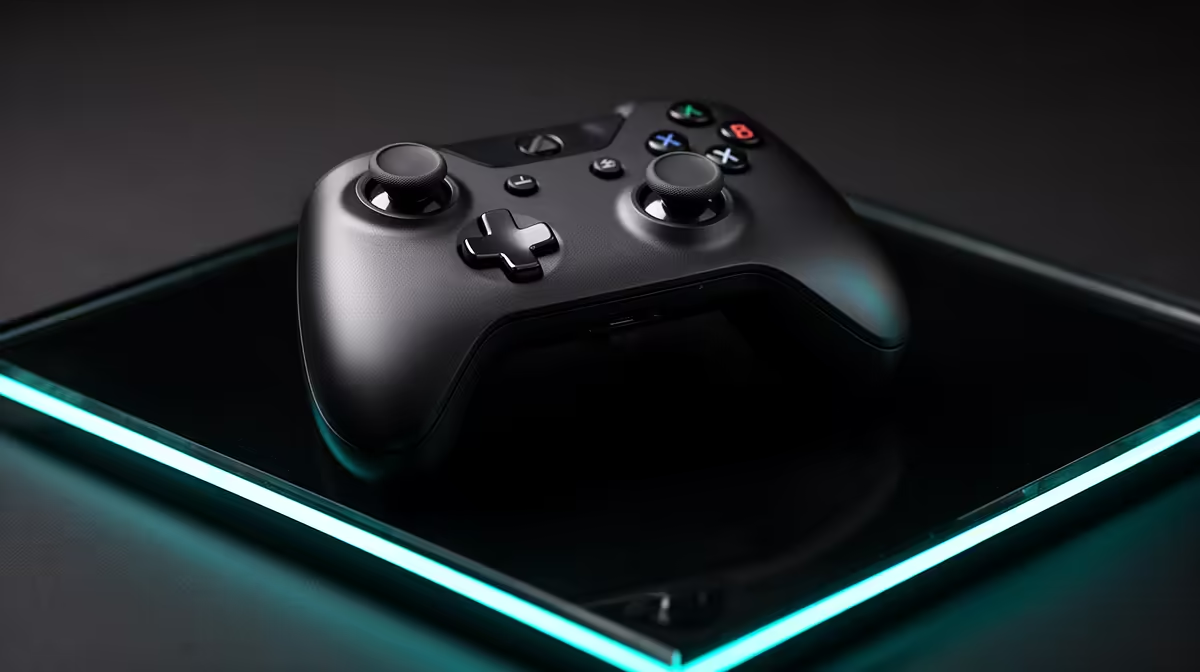
Rocket League control comes from repeatable sticks, triggers and a grip that survives fast aerial corrections. A budget Rocket League controller setup should protect those inputs before spending on add-ons that do not affect the car.
Quick Answer
Rocket League works on controller or keyboard. A controller gives you analogue steering and throttle on supported inputs, while keyboard offers crisp digital commands. Choose the method you can practise without discomfort. Under a R2,000 ceiling, price one named compatible controller and keep the remaining budget for a cable, receiver, or grip solution the exact model needs.
Compare platform support in the gaming controller range, then check the devices players are choosing among peripheral best sellers. Do not assume every basic controller and accessory combination fits R2,000 until the July 2026 basket is named.
Controller and keyboard reward different habits
Analogue sticks let you vary steering through a range rather than choosing only left, centre, or right. Analogue triggers can provide graduated throttle or brake where the controller, platform, and game expose them. This can make small aerial and recovery corrections feel natural.
Keyboard players use digital inputs and can build strong precision through timing. A controller is not a mandatory upgrade when the existing keyboard method produces comfortable, consistent play. Changing input resets muscle memory and can lower performance for a while.
Try both across the same training packs. Compare recoveries, aerial adjustments, dribbles, fast turns, and hand comfort after a full session. Pick the input whose errors you understand and can practise.
Do not alternate every match during the learning phase. Give one layout several sessions so bindings and movement begin to settle.
Check platform compatibility before shape
PC can support many controllers through native game support, platform input layers, or current drivers. Console support is narrower and model-specific. A USB cable or Bluetooth logo does not prove compatibility with the exact console.
Confirm the controller model, operating system or console, Rocket League version, connection mode, and current support. Some features differ between wired, dedicated wireless, and Bluetooth paths.
Third-party remapping tools can help unsupported layouts on PC and may add conflicts or duplicate inputs. Start with the game's native support and platform guidance. Keep advanced remaps within current game and event rules.
If the controller supports firmware updates, use the official tool and stable power. Do not update minutes before a match. Test every button, stick, trigger, vibration motor, and connection afterwards.
Choose wired or wireless around the desk
Wired gives a direct connection and removes battery management. The cable should support data, reach the PC or console without tension, and stay clear of chair wheels and feet. A charge-only cable may power a controller without carrying input.
Wireless removes cable drag. A dedicated receiver can offer a different path from Bluetooth. Check latency, range, platform support, battery type, and whether the receiver is included for the exact model.
Place a receiver in the open through a supported extension when the system sits behind metal or under the desk. Keep other wireless devices from crowding it where practical. Test for missed inputs across a full session.
Keep batteries charged and know the supported wired fallback. A tournament or long ranked session is a poor time to discover the low-battery warning is easy to miss.
Test sticks and dead zones
Open the game's controller settings or a trusted input tester. Move each stick through its full circle and release it. Watch for centre drift, uneven range, or a value that jumps.
Set the smallest dead zone that prevents unwanted input in the actual game. Too little can make the car turn or camera move at rest. Too much reduces fine control around centre.
Separate controller dead zone from dodge dead zone and sensitivity settings where the game provides them. Change one value, run the same training pack, and write down the result.
New hardware does not guarantee perfect centres forever. Dust, wear, impact, and design affect behaviour. Keep proof of purchase and use the current support route when a fault appears.
Map the core actions for your hands
You need throttle, brake or reverse, steering, jump, boost, powerslide, air roll, ball camera, and look controls. The default map can start the process, but boost and jump combinations may benefit from separate fingers.
Move one action at a time. Check whether the new position causes accidental presses or hand strain. Back buttons can help when the exact controller supports them, yet they add another input to learn and may be governed by event rules.
Use a grip that keeps thumbs relaxed and wrists straight. Grip pads or textured covers can help a slippery shell, but they change size and may obstruct seams, buttons, charging contacts, or cooling. Choose an accessory designed for the exact model.
Clean the controller following its instructions. Do not spray liquid into sticks or buttons. Store it where triggers and sticks are not held under pressure.
Build the R2,000 basket from a complete model
Name the controller and current July 2026 price. Add only the required data cable, receiver, rechargeable battery path, or compatible grip. Check which items are inside the box before duplicating them.
An inexpensive wired controller can leave room for a longer supported cable or replacement plan. A wireless model may consume most of the ceiling once the receiver or battery path is included. Neither route wins without the exact basket.
Avoid paying for features Rocket League or your platform cannot use. Motion control, touch surfaces, lighting, audio ports, and rear inputs have value only when the chosen setup supports and needs them.
If the useful current model exceeds the ceiling, keep the keyboard or save longer rather than buying a controller with unknown support. One dependable input is the whole starting loadout.
Practise the switch
Begin with ground movement, recoveries, and camera control. Add basic aerials after steering and throttle feel predictable. Use the same training packs from the keyboard baseline.
Expect slower inputs while your hands learn. Review errors by action: wrong button, stick overcorrection, missed trigger range, or camera confusion. Adjust bindings before sensitivity when the action itself is hard to reach.
Play casual matches before ranked. Connection, battery, stick centres, and hand comfort need a real-session test. Keep the keyboard nearby as a menu and chat fallback without switching driving input every game.
FAQ
Is controller better than keyboard for Rocket League?
It offers analogue steering and trigger control, while keyboard provides digital precision through timing. Both can work. Choose from comfort, repeatable tests, and the method you will practise.
Should I choose wired or wireless?
Choose wired for a direct path without battery management. Choose wireless when cable-free play matters and the exact receiver or Bluetooth route is supported and stable.
Can R2,000 cover a controller and grip?
It may, depending on the exact named products and included accessories at current July 2026 prices. Cost the controller, data or wireless path, battery needs, and model-specific grip together.
Test controller and keyboard across the same Rocket League drills, then buy the exact supported input whose complete July 2026 basket fits your ceiling.