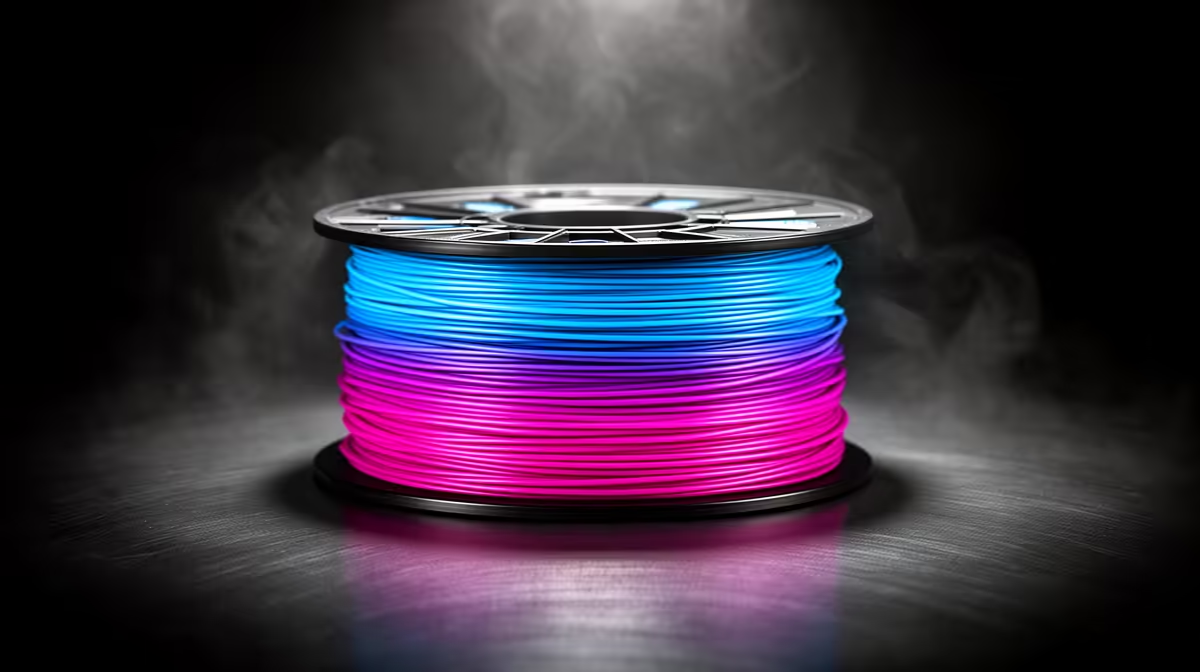
A single spool that shifts from teal to violet to amber while you sleep, no filament swaps, no second extruder, is the easiest way to get colourful prints out of an entry-level FFF machine. Gradient and rainbow filament blends two or more pigments along the strand, so the colour you lay down changes as the printer works deeper into the spool. The catch is that you trade precise control for that effortless flow, and knowing where that trade-off bites decides whether the result looks deliberate or muddy.
Quick Answer
Gradient and rainbow filament is one spool of PLA whose colour transitions gradually along its length, giving multi-colour prints on a single-extruder printer with zero swaps. It is ideal for decorative pieces; it is the wrong tool when you need a specific colour in a specific spot, because you cannot control exactly where each shift lands.
How colour-shift filament actually works
The pigment is co-mingled into the filament during extrusion at the factory, so each metre of strand sits at a slightly different point in the colour wheel. As your printer pulls material through the hotend, the deposited colour drifts with it. A rainbow spool cycles through the full spectrum, often completing a loop every several hundred grams; a gradient spool fades between two or three related tones, say blue into purple, across the whole roll.
Because the transition is tied to filament length consumed rather than print height, the colour position on your model depends entirely on how much plastic the model eats before reaching a given layer. Print the same vase twice and the bands will land in different places each time. That randomness is the charm for ornaments and the frustration for anything where you wanted the eyes one colour and the body another.
Rainbow versus gradient: pick by the effect you want
A true rainbow spool packs short colour cycles, so a tall print picks up visible horizontal bands of red, orange, green and blue. It reads as playful and is brilliant for low-poly animals, planters and toys where a busy look suits the piece. The shift period matters: a short cycle on a small print can produce a tight rainbow on a single object, while the same spool on a large print spreads each colour over many layers.
A gradient spool is the subtler cousin. With only two or three tones fading slowly, you get a calm ombre effect that flatters single-wall vases, lamp shades and decorative bowls printed in vase mode. Silk-finish gradient PLA adds a sheen that catches light and exaggerates the transition, which is why it photographs so well.
Matching cycle length to model size
If you want a print to traverse the full spectrum, size the model so it consumes roughly one colour cycle's worth of filament. Tall, thin spiral-vase prints stretch the gradient beautifully because they use relatively little plastic per layer, so the colour climbs steadily as the print grows. Squat, chunky models burn through metres quickly and can blow past several colours in a few centimetres, giving a stripier look you may or may not want.
Settings that make it look intentional
Vase mode (spiralise outer contour) is the single most effective trick: a continuous single-wall print means there are no infill or travel moves stealing filament out of sequence, so the colour climbs cleanly with height. Slower, taller prints exaggerate the fade. If you are printing a solid multi-part model, remember that infill and supports consume filament too, which nudges the surface colour ahead of where you might expect.
Layer height plays a quiet role. Thinner layers mean more passes per centimetre of height, so each visible colour band covers more vertical distance and the gradient looks smoother. Thicker layers compress the bands. None of this needs a fancy printer; any reliable single-extruder PLA machine from the 3D printers range at Evetech handles colour-shift filament exactly as it handles ordinary PLA, since the material prints at the same temperatures.
Where it falls short
You cannot put a chosen colour on a chosen feature. If a project genuinely needs the logo in gold and the base in black, colour-shift filament will not do it; that is a job for a multi-material system or manual filament-change at a set layer. Colour-shift spools also vary batch to batch in how fast they cycle, so reordering the same product does not guarantee an identical look. Treat each spool as a one-off and you will rarely be disappointed.
For the small extras that make printing smoother, a spare nozzle, a glue stick, a scraper, it is worth browsing the most popular accessories at Evetech alongside your filament order so everything arrives together.
Silk versus matte gradient finishes
Surface finish changes the effect as much as the colours do. Silk gradient PLA has a glossy sheen that throws light back at you, which exaggerates the colour transition and makes prints photograph beautifully; it is the natural choice for decorative pieces meant to be admired. The trade-off is that silk finishes show layer lines and surface blemishes more readily, so they reward a well-tuned printer and clean first layers.
Matte gradient filament does the opposite, diffusing light for a softer, more muted shift between colours. It hides layer lines well and gives a more understated, sophisticated look that suits functional-decorative pieces like organisers or planters. Neither is better outright; silk for drama and photos, matte for a calmer, more forgiving print. Trying both on the same model is an easy way to learn which you prefer.
Storage keeps colour-shift filament printing well
Gradient and rainbow PLA is as moisture-sensitive as any PLA, and damp filament prints poorly, with stringing, popping and weak layers that spoil the very surface you bought the spool to show off. Keep spools in a sealed container with desiccant when not in use, and reseal the bag the filament shipped in. A spool that has absorbed moisture can often be revived by drying, but prevention is easier than rescue, and it matters more here than usual because the whole point of these filaments is a clean, attractive finish.
Frequently Asked Questions
Does gradient filament print at the same temperature as normal PLA?
Yes. Gradient and rainbow PLA uses the same hotend and bed temperatures as standard PLA, typically around 200 to 220 degrees at the nozzle. No special profile is needed, so any PLA-capable printer prints it without changes.
Can I control where each colour appears on my model?
Not precisely. The colour is tied to how much filament has been consumed, not to the model's geometry, so transitions land differently on every print. You can influence it by choosing model size and using vase mode, but you cannot pin a colour to a feature.
Is rainbow or gradient better for a tall vase?
Gradient usually suits a vase best, giving a smooth ombre fade up the height. Rainbow works too but produces busier banding. Printing in vase mode with thin layers makes either option transition more gracefully.
Will the same spool look the same if I reprint?
Rarely exactly. Because colour position depends on filament consumed, a reprint of the same object often lands the bands in different places. Embrace each print as unique rather than expecting consistency.
Do I need a special or expensive printer for this?
No. Colour-shift filament is designed for ordinary single-extruder FFF printers and needs no upgrade. An entry-level machine handles it identically to plain PLA.
Ready to turn one spool into a print that nobody else can replicate exactly? Pick a single-extruder machine from the 3D printers range at Evetech and pair it with gradient PLA to get colourful results without any multi-material complexity.