



iRacing SA Gaming PC Build Guide
iRacing build planning should focus on the target resolution, settings and total system balance. Treat launch wording as time-sensitive, then verify requirements before choosing SA PC parts.
Read moreShort answer on 1tb nvme storage makes sense: usually yes for SA gaming PCs, with the caveat that GPU length, radiator size, and airflow paths must match. Built for SA gaming PC buyers. See the full breakdown.
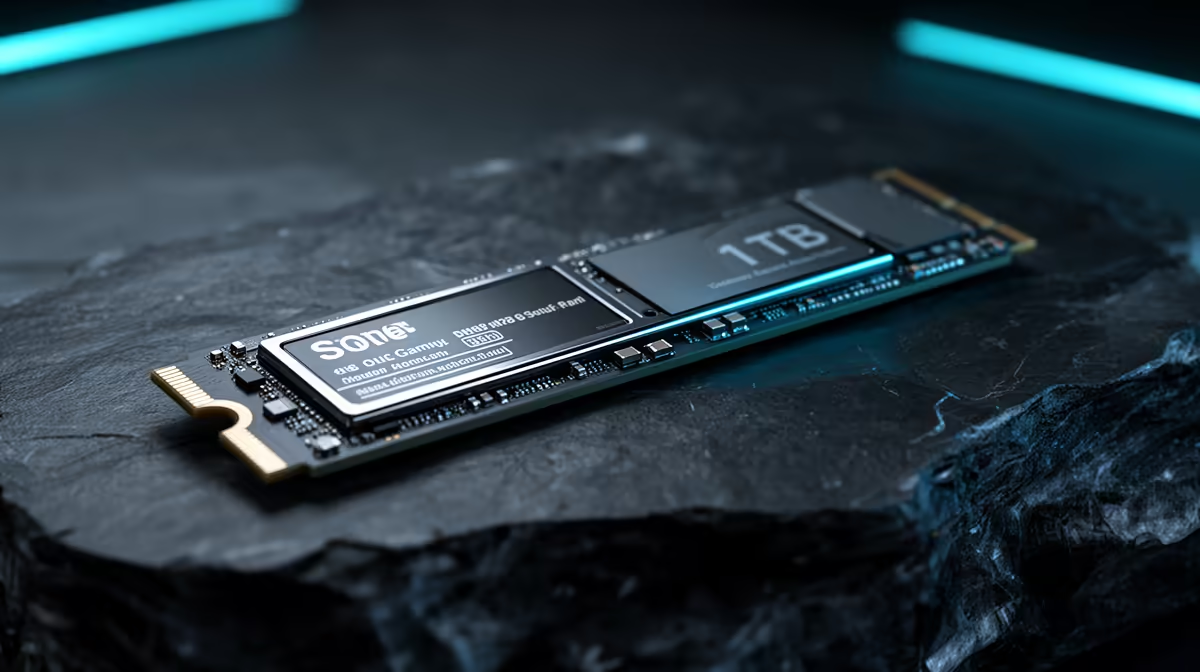
For South African gamers managing large libraries, 1TB NVMe is the practical starting point rather than a luxury. Current AAA titles average 70GB to 120GB installed, meaning a 1TB drive holds eight to twelve large games before space decisions begin. Given SA fibre redownload times, keeping games installed beats deleting and re-fetching them every time.
A single current-gen title can occupy more storage than entire hard drives did a decade ago. Call of Duty: Black Ops 6 installs at around 102GB, Microsoft Flight Simulator 2024 at over 130GB, and Red Dead Redemption 2 at 150GB. Keeping five to eight such titles installed simultaneously requires close to 700GB before the OS, applications, and save files are counted. On a 512GB NVMe this means constant uninstall decisions. A 1TB drive fits a reasonable library comfortably, and at 2TB South African gamers can maintain a full seasonal catalogue through major release windows without touching storage management.
Even on Vumatel or Openserve at 200Mbps to 500Mbps, redownloading a 100GB game takes 40 minutes to over an hour under ideal conditions. In practice, platform servers throttle speeds and South African routing to European or North American servers reduces real-world throughput below the theoretical ceiling. Uncapped fibre removes data caps but not time. For gamers rotating between titles in different genres, the case for 1TB or 2TB NVMe is simple: every game kept installed is a game playable in the next five minutes rather than the next hour.
Unreal Engine 5 titles using Nanite and Lumen stream assets continuously during world traversal, saturating SATA SSD bandwidth at 550MB/s and causing texture pop-in. A PCIe 4.0 NVMe at 5,000MB/s to 7,000MB/s sequential read handles this load without visible stutter. DirectStorage titles route asset decompression through the GPU and specifically benefit from NVMe bandwidth. This makes NVMe the correct choice for in-game performance, not just load times, in current and upcoming titles. The premium over SATA equivalents is modest and justified by the streaming performance difference.
If your system has both an NVMe and a secondary SATA slot, keep your active five or six titles on the NVMe and archive completed games to the slower drive. You get full NVMe speed where it matters and cheaper secondary storage for the back catalogue without permanently deleting anything.
If budget allows, 2TB is the better long-term choice. In SA the step from 1TB to 2TB NVMe adds roughly R600 to R1,200 at purchase, a small premium compared to the convenience of never managing storage across the typical life of a gaming PC.
For well-optimised competitive games the NVMe versus SATA difference in gameplay is minimal. NVMe's advantage is strongest in open-world asset-streaming titles. Faster map load times and reduced shader compilation on first match are real quality-of-life gains even in competitive play.
Yes. Most B650 and Z790 boards have spare M.2 slots. Adding a second 1TB or 2TB NVMe takes under ten minutes and requires no Windows reinstall or migration of existing games.
Ready to stop managing storage and start playing? Evetech stocks 1TB and 2TB PCIe 4.0 NVMe SSDs from leading brands. Browse the NVMe storage range and upgrade your gaming library capacity today.
iRacing build planning should focus on the target resolution, settings and total system balance. Treat launch wording as time-sensitive, then verify requirements before choosing SA PC parts.
Read more
Skyrim PC requirements should be mapped to resolution, settings and upgrade budget before choosing a tier. Verify current requirements, then balance GPU, CPU, RAM and SSD around SA pricing.
Read more
Skyrim PC builds is a cautious guide for game PC build planning. Compare game requirements, tier fit, resolution goals, RAM, storage, and GPU choice for SA buyers without assuming live prices, availability, or exact benchmark results.
Read more
Hades 2 PC builds is a cautious guide for game PC build planning. Compare game requirements, tier fit, resolution goals, RAM, storage, and GPU choice for SA buyers without assuming live prices, availability, or exact benchmark results.
Read more
Roblox PC builds is a cautious guide for game PC build planning. Compare game requirements, tier fit, resolution goals, RAM, storage, and GPU choice for SA buyers without assuming live prices, availability, or exact benchmark results.
Read more
Mortal Kombat 1 launch needs a balanced parts plan, not a random basket. Map the CPU, GPU, RAM, SSD, cooling, and monitor target to the budget so SA builders know where to spend first.
Read more
Wondering if a TKL wireless mechanical keyboard is worth it for everyday productivity? We break down latency, battery life, comfort, and workflow gains for real work. ⚡⌨️

Maximise battery life on a fanless 15-inch laptop using efficiency core architecture. Cut idle drain, tune power profiles, and improve thermals for longer runtime. 🔋⚙️

Learn how to reduce desk clutter with a TKL wireless keyboard using fewer cables, smart placement, and tidy essentials. Get a faster, calmer workspace with better ergonomics. ✅🧼

RGB keyboard lighting too distracting? Learn how to manage backlight modes, set brightness, and reduce distraction for focus and productivity 😌🖱️

Are themed gaming keyboards worth the extra cost? Compare build quality, switch options, features, and resale value to find the best fit for your setup 🎮⌨️

Full-Size vs Tenkeyless mechanical keyboards for gaming: find out if a smaller layout truly improves aim, speed, and comfort. We break down layout, desk space, latency-feel, and keybinds 🎮⌨️

Dedicated media rollers vs function key shortcuts: learn which setup gives you better workflow control, faster media access, and fewer mistakes. 🖱️🎧

Best Mechanical Switch Type for Gaming: Clicky vs Linear vs Tactile. Find your feel, speed, and noise balance with practical guidance for FPS, MOBA, and productivity 😄🎮

Direct mouse answer: Mouse not keeping up with your work? Everything that matters about dual-mode 2.4GHz + BT 5.0: DPI behaviour, channel switching, battery curves and per-app button mapping. Covers when 2.4GHz USB wins (low-latency desk) and when BT 5.0 wins (laptop, d

Plain wireless mouse guide: Mouse not keeping up with your work? Everything that matters about wireless productivity mouse: DPI behaviour, channel switching, battery curves and per-app button mapping. Includes DPI tuning tips, channel switch shortcuts, and ZAR-aware fea

Real productivity numbers: Set up your wireless mouse in this order: everything that matters about wireless productivity mouse: DPI behaviour, channel switching, battery curves and per-app button mapping. Includes DPI tuning tips, channel switch shortcuts, and ZAR-aware

Pen not feeling like paper? Stylus lag and skipping usually trace to old drivers, dirty nibs, or display refresh mismatches, not the pen itself. Covers pressure curve tuning, tilt thresholds, nib swap timing, and SA pricing brackets.