



iRacing SA Gaming PC Build Guide
iRacing build planning should focus on the target resolution, settings and total system balance. Treat launch wording as time-sensitive, then verify requirements before choosing SA PC parts.
Read moreWireless keyboard for multiple devices: Learn how to pick one that pairs with phones, tablets, laptops and desktops. Compare connections, OS support, device switching, battery life and ergonomics. 🔌⌨️
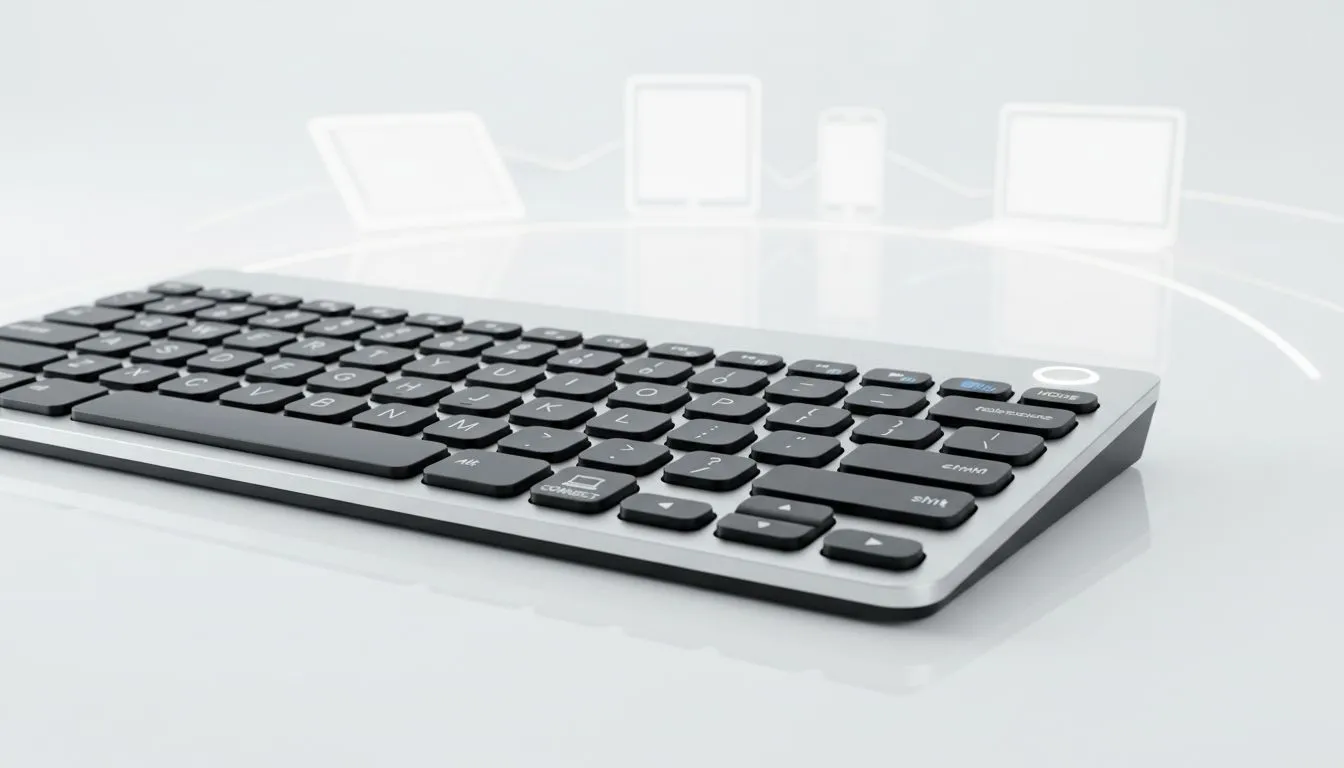
Tired of cable clutter on your desk? Between your gaming rig, work laptop, and tablet, managing inputs is a nightmare. Finding a wireless keyboard for multiple devices isn't just about aesthetics... it is about reclaiming your workflow. Whether you are grinding in Apex Legends or finishing a report, the right deck makes all the difference for South African power users looking to declutter. 🔧
Choosing the right wireless keyboard for multiple devices starts with the connection. Most modern decks use either Bluetooth or a 2.4GHz USB dongle. Bluetooth is perfect for tablets and laptops... it allows you to pair with several devices simultaneously.
If you want the lowest latency for gaming, look for models that include a dedicated wireless receiver. You can find a massive variety of wireless keyboards that offer both options. This hybrid approach lets you use the dongle for your PC and Bluetooth for your phone.
The real magic of a multi-device setup is how fast you can jump between screens. Some keyboards feature dedicated "Easy-Switch" buttons... others use function key combinations. You want a transition that takes less than a second.
When hunting for the best gaming keyboard deals in South Africa, check the spec sheet for "multi-host" support. High-end mechanical options often allow up to three distinct Bluetooth profiles. This means one tap takes you from a frantic Discord chat on your phone back to your main quest. 🚀
Use a keyboard that supports macro remapping for different profiles. You can set specific keys to launch your work apps on your laptop, then switch profiles so those same keys control your media playback on your gaming PC. It creates a seamless transition between 'grind mode' and 'relax mode'.
You do not need to spend a fortune to get a reliable setup. Even if you are looking for the cheapest gaming keyboard in South Africa, many entry-level wireless models now include multi-pairing.
Prices often start as low as R400 for basic membrane models... though mechanical enthusiasts might look at the R1,500 to R3,000 range for better build quality. If you are starting from scratch, grabbing a keyboard and mouse combo is often the most cost-effective way to sync your entire desktop. ⚡
A wireless keyboard for multiple devices is only useful if it stays powered. Look for "Auto-sleep" functions that preserve battery during the day. Some use AA batteries that last for months... others use USB-C rechargeable internal cells.
If you ever run out of juice during a critical match, many wireless units can function as wired keyboards while charging. This versatility ensures you are never left hanging when the load shedding schedule hits and you need to finish that last bit of work on your laptop battery. ✨
Ready to Find Your Perfect Match? Managing multiple screens shouldn't be a struggle. Whether you need a mechanical powerhouse or a sleek office companion, we have the tech to keep you connected. Explore our massive range of keyboard specials and find the perfect machine to conquer your world.
Yes. Choose a multi-device Bluetooth or dual-mode keyboard with easy device switching and wide OS support for seamless pairing.
Bluetooth gives broad device support; a USB unifying dongle delivers lower latency. Dual-mode keyboards offer the best of both.
Most multi-device keyboards use dedicated keys or Fn combos to toggle between paired devices instantly and without re-pairing.
Yes. Many multi-device mechanical keyboards support Bluetooth and dongle pairing for phones, tablets and PCs.
Connection type, backlighting and polling rate matter most. Low-power Bluetooth and no RGB give the longest battery life.
Pick cross-platform models with macOS and Windows key mappings and firmware that supports both systems.
For competitive play use a USB dongle or low-latency Bluetooth LE mode and check gaming-grade polling rates.
iRacing build planning should focus on the target resolution, settings and total system balance. Treat launch wording as time-sensitive, then verify requirements before choosing SA PC parts.
Read more
Skyrim PC requirements should be mapped to resolution, settings and upgrade budget before choosing a tier. Verify current requirements, then balance GPU, CPU, RAM and SSD around SA pricing.
Read more
Skyrim PC builds is a cautious guide for game PC build planning. Compare game requirements, tier fit, resolution goals, RAM, storage, and GPU choice for SA buyers without assuming live prices, availability, or exact benchmark results.
Read more
Hades 2 PC builds is a cautious guide for game PC build planning. Compare game requirements, tier fit, resolution goals, RAM, storage, and GPU choice for SA buyers without assuming live prices, availability, or exact benchmark results.
Read more
Roblox PC builds is a cautious guide for game PC build planning. Compare game requirements, tier fit, resolution goals, RAM, storage, and GPU choice for SA buyers without assuming live prices, availability, or exact benchmark results.
Read more
Mortal Kombat 1 launch needs a balanced parts plan, not a random basket. Map the CPU, GPU, RAM, SSD, cooling, and monitor target to the budget so SA builders know where to spend first.
Read more
Wondering if a TKL wireless mechanical keyboard is worth it for everyday productivity? We break down latency, battery life, comfort, and workflow gains for real work. ⚡⌨️

Maximise battery life on a fanless 15-inch laptop using efficiency core architecture. Cut idle drain, tune power profiles, and improve thermals for longer runtime. 🔋⚙️

Learn how to reduce desk clutter with a TKL wireless keyboard using fewer cables, smart placement, and tidy essentials. Get a faster, calmer workspace with better ergonomics. ✅🧼

RGB keyboard lighting too distracting? Learn how to manage backlight modes, set brightness, and reduce distraction for focus and productivity 😌🖱️

Are themed gaming keyboards worth the extra cost? Compare build quality, switch options, features, and resale value to find the best fit for your setup 🎮⌨️

Full-Size vs Tenkeyless mechanical keyboards for gaming: find out if a smaller layout truly improves aim, speed, and comfort. We break down layout, desk space, latency-feel, and keybinds 🎮⌨️

Dedicated media rollers vs function key shortcuts: learn which setup gives you better workflow control, faster media access, and fewer mistakes. 🖱️🎧

Best Mechanical Switch Type for Gaming: Clicky vs Linear vs Tactile. Find your feel, speed, and noise balance with practical guidance for FPS, MOBA, and productivity 😄🎮

Direct mouse answer: Mouse not keeping up with your work? Everything that matters about dual-mode 2.4GHz + BT 5.0: DPI behaviour, channel switching, battery curves and per-app button mapping. Covers when 2.4GHz USB wins (low-latency desk) and when BT 5.0 wins (laptop, d

Plain wireless mouse guide: Mouse not keeping up with your work? Everything that matters about wireless productivity mouse: DPI behaviour, channel switching, battery curves and per-app button mapping. Includes DPI tuning tips, channel switch shortcuts, and ZAR-aware fea

Real productivity numbers: Set up your wireless mouse in this order: everything that matters about wireless productivity mouse: DPI behaviour, channel switching, battery curves and per-app button mapping. Includes DPI tuning tips, channel switch shortcuts, and ZAR-aware

Pen not feeling like paper? Stylus lag and skipping usually trace to old drivers, dirty nibs, or display refresh mismatches, not the pen itself. Covers pressure curve tuning, tilt thresholds, nib swap timing, and SA pricing brackets.