



SecureGrip Vent Clip Mounts: Understanding the Clamp Mechanism
Discover how SecureGrip vent clip mounts provide superior stability for your smartphone. Learn the mechanics behind the clamp and why it matters for your daily drive. 📱🚗
Read moreFind the best laptop for graphic design South Africa with our quick quiz! 💻 Unsure about specs like RAM, CPU, or screen accuracy? Answer a few simple questions about your workflow and budget, and we'll instantly recommend the perfect machine for you. Stop guessing, start creating! ✨
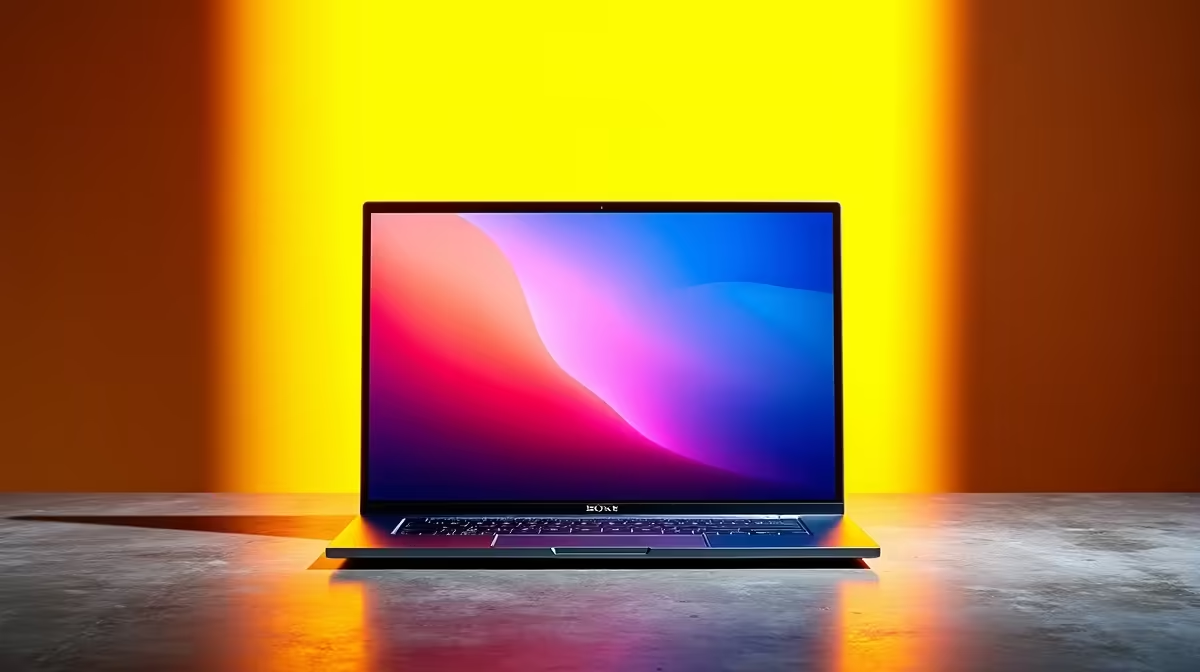
Howzit! Searching for the best laptop for graphic design South Africa has on offer can feel like a real mission. You're juggling confusing specs, marketing jargon, and prices that make your wallet weep. You need a machine that can handle massive Photoshop files, render video without crashing, and display colours accurately... but where do you even start?
Forget the guesswork. This guide will quickly break down what truly matters and then point you to our quick quiz to find your perfect creative partner.
Finding the right creative machine isn't just about the brand. It's about matching the internal components to your specific workflow. The best laptop for graphic design in South Africa for a vector artist will be different from one for a 3D modeller. Let's break down the core four.
The Central Processing Unit (CPU) is the brain of your laptop. For graphic design, you need a strong one to handle complex tasks, filters, and multitasking between apps like Illustrator and InDesign.
The choice isn't about which is "better," but which is better for you.
The Graphics Processing Unit (GPU) is no longer just for gaming. Modern design software uses the GPU to accelerate everything from rendering 3D models in Blender to applying effects in Premiere Pro. A dedicated GPU (like NVIDIA's GeForce RTX series) is non-negotiable for serious creative work. This is why many of the best gaming laptop deals are secretly some of the top choices for designers, offering incredible graphics power for the price.
You could have the most powerful laptop in the world, but if the screen shows inaccurate colours, your work will suffer. This is a critical factor when choosing a laptop for graphic design.
Look for screens with high colour accuracy ratings:
Resolution matters too. A Full HD (1920x1080) screen is the baseline, but a QHD (2560x1440) or 4K screen will give you a much sharper, more detailed view of your work. You can find a huge variety of screen types across our full laptop specials for sale in South Africa.
Even the best laptop screens can drift in colour over time. For truly professional work, invest in a colour calibration tool like a Datacolor SpyderX or Calibrite ColorChecker. Calibrating your display once a month ensures that what you see is what your clients and the printers will see. It's a small investment for total peace of mind.
Ready to narrow it down? Ask yourself these three questions to find the best laptop for graphic design in South Africa for your unique needs.
Answering these questions gives you a powerful blueprint. You're no longer just looking for a laptop; you're looking for your laptop.
Ready to Find Your Perfect Match? The Mac vs Windows debate is complex, but for maximum power, choice, and value in South Africa, Windows is hard to beat. Explore our massive range of laptop specials and find the perfect machine to conquer your world.
Focus on a powerful CPU (Intel Core i7/i9 or AMD Ryzen 7/9), at least 16GB RAM (32GB is better), a dedicated GPU (NVIDIA RTX series), and a color-accurate display (100% sRGB).
Both are excellent. MacBooks offer a streamlined ecosystem and great screens, while Windows provides more hardware variety and customisation. Our quiz helps you decide based on your needs.
Prices vary. Entry-level models start around R15,000, mid-range from R25,000, and high-end pro machines can exceed R50,000. Set a budget and find the best specs within it.
Look for models with AMD Ryzen 5/7 CPUs and integrated graphics or entry-level NVIDIA GPUs. Brands like ASUS and Lenovo often offer great value for students and beginners.
A 4K screen is beneficial for detail work but not essential. A high-quality Full HD (1080p) or QHD screen with excellent color accuracy (Delta E < 2) is more important.
16GB is the minimum for professional work with apps like Photoshop and Illustrator. For heavy multitasking or complex projects, 32GB RAM is highly recommended.
Discover how SecureGrip vent clip mounts provide superior stability for your smartphone. Learn the mechanics behind the clamp and why it matters for your daily drive. 📱🚗
Read more
For a stable RTX 5070 starting point, use 1440p, the High preset, Ray Tracing Medium and DLSS Balanced, then measure the base frame rate before adding Frame Generation. Path tracing is a separate showcase mode, not the default.

HKC's 27-inch Shield 27Q560 runs QHD at 560Hz or 1280 x 720 at up to 1060Hz. The headline rate is specialised: resolution, sustained frame rate, ports and eventual South African support decide whether it is useful.

G.Skill's Trident Z5 Royal NeoX range pairs DDR5-6000 with timings from CL36 down to CL26 and adds an AMD EXPO ULL profile. Buyers still need a supported CPU, motherboard and BIOS before treating the lowest timing as guaranteed.

Stop struggling with bulky mounts. We break down the essential compact car phone holder features that ensure stability, safety, and ease of use for your daily commute. 🚗💨 Find your perfect fit.

Industry reports point to another roughly 10 percent Intel processor increase from 5 October, but Intel has not published a consumer price list confirming the scope. South African buyers should treat it as a risk signal, not a guaranteed Rand change.

Put the headphones in pairing mode, open Bluetooth and devices in Windows 11, then add the headset. If it fails, remove the old pairing and check charge, range and drivers.

Microsoft says upcoming Windows 11 work will target memory use on 8GB PCs and improve boot and sign-in responsiveness. There is no public release date or measured uplift yet.

Windows 11 does not show CPU temperature in its standard Settings pages. Use your CPU maker's supported utility or a trusted monitor, then read idle and loaded temperatures in context.

Diablo 4 HDR settings work best after Windows and the display are calibrated, then the game's black point, brightness and white point are adjusted in that order. Use visible shadow detail and controlled highlights, not copied values from another screen.

The best HOTAS for Elite Dangerous is a separate stick-and-throttle set with enough analogue axes for pitch, roll, yaw and thrust, plus local support. Evetech's captured flight-simulation sample lists the complete Logitech X56 at R4,999.

The Alienware AW3926QW is a 38.9-inch 5120 x 2160 OLED monitor that runs at 165Hz or 2560 x 1080 at 330Hz. Dell lists it at $1,099.99 in the US, while South African price and availability remain unconfirmed.

Nintendo Switch 2 docked VRR arrives with system version 23.0.0 and also requires a dock update. The connected TV or monitor and the running software must support VRR before the output can follow changing frame rates.