



SecureGrip Vent Clip Mounts: Understanding the Clamp Mechanism
Discover how SecureGrip vent clip mounts provide superior stability for your smartphone. Learn the mechanics behind the clamp and why it matters for your daily drive. 📱🚗
Read moreFind the best laptops for video editing South Africa has to offer! 🎁 Our guide covers top picks for every budget, perfect for gifting to the creative in your life. Discover powerful machines from Apple, ASUS, and MSI that crush 4K workflows. Make their next project a masterpiece! ✨
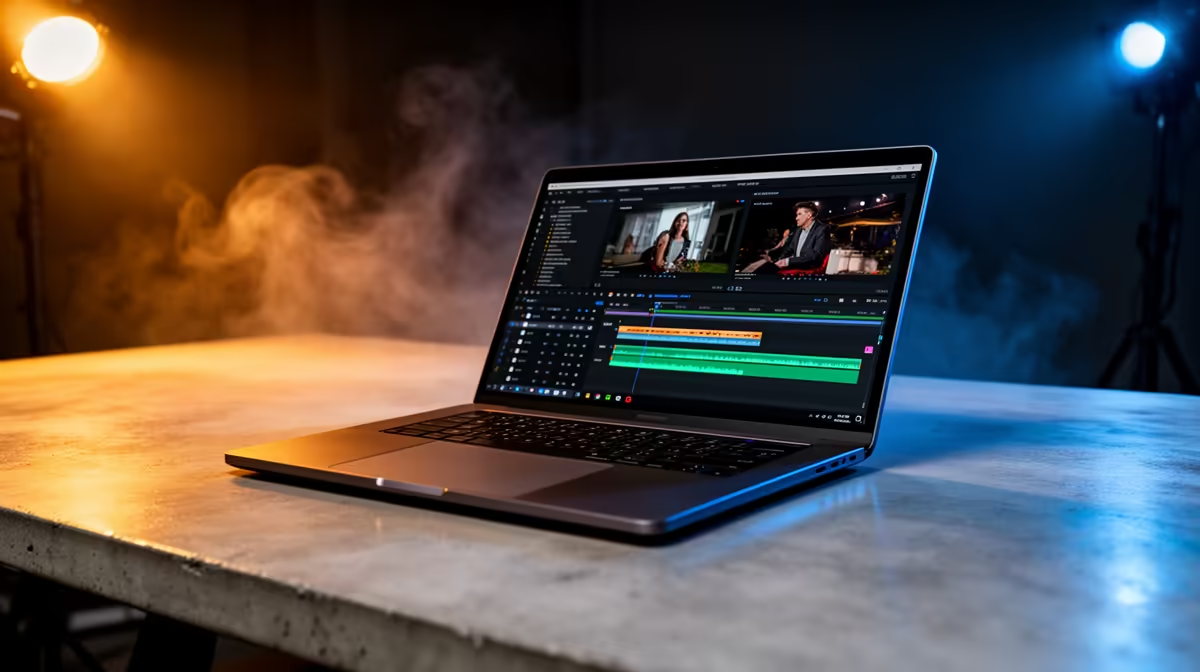
Staring at a stuttering timeline, waiting ages for a simple render... we've all been there. Whether you're cutting together holiday footage from the Drakensberg or crafting the next viral TikTok, a slow laptop is the ultimate creativity killer. Finding the best laptops for video editing in South Africa can feel like a mission, especially when you need serious power without breaking the bank. This guide is here to help you find the perfect editing beast. 🚀
Forget flashy marketing terms for a moment. A great video editing laptop is all about a balanced system where the core components work together seamlessly. You need a machine that can handle large 4K files, complex effects, and fast exports without crashing. The goal is smooth playback in your editor (like Premiere Pro or DaVinci Resolve) and quick render times when you're done. It's a combination of raw processing power, graphical muscle, and lightning-fast data access.
Let's break down the engine room of your future editing powerhouse. Understanding these four pillars is key to choosing one of the best laptops for video editing South Africa has to offer.
The Central Processing Unit (CPU) is the brain of your operation. It handles most of the heavy lifting, from decoding video files to running the software itself. When looking at CPUs, focus on two things: core count and clock speed. More cores mean better multitasking and faster rendering.
The debate between Intel and AMD is fierce, but both offer incredible options. AMD's Ryzen processors often excel in multi-core performance, which is fantastic for rendering. On the other hand, Intel's Core series, with its strong single-core performance, can feel incredibly snappy during the editing process. There’s no wrong answer; it’s about finding the right deal on a powerful chip. You can explore a great selection of AMD laptops on special or check out the latest Intel laptops on special to compare current prices and models.
The Graphics Processing Unit (GPU), or graphics card, was once just for gaming. Not anymore. Modern video editing software uses the GPU to accelerate rendering (especially with effects and colour grading) and to provide smooth timeline playback. An NVIDIA GeForce RTX or AMD Radeon RX series card is your best bet.
This is where gaming laptops truly shine. They are built with powerful, dedicated GPUs that are perfect for creative work. So, when you're searching for an editing machine, don't overlook the best gaming laptop deals, as they often provide the best performance-per-Rand for video editors.
For super-smooth 4K editing, even on a mid-range machine, use proxies! Most editing software can create low-resolution copies of your footage for editing. You'll edit with the smooth proxy files, and when you're ready to export, the software automatically switches back to the high-quality original files for the final render. It's a simple trick that saves a ton of frustration.
RAM (Random Access Memory) is your laptop's short-term memory. Video editing eats it for breakfast. We recommend a minimum of 16GB, but 32GB is the sweet spot for serious 4K editing and multitasking.
Storage is just as critical. You need a fast Solid State Drive (SSD), specifically an NVMe SSD. It ensures your laptop boots up instantly, your apps load in a flash, and your video files are read without bottlenecks. A smaller NVMe SSD for your operating system and programs, paired with a larger secondary drive for footage, is a great setup.
Choosing the best laptop for video editing in South Africa comes down to balancing these components with your budget. Prioritise a strong CPU and GPU, ensure you have at least 16GB of RAM, and never settle for a slow hard drive. A good screen with accurate colours is also a massive plus for getting your final grade just right.
Ultimately, the best machine empowers you to create without limits. By understanding what makes a laptop tick, you're ready to make a smart investment. Take a moment to see what's possible within your budget by browsing the wide variety of laptop specials for sale in South Africa and find the perfect machine to bring your vision to life.
Ready to Find Your Perfect Match? The Mac vs Windows debate is complex, but for maximum power, choice, and value in South Africa, Windows is hard to beat. Explore our massive range of laptop specials and find the perfect machine to conquer your world.
Prioritize a powerful CPU (Intel Core i7/i9 or AMD Ryzen 7/9), a dedicated GPU (NVIDIA RTX series), at least 16GB of RAM (32GB is better), and fast SSD storage.
Yes, gaming laptops for video editing are excellent choices. They typically have powerful processors, dedicated graphics cards, and high-refresh-rate screens ideal for creative work.
For smooth 4K video editing, 32GB of RAM is highly recommended. While 16GB can work for smaller projects, 32GB prevents bottlenecks with complex timelines and effects.
Both are great! MacBooks are praised for their optimization with Final Cut Pro, while Windows offers more hardware choices. The best windows laptop for video editing often provides more power for the price.
Look for models with an NVIDIA RTX 3050 or 4050 GPU, a recent Core i5 or Ryzen 5 CPU, and 16GB of RAM. These provide a great balance of price and performance for beginners.
It's possible for very basic, low-resolution editing, but not recommended. A dedicated GPU drastically accelerates rendering times and allows for smooth playback of effects.
Evetech offers a wide selection of powerful laptops for content creators in SA, with expert advice and competitive pricing on top brands like Apple, MSI, ASUS, and Gigabyte.
Discover how SecureGrip vent clip mounts provide superior stability for your smartphone. Learn the mechanics behind the clamp and why it matters for your daily drive. 📱🚗
Read more Discover how SecureGrip vent clip mounts provide superior stability for your smartphone. Learn the mechanics behind the clamp and why it matters for your daily drive. 📱🚗

For a stable RTX 5070 starting point, use 1440p, the High preset, Ray Tracing Medium and DLSS Balanced, then measure the base frame rate before adding Frame Generation. Path tracing is a separate showcase mode, not the default.

HKC's 27-inch Shield 27Q560 runs QHD at 560Hz or 1280 x 720 at up to 1060Hz. The headline rate is specialised: resolution, sustained frame rate, ports and eventual South African support decide whether it is useful.

G.Skill's Trident Z5 Royal NeoX range pairs DDR5-6000 with timings from CL36 down to CL26 and adds an AMD EXPO ULL profile. Buyers still need a supported CPU, motherboard and BIOS before treating the lowest timing as guaranteed.

Diablo 4 HDR settings work best after Windows and the display are calibrated, then the game's black point, brightness and white point are adjusted in that order. Use visible shadow detail and controlled highlights, not copied values from another screen.

The best HOTAS for Elite Dangerous is a separate stick-and-throttle set with enough analogue axes for pitch, roll, yaw and thrust, plus local support. Evetech's captured flight-simulation sample lists the complete Logitech X56 at R4,999.

Nintendo Switch 2 docked VRR arrives with system version 23.0.0 and also requires a dock update. The connected TV or monitor and the running software must support VRR before the output can follow changing frame rates.

The Alienware AW3926QW is a 38.9-inch 5120 x 2160 OLED monitor that runs at 165Hz or 2560 x 1080 at 330Hz. Dell lists it at $1,099.99 in the US, while South African price and availability remain unconfirmed.
Diablo 4 HDR settings work best after Windows and the display are calibrated, then the game's black point, brightness and white point are adjusted in that order. Use visible shadow detail and controlled highlights, not copied values from another screen.
The best HOTAS for Elite Dangerous is a separate stick-and-throttle set with enough analogue axes for pitch, roll, yaw and thrust, plus local support. Evetech's captured flight-simulation sample lists the complete Logitech X56 at R4,999.
The Alienware AW3926QW is a 38.9-inch 5120 x 2160 OLED monitor that runs at 165Hz or 2560 x 1080 at 330Hz. Dell lists it at $1,099.99 in the US, while South African price and availability remain unconfirmed.
Nintendo Switch 2 docked VRR arrives with system version 23.0.0 and also requires a dock update. The connected TV or monitor and the running software must support VRR before the output can follow changing frame rates.