


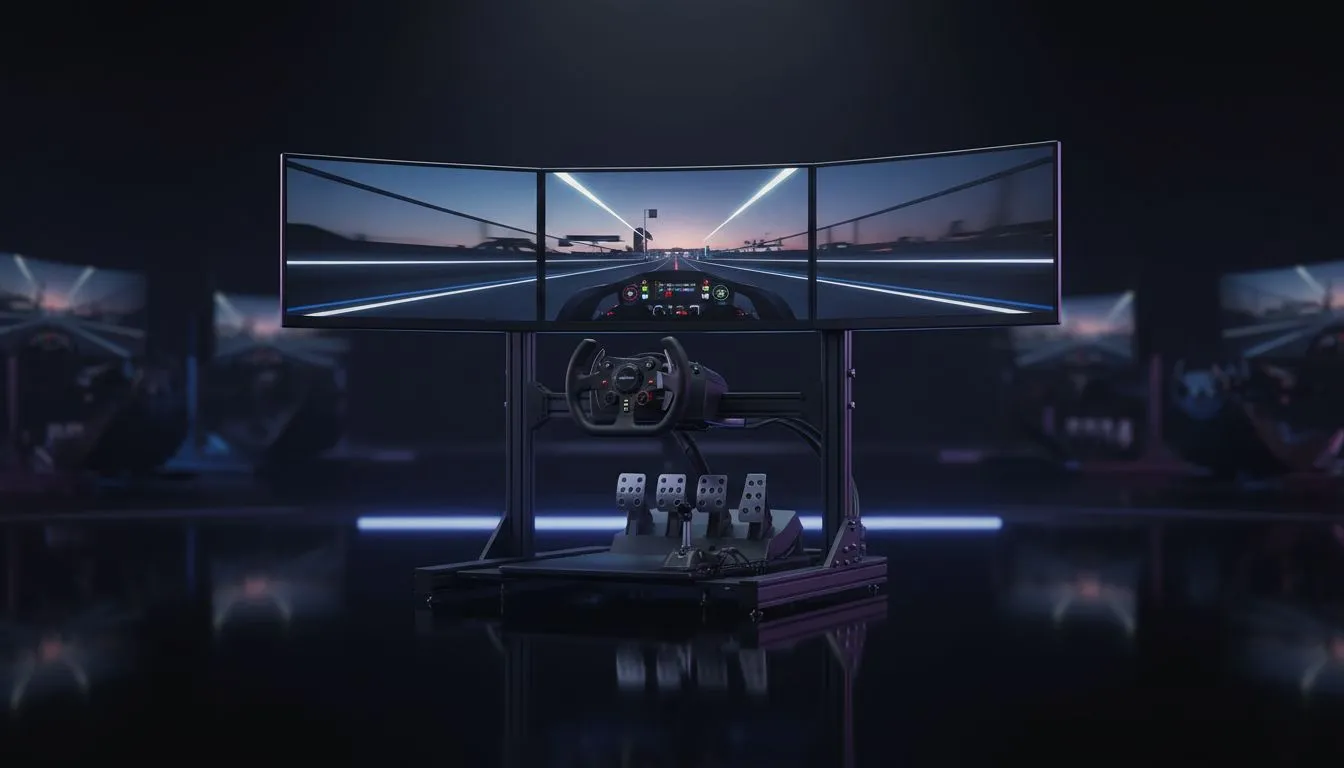
Imagine hitting the apex at Kyalami, feeling every vibration through your wheel. But are you seeing the whole track? Choosing the best monitor for sim racing in 2026 isn't just about pixels... it is about immersion. Whether you are chasing lap times in iRacing or cruising in Assetto Corsa, the "Triple Screen vs Ultrawide" debate is the ultimate fork in the road for South African sim racers. 🏎️
The Ultrawide Experience: Seamless and Simple
Ultrawide displays have transformed the way we view the virtual cockpit. Most modern gaming monitors now offer 21:9 or even 32:9 aspect ratios. This setup eliminates the annoying bezels found in multi-screen configurations. It provides a clean, panoramic view that fits perfectly on a standard desk.
For those with limited space in a flat or small room, curved monitors are the logical choice. The wrap-around effect helps with depth perception... making it easier to judge braking zones. You get a massive field of view without the cable clutter of three separate power bricks.
Triple Screens: The Gold Standard for Immersion
If you want the absolute best monitor for sim racing setup, triple screens remain the king. This configuration offers true peripheral vision. You can actually look out the side windows to see your opponent's front wing. It requires a beefy GPU to drive three 4K monitors at high frame rates.
Setting this up requires patience. You will need to align the angles perfectly to ensure the horizon remains level across all PC monitors in the array. While it takes up more space, the sense of speed is unmatched. It feels like you are sitting inside a real roll cage.
Sim Racing Pro Tip ⚡
Always calculate your Field of View (FOV) based on your eye distance from the screen. A mathematically correct FOV might look "zoomed in" at first, but it allows your brain to judge speed and distance more accurately. This is the fastest way to find consistency in your lap times.
Practical Considerations for South African Racers
Performance is key when every millisecond counts. Driving high resolutions requires high-end hardware. Some racers even use portable monitors as dedicated telemetry displays to keep their main screen clear of HUD clutter. This allows you to monitor tyre temps and fuel levels in real-time.
Don't forget the physical setup. Robust monitor accessories like heavy-duty mounts are essential for triple screens. They prevent the displays from wobbling when you are fighting a heavy direct-drive wheel.
If you are looking for the best value, keep an eye on the best pc monitor deals to save some ZAR for your next wheel rim or pedal upgrade. ✨
Ready to Build Your Dream Rig? Whether you want the seamless curve of an ultrawide or the massive scale of a triple-screen setup, we have the gear to put you on the podium. Explore our massive range of gaming monitors and find the perfect display to conquer the track.










