


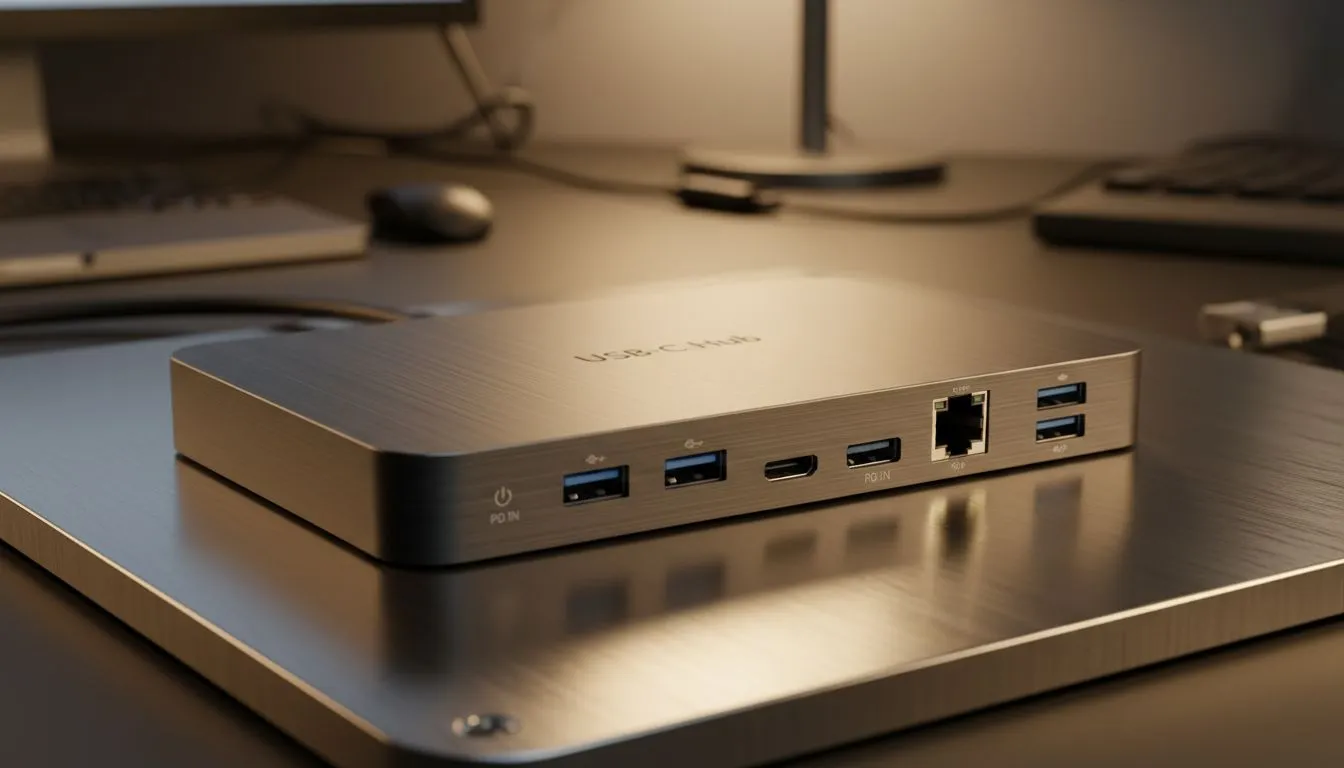
Struggling with a tangled mess of cables and never enough ports for your gaming peripherals, external drives, or second monitor? You're not alone. In South Africa's fast-paced tech landscape, our devices are more powerful than ever, but often lack the comprehensive connectivity we need. That sleek laptop might be a beast, but its limited ports can feel like a bottleneck. This is where a robust USB-C hub becomes more than just an accessory… it’s a game-changer for productivity and play.
Why a USB-C Hub is Your Connectivity Lifeline
Modern laptops, especially ultrabooks and MacBooks, are embracing the versatile USB-C standard. While fantastic for its reversible connector and multi-functionality, it often means sacrificing traditional USB-A ports, HDMI, or even an Ethernet jack. A quality USB-C hub or docking station bridges this gap, transforming a single USB-C port into a multi-faceted expansion powerhouse. It simplifies your setup, declutters your desk, and ensures you're always connected, whether you're battling online in CS2 or editing your latest travel vlog.
But with so many options on the market, how do you choose the right one? This isn't just about adding more ports; it's about adding the right ports with the right capabilities. Our USB-C Hub Buying Checklist is here to guide you through the essential specifications, ensuring you make an informed decision that truly enhances your digital life.
Your USB-C Hub Buying Checklist: 10 Specs That Matter
Picking the perfect USB-C hub can feel like navigating a maze of acronyms and numbers. Don't stress! This checklist breaks down the crucial elements, helping you match a hub's capabilities to your specific needs.
1. Port Variety & Quantity
This is often the first thing people look at. Do you need multiple USB-A ports for peripherals like a mouse, keyboard, or external hard drive? What about a dedicated USB-C port for data transfer or connecting another USB-C device? Consider:
- USB-A (3.0/3.1/3.2): For legacy devices. Look for at least 2-3.
- USB-C (Data/PD): Some hubs offer an additional USB-C port for data, not just power.
- Video Outputs: HDMI, DisplayPort, or even VGA.
- Ethernet: Essential for stable internet, especially for online gaming.
- Card Readers: SD and microSD slots for photographers and videographers.
2. Power Delivery (PD) Capabilities
One of the greatest benefits of USB-C is Power Delivery, allowing a single cable to transfer data, video, and power. If you plan to charge your laptop through the hub, this is critical. Look for hubs that support sufficient wattage (e.g., 60W, 100W). A 100W PD pass-through hub can charge most modern laptops at full speed, keeping your workstation powered with minimal cable clutter. This feature is a non-negotiable for anyone looking to simplify their desk setup.
3. Video Output & Resolution
For many, extending their display is a primary reason for a USB-C hub.
- Resolution & Refresh Rate: Does it support 4K at 30Hz or 60Hz? For smooth gaming and video editing, 4K@60Hz is preferred. Some advanced docking stations even support 8K.
- Multi-Monitor Support: Can it drive two external displays simultaneously? Check for Multi-Stream Transport (MST) support, crucial for Windows users wanting extended desktop views. Mac users typically have different limitations.
4. Data Transfer Speeds
Speed matters, especially when moving large files.
- USB 3.2 Gen 1 (formerly USB 3.0): 5Gbps. Good for general peripherals.
- USB 3.2 Gen 2 (formerly USB 3.1): 10Gbps. Ideal for fast external SSDs.
- Thunderbolt 3/4: If your laptop supports it, a Thunderbolt docking station offers a blistering 40Gbps, perfect for high-speed external GPUs or multiple 4K displays.
Don't let slow transfer speeds bottleneck your workflow. For a wide range of options, from budget-friendly to high-performance, you can explore Evetech's diverse selection of docking stations up to R2000 that cater to various speed requirements.
5. Ethernet Port Speed
While Wi-Fi is convenient, a wired Ethernet connection offers superior stability and speed, which is vital for competitive online gaming, uninterrupted streaming, or large corporate file transfers. Ensure your chosen USB-C hub includes a Gigabit Ethernet (1Gbps) port. Anything less could mean slower downloads and higher ping.
6. SD/MicroSD Card Reader Performance
If you're a content creator, photographer, or drone enthusiast, quick access to your memory cards is essential.
- UHS-I vs. UHS-II: UHS-II readers are significantly faster, crucial for offloading large RAW photos or 4K video files rapidly.
- Simultaneous Reading: Can it read both SD and microSD cards at the same time? This is a handy feature for efficiency.
7. Cable Type & Length
Often overlooked, the hub's integrated cable makes a difference.
- Built-in vs. Detachable: Detachable cables offer flexibility for replacement or using different lengths. Built-in cables are more compact for travel.
- Length: A longer cable (e.g., 20-30cm) provides more flexibility for positioning the hub on your desk, keeping it out of the way. A short, rigid cable can cause strain on your laptop's port.
Optimising Your Setup ⚡
When considering a USB-C hub, think about your desk layout. A hub with a longer, detachable cable offers more flexibility for routing cables neatly, keeping your workspace clutter-free. This is especially useful for managing cables on a sit-stand desk!
8. Build Quality & Heat Management
A high-quality USB-C hub will be built to last. Look for aluminium construction, which not only looks premium but also aids in heat dissipation. Hubs with many active ports (especially video outputs and PD) can generate heat, and efficient cooling ensures stable performance and longevity. Cheaper plastic hubs might overheat, leading to performance drops or even damage over time.
9. Compatibility Across Devices
While USB-C is a standard, not all hubs work perfectly with every device or operating system. Check if the hub explicitly states compatibility with your laptop's OS (Windows, macOS, Linux, ChromeOS, iPadOS, Android). Some features, like Multi-Stream Transport (MST) for multiple extended displays, might behave differently depending on your system. For excellent value and reliable performance across various devices, browse Evetech's range of docking stations under R1000.
10. Brand Reputation & Warranty
Don't compromise on reliability for a few extra rand. Reputable brands often provide better build quality, more stable performance, and crucial firmware updates. A good warranty offers peace of mind. Evetech stocks trusted brands like Promate, known for their durable and feature-rich accessories. You can specifically check out the Promate docking stations available on our site for reliable options.
Making the Right Choice for Your Setup
Armed with this comprehensive USB-C hub buying checklist, you're now ready to confidently navigate the market. Think about your daily workflow, your gaming setup, and your future needs. Do you need maximum video output for dual 4K monitors, or are fast data transfers for your external SSD more critical? By prioritising the specs that matter most to you, you'll find a USB-C hub that truly elevates your connectivity experience, turning your single USB-C port into a powerful command centre.
Ready to Expand Your Connectivity? Don't let limited ports hold you back. With this USB-C hub buying checklist, you're now equipped to choose the perfect docking station or hub for your needs. Explore Evetech's wide selection of USB-C hubs and docking stations and unlock your setup's full potential today!











