


Quick Answer
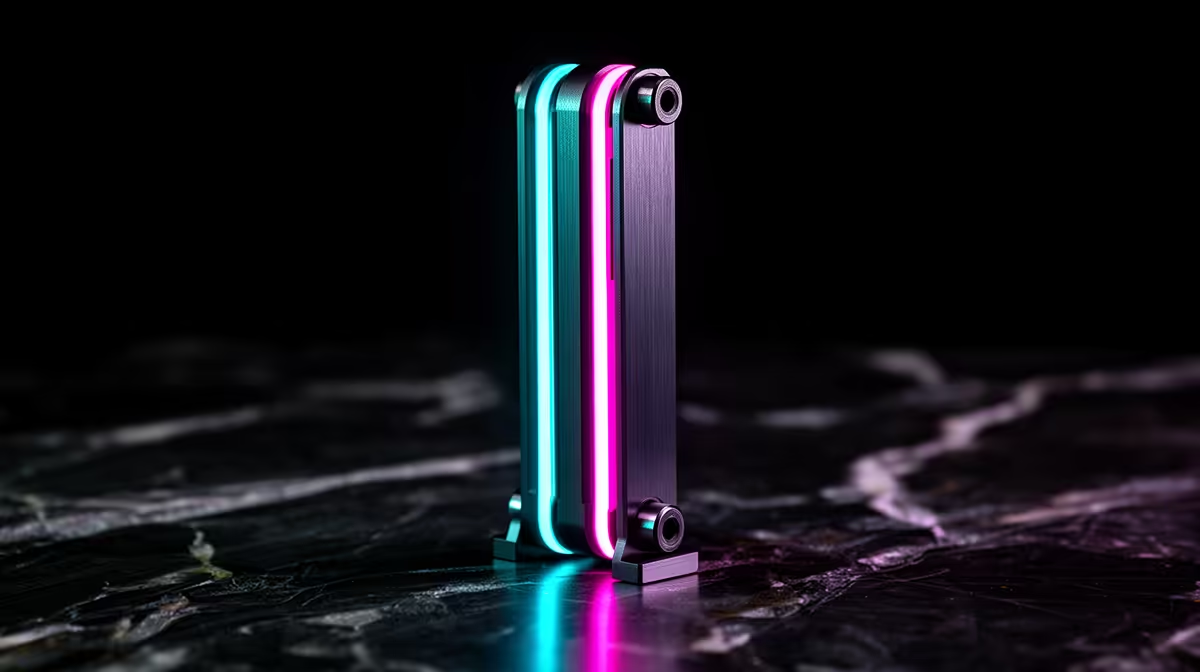
3D ARGB GPU holders are GPU support brackets with a diffused ARGB light bar or shaped LED array integrated into the bracket arm. They connect via a standard 5 V 3-pin ARGB header, sync with motherboard lighting software like Asus Aura Sync or MSI Mystic Light, and cost R250 to R450 locally. The three-dimensional lighting effect refers to the light filling the space between the GPU and case floor rather than emitting from a single flat plane.
What Makes an ARGB GPU Holder Different From a Basic Bracket ✨
A basic adjustable GPU bracket is a functional item: a post with a rubber tip that stops the GPU sagging. A 3D ARGB holder adds a light guide or LED strip to the bracket arm that emits addressable colour light across the visible face of the arm and downward toward the case floor. The term 3D in the product name refers to the light spreading in three spatial directions (forward, downward, and sideways) rather than emitting from a single flat strip. This creates ambient lighting under the GPU that reflects off the case floor and PSU shroud, adding depth to the lighting scheme. In builds with a white or light-coloured interior, this reflected light fills an area that CPU AIO, RAM, and fan lighting do not reach.
Sync Support: Motherboard Ecosystem Compatibility 🔌
All standard 3D ARGB holders use the 5 V 3-pin ARGB header to connect to the motherboard, which is the universal addressable RGB standard supported by Asus Aura Sync, MSI Mystic Light, Gigabyte RGB Fusion 2.0, and ASRock Polychrome Sync.
Build Aesthetics: Where the Effect Is Most Visible 🎮
The 3D ARGB effect is most impactful in black interior cases with a tempered glass side panel, where the under-GPU space is otherwise a dark, unlit zone. White interior builds amplify the brightness through reflection but may make the effect look washed out at high ARGB brightness levels. The bracket arm is visible through the side panel, so arm colour and finish matter: black-anodised arms suit black builds, white or silver arms suit white builds. Bracket width and length also affect aesthetics: a narrow arm on a long card looks cleaner than a wide arm that partially blocks the view of the GPU PCB. At R250 to R450 locally at Evetech, 3D ARGB holders represent the most visible per-rand visual upgrade in this category for themed gaming builds.
Match Bracket Length to Two-Thirds of Your GPU Length ⚡
When selecting a 3D ARGB bracket, check the bracket arm length. An arm that extends to cover two-thirds of the GPU's length (for example 220 mm to 230 mm on a 336 mm card) illuminates more of the underside than a short arm positioned only near the card's base. Longer arms also provide better sag prevention because the support point is further from the PCIe slot lever fulcrum.
FAQ
Do 3D ARGB GPU holders work with all graphics cards regardless of brand?
Yes, the bracket is not GPU brand-specific. It mounts to the case floor and contacts the GPU underside regardless of whether the card is Nvidia, AMD, or Intel. The ARGB function connects to the motherboard independently of the GPU brand.
Will the ARGB light from the bracket show through a GPU's cooler fins?
No. The light emits downward and sideways from the bracket arm, illuminating the space below the GPU. It does not project upward through the heatsink fins or PCB, so it will not create unwanted light bleed into the cooler area.
Are 3D ARGB GPU holders worth it over basic brackets if my case has a dark interior?
In a dark interior case with a tempered glass side panel, yes. The contrast effect is stronger in dark cases, where the bracket light stands out clearly against the unlit floor space. In dark builds the visual impact per rand spent is higher than in reflective white builds.
Want to light up every corner of your gaming build? Browse Evetech's 3D ARGB and standard GPU holder range for all case colours and lighting ecosystems, with local delivery across South Africa.











