


Quick Answer
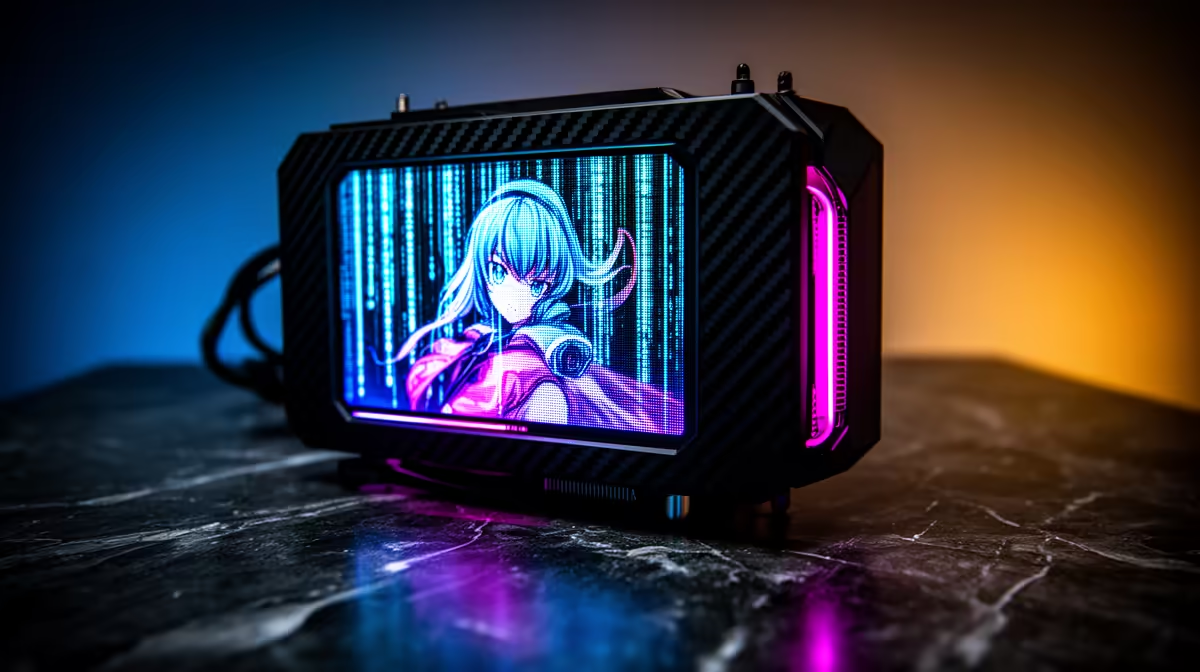
ANIME Matrix is ASUS ROG's dot-matrix LED panel system, originally introduced on laptops and later integrated into the pump head and radiator end caps of select AIO coolers. It renders animations, system data, or custom graphics using a grid of individually addressable mini-LEDs, producing a pixelated display effect similar to a retro arcade screen.
How ANIME Matrix Works on CPU Coolers 🎮
Unlike LCD or AMOLED pump heads that display full-colour images, ANIME Matrix uses a matrix of single-colour LED dots arranged in a grid pattern on the pump housing or radiator cap surface. The LED grid is controlled through the ASUS Armoury Crate software, where you can import pixel art, design animations frame by frame, or select presets that display CPU temperature, system load, or clock speed as scrolling text across the dot matrix. On the ROG Ryuo III 360 ARGB with ANIME Matrix, the front-facing panel contains a 35x35 or 48x48 LED grid depending on the model variant. This creates a distinctive visual identity that is immediately recognisable as ROG-branded hardware in any custom build. In South Africa, ANIME Matrix-equipped AIOs are typically priced between R3,000 and R4,800.
Design Uses and Custom Build Integration ✨
For custom gaming builds with a tempered-glass side panel, the ANIME Matrix panel becomes a focal point distinct from the typical ring-lit or rectangular LCD coolant head designs. Popular custom display content includes animated ROG logos, sprite art from games, scrolling temperature readouts, and boot animations that sync with the system POST sequence through Armoury Crate. The panel can be oriented through software to keep text or animations upright regardless of how the pump head is physically mounted. Builders running themed setups, particularly those with ROG motherboards, GPUs, and RAM, use the ANIME Matrix display to tie the aesthetic together under a single Armoury Crate lighting profile.
Practical Limitations to Understand Before Buying 🔧
ANIME Matrix is a dot-matrix display, not a full-colour screen. It renders low-resolution pixel art, not photographs or video. Images need to be simplified to the LED grid resolution (typically 35x35 or 48x48 pixels) and converted to single-channel brightness values rather than full RGB colour. The effect is deliberate and retro rather than photorealistic. If you want full-colour video on your pump head, look at LCD or AMOLED pump head coolers instead. Also note that the ANIME Matrix panel draws power through a USB header on the motherboard and requires Armoury Crate running at startup to initialise display content, which adds a small background process to your system.
Use Armoury Crate's ANIME Matrix Editor Before Buying ⚡
ASUS provides a web-based ANIME Matrix editor that lets you preview and create animations at the exact LED grid resolution of your target cooler before purchasing. This gives you a realistic view of how your custom artwork will render on the hardware, avoiding disappointment after install if your intended design loses too much detail at the matrix resolution.
FAQ
Does ANIME Matrix affect CPU cooling performance?
No. The LED matrix is a cosmetic overlay on the pump housing and does not interact with coolant flow, pump speed, or thermal performance. Cooling capacity depends entirely on radiator size and pump engineering.
Can I display any image on an ANIME Matrix cooler?
Yes, but images must be converted to the pixel grid resolution and colour depth supported by the specific LED matrix. Full-colour photographs lose most detail at 35x35 resolution; simple logos and pixel art work best.
Is ANIME Matrix exclusive to ROG products?
Yes, it is an ASUS ROG proprietary technology. Other brands have their own pump head display systems (Corsair iCUE LCD, NZXT Kraken LCD head), but ANIME Matrix dot-matrix styling is unique to ROG.
Want to build a fully themed ROG gaming setup? Evetech stocks ROG ANIME Matrix AIOs and matching ROG components with Armoury Crate compatibility, all with local warranty support.











