



1000W PSU Planning for RTX 5090 Builds in SA
1000W for RTX 5090 needs a full-build check, not a simple yes. Review GPU guidance, CPU draw, transient load, connectors, PSU quality, and upgrade plans before deciding.
Read moreAR Glasses setup guide for Rand-conscious buyers should be shortlisted around the job it must do. South African buyers should compare fit, performance, compatibility, and upgrade room, warranty path, and upgrade room before treating any pick as best.
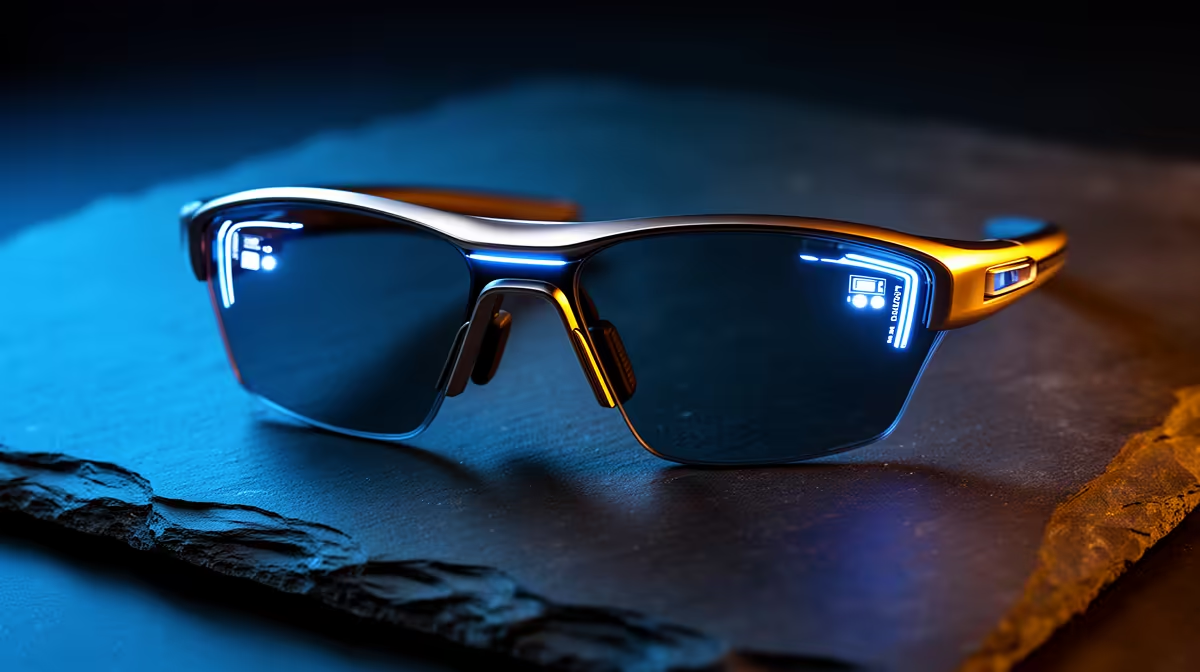
Set it up for reliability first and the rest follows. AR display glasses shine as a portable, cable-light second screen, not as a desktop monitor stand-in. On a tight Rand budget, spend where it changes daily comfort and skip badge premiums that do not move the needle.
AR glasses are best as a portable virtual monitor for travel and tidy desks, not a gaming-monitor replacement. A pair of display glasses (around 1080p per eye, 120Hz, ~80g) runs roughly R6,000-R12,000 at Evetech and pairs to a handheld, phone or laptop over USB-C DisplayPort.
Display glasses give a large floating screen, typically a 1080p-per-eye Micro-OLED panel at up to 120Hz, weighing 75-85g. That suits a clean desk (no monitor stand) and travel, turning a handheld or phone into a big private screen. They are not a true AR overlay or an esports display.
Most glasses use one USB-C cable carrying DisplayPort video; confirm your device supports USB-C video out, or use a small dongle. For gaming, pair them with a Steam Deck OLED or ROG Ally X. Entry glasses near R6,000 give a sharp 1080p image; premium models at R10,000-R12,000 add brightness (nits) and field of view.
Set up AR glasses for reliability first: confirm compatibility, route cables tidily, and test the core function before adding extras. A clean setup now saves troubleshooting later. Note the warranty and delivery terms so a fault is easy to resolve.
On a Rand-conscious budget, put money where it changes daily comfort and skip the badge premiums. The entry tier usually delivers the core benefit, so step up only for the one or two features you will genuinely feel. Buy local with a warranty rather than chasing a grey-import saving.
Buy the entry tier of AR glasses that covers the core benefit and step up only for a feature you will feel daily. Buy local with a warranty rather than chasing a grey-import saving.
For travel and tidy desks, yes as a 1080p 120Hz virtual screen; for competitive gaming, no. A 165Hz desktop monitor still wins on refresh rate and latency.
A device with USB-C DisplayPort video out: most modern laptops, many phones, and handhelds like the Steam Deck OLED. Some need a small adapter, so confirm USB-C video support first.
phone, laptop or handheld supports USB-C DisplayPort video before buying, and treat AR glasses as a portable second screen.
1000W for RTX 5090 needs a full-build check, not a simple yes. Review GPU guidance, CPU draw, transient load, connectors, PSU quality, and upgrade plans before deciding.
Read more
RTX 5080 Super with a 750W PSU is more comfortable than lower wattage if the unit is quality. SA builders should still confirm GPU guidance, CPU draw, connector type, airflow, and upgrade room.
Read more
How to fix FPS drops after a RX 9070 XT starts with driver cleanup, chipset updates, thermals, and power checks. For SA gaming PCs, confirm PCIe seating, monitor refresh, frame caps, and per-game graphics settings before replacing parts.
Read more
How to fix low FPS Windows 11 Wi-Fi 7 issues starts by checking whether the problem is frame rate or network lag. Test ping, drivers, power settings, Ethernet, and game FPS before adjusting visuals.
Read more
AM5 is smart for SA builders because it supports newer Ryzen CPUs, DDR5 memory, and a longer upgrade path. Compare board cost, cooling, gaming needs, and local part availability before choosing your next PC platform.
Read more
AM5 gives Randburg gaming builders a longer upgrade path. For SA buyers, DDR5 support, newer board features, and future CPU options can justify the platform. Weigh board cost, cooler support, BIOS maturity, and upgrade timing before choosing.
Read more
RTX 5090 on a 550W PSU leaves almost no practical room for OC plans. Treat the setup as constrained, with CPU draw, power spikes, cable quality, thermals, and stability checks more important than chasing extra clocks.

FPS drops on a Ryzen 9 9950X3D build often have a fixable cause. Check settings, drivers, thermals, background tasks, network conditions, and bottlenecks before assuming a part must be replaced.

The difference between PCIe 5.0 and PCIe 4.0 for SA gamers is mostly bandwidth headroom. Compare GPU slot needs, NVMe speed, motherboard support, and upgrade timing before paying extra for a newer platform.

Gaming PC stuck pixel checks in South Africa should confirm the monitor fault first. Use colour tests, screenshot comparison, cable swaps, display menu checks, and clear photos before deciding on support.

AMD's current driver now lists a Radeon RX 9050 4GB, while product coverage details a narrowed memory system. SA buyers should weigh the low VRAM ceiling against current local Radeon options.

Samsung Display has demonstrated a 16-inch 2.5K OLED laptop panel running at 300Hz. SA buyers should wait for a named notebook, full panel specifications and a local price before planning an upgrade.

Microsoft says some Windows 11 game crashes after recent updates are linked to RGB-related drivers. Affected SA gamers should confirm the update and driver before using the published registry workaround.

Thermalright's Fan Frame Vision-1 adds a 640x172 status screen to a standard 120mm fan. SA builders should check clearance, USB routing and local support before treating it as an easy upgrade.
1000W for RTX 5090 needs a full-build check, not a simple yes. Review GPU guidance, CPU draw, transient load, connectors, PSU quality, and upgrade plans before deciding.

Wi-Fi 6E vs Wi-Fi 6 matters for 4K video editing when files move across a network. The real-world difference between Wi-Fi 6E and Wi-Fi 6 for video editing in 4K depends on NAS access, cloud uploads, router range, and SA creator workflows.
RTX 5080 Super with a 750W PSU is more comfortable than lower wattage if the unit is quality. SA builders should still confirm GPU guidance, CPU draw, connector type, airflow, and upgrade room.

Wi-Fi 6E vs Wi-Fi 6 for Video Editing in 4K comes down to router support, latency, client devices, band support, and home network layout. SA buyers should match the choice to their setup instead of assuming one option always wins.