


Quick Answer
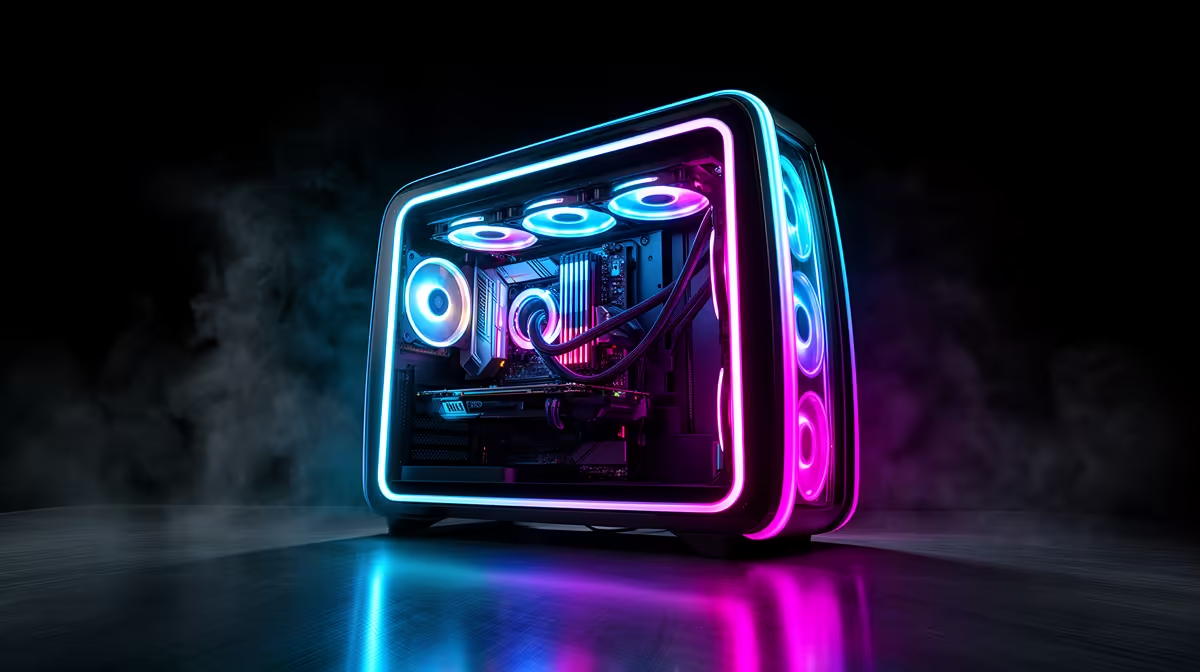
ARGB under-case lighting projects a colour halo onto the desk surface beneath the PC, while curved tempered glass panels frame the internal components with a distortion-free, three-dimensional view. Together they are the two most impactful visual upgrades for a showcase build without changing any internal components.
How ARGB Under-Case Lighting Works 🌈
Under-case lighting uses a strip of individually addressable RGB LEDs mounted on the underside of the chassis, facing downward onto the desk. Each LED is independently controlled so you can run colour gradients, breathing effects, or synchronised patterns via your motherboard's ARGB header and software like ASUS Aura Sync, MSI Mystic Light, or Gigabyte RGB Fusion. The ambient light cast on the desk surface creates a glow effect that extends the visual footprint of the build beyond the physical case. Cases like the Lian Li O11 Dynamic EVO and certain Phanteks models include under-lighting as a factory feature. Where it is absent, aftermarket ARGB strips rated for 5V 3-pin headers can be adhered to the chassis underside for roughly R150 to R400.
Curved Tempered Glass and How It Elevates a Build ✨
Curved tempered glass panels wrap around the front or side of a chassis in a gentle arc, typically with a radius of 800mm to 1,200mm. This curve serves two visual purposes. First, it eliminates the flat-edge reflection that bounces overhead room lighting directly into the viewer's line of sight, which washes out the ARGB lighting inside. Second, the curve creates a lens-like effect that makes internal components appear slightly larger and more dramatic than they actually are. For a showcase PC on a streaming desk or in a LAN event setup, the difference between a curved-glass and flat-glass case is immediately apparent even from across the room.
Combining Under-Lighting and Curved Glass Effectively 🎨
The best showcase builds treat lighting as a layered system. Under-case ARGB anchors the build to the desk surface. Internal ARGB fans and RAM illuminate the components. Curved glass frames and transmits that light outward without distortion. To tie everything together, synchronise all ARGB sources through a single software hub. ASUS Aura Sync and MSI Mystic Light can control under-case strips, fans, RAM, and GPU LEDs simultaneously if all components use compatible headers. Budget around R3,000 to R6,000 for a comprehensive ARGB lighting ecosystem in a showcase build at the R20,000 to R35,000 total budget level.
Protect Curved Glass During Transport ⚡
Curved tempered glass is far more vulnerable to cracking during transport than flat panels because the stress points concentrate at the curve endpoints. If you take your build to LAN events or move house, remove the curved panel and wrap it separately in bubble wrap. Leaving it on the case during transport risks a cracked panel that costs R800 to R1,500 to replace.
FAQ
Does under-case ARGB lighting work on any desk surface?
It works best on matte and lightly textured surfaces like most gaming desk tops. Highly reflective gloss surfaces create harsh hotspots rather than a soft halo. If your desk is very reflective, a large desk mat provides the ideal diffusion surface.
Can I add curved tempered glass to an existing case?
No. Curved panels are custom-profiled for each case model and are not universally compatible. If you want curved glass, it must be part of your case selection from the start.
Is under-case lighting a fire or heat risk?
No, when using a properly rated 5V ARGB strip. LEDs at these voltages generate negligible heat and are safe on all common desk materials including wood, MDF, and tempered glass desk surfaces.
Ready to build a head-turning showcase rig? Evetech carries ARGB-ready cases, fans, and accessories for showcase builds, with stock available for fast delivery or collection across South Africa.











