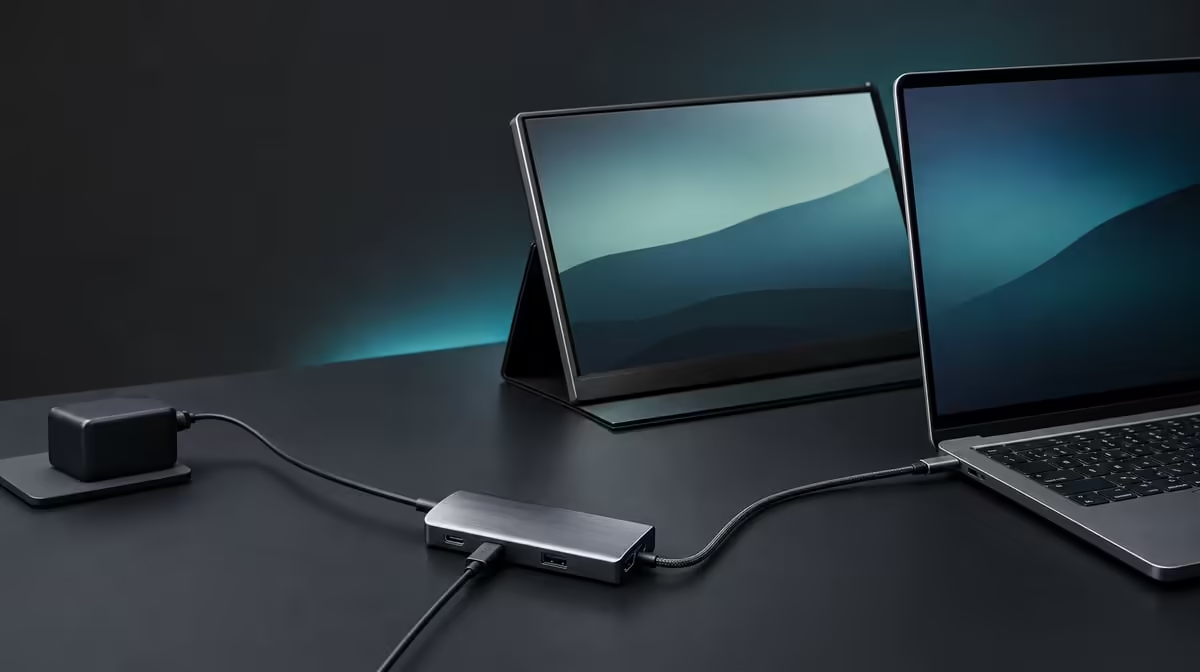
A tidy desk is not a cable-free desk; it is a desk where every lead has a stable route and one host connection replaces repeated adapter changes. To build a cleaner workspace with one USB-C hub, position the hub deliberately and verify display, power, network, and storage before hiding any cable.
Quick Answer
Route compatible charging, 4K video, Ethernet, SD, and two USB data devices through the R399 UPERFECT UExtend, then secure the cables so connectors remain accessible and unstressed. The laptop still needs the correct USB-C modes, and peripheral leads do not disappear.
🧭 Position the hub for access
Place it where the host lead reaches without tension and cards can be ejected safely. Keep heavy cables from pulling the enclosure.
Compare Evetech's USB hubs by connection placement as well as function.
🖥️ Build the desk in layers
Confirm 4K display output first, add compatible Power Delivery, then connect the 1000Mbps network, SD card, and two data peripherals separately.
🔌 Route cables without hiding faults
Leave enough slack to reconnect and diagnose. Label the display and power leads if similar connectors cause confusion.
A fixed station with broader needs can be compared through Evetech's docking stations.
✅ Rehearse one-plug return
Disconnect the host while peripherals remain arranged, then reconnect and confirm charging, screen, network, and storage return. Safe eject remains necessary before moving cards or drives.
Use Evetech's gaming-accessories range to plan the two USB roles. Recheck the UExtend's R399 price and availability when its tested layout fits.
Clean the screen arrangement too
A cable-managed desk can still feel disorganised if windows return to the wrong display. Save the monitor position, choose readable scaling, and decide which screen holds communication, reference, or active work. Reconnect the UExtend and confirm the arrangement returns.
Place the hub away from the mouse path and laptop vents while keeping its card reader and data ports reachable. A hidden connection centre that must be pulled out for every SD card will eventually disturb the cable routing.
Give each lead a service loop
Leave enough slack for normal laptop and monitor movement without letting cables sweep across the desk. Secure the route away from sharp edges, but avoid tightening ties directly against plugs. The goal is controlled movement, not immobility.
Label the compatible charger and display lead if their connectors resemble data-only cables. Photograph the rear or side layout after it passes the complete test. This makes rebuilding faster after cleaning or travel.
End with a practical reset: shut down, disconnect the host, move the laptop away, return it, and reconnect. Check every function before declaring the desk finished. The cleaner layout succeeds when it remains easy to understand and recover.
Audit the desk at night and in daylight. A display or network lead that crosses the surface may be acceptable in one position but interfere with the laptop, lighting, or writing space in another. Adjust the route without tightening it against the hub.
Keep a simple maintenance routine: inspect plugs, clear access to the SD slot, remove unused devices, and retest the one-host reconnection. A clean workspace remains clean because its connection map is understood, not because cables were hidden once.
Separate clean appearance from safe removal
Do not route a cable across the SD slot or place the hub where a USB drive must be pulled sideways. Every removable device needs a straight, accessible path. A visually minimal arrangement that risks an interrupted transfer is not clean in practical terms.
Keep a small open area around the UExtend for inspection. If a monitor disappears or charging changes, the known cables should be reachable without dismantling the desk.
Test the layout with every device connected
Attach the display, compatible power, Ethernet, SD card, and both USB devices, then move through the normal working posture. Check whether hands, notebooks, or the laptop lid touch a plug.
Adjust the route before hiding surplus cable. The final one-host setup should survive normal movement, allow safe eject, and remain clear enough for another person to reconnect.
Photograph the final layout only after the combined device test passes; the image should document a working route, not merely a tidy one.
Frequently Asked Questions
Does one host connection eliminate every cable?
No. It consolidates the laptop connection while peripherals retain their own leads.
Why keep the hub accessible?
Cards, USB devices, and diagnostic reconnections still require safe physical access.
Can cable ties be tightened fully?
Allow useful slack and avoid pressure or sharp bends at connectors.
What should return after reconnection?
Check charging, monitor detection, Ethernet, and mounted storage.
Ready to make the desk cleaner without making it harder to diagnose?
Compare Evetech USB hubs by port roles, physical placement, cable reach, and the host connection you rebuild daily.