


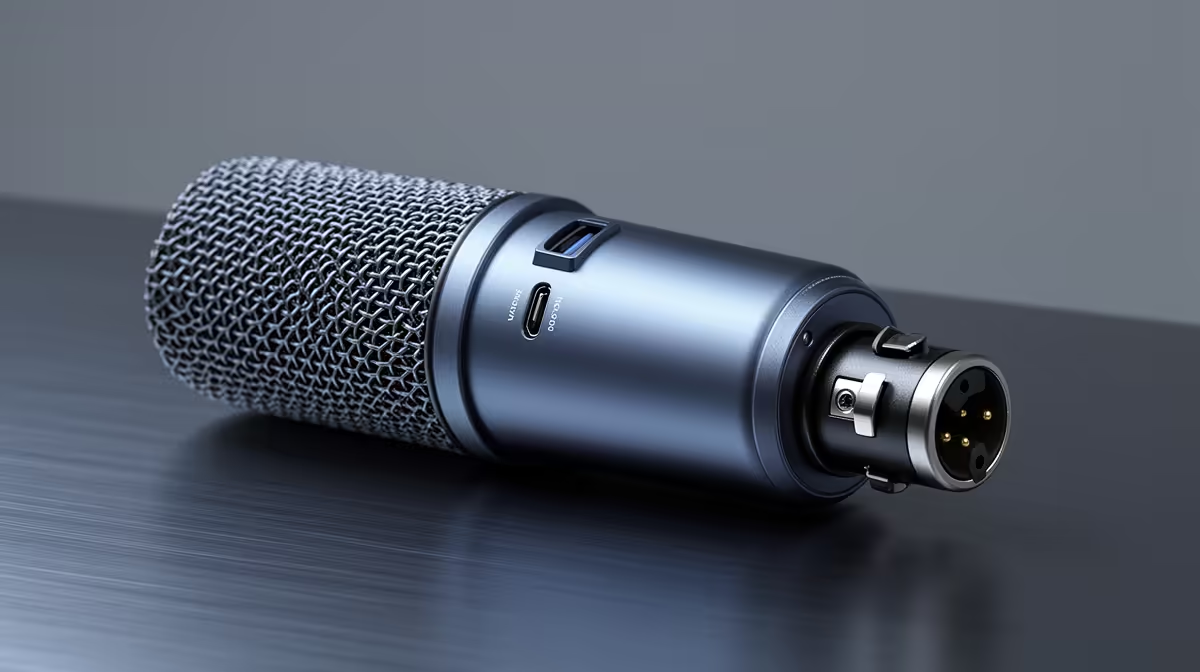
The old rule was pick one or the other. Plug into the PC over USB, or run a cable to the mixer over XLR, and commit. Modern dual-output dynamic microphones break that constraint entirely. The USB and XLR outputs run as independent signal paths, so one cable feeds your streaming software while the other simultaneously feeds a live mixing board, a second recorder, or a hardware interface.
Quick Answer
On most dual-output dynamic microphones, USB and XLR operate simultaneously through separate internal signal paths. USB carries audio to your PC while XLR feeds a mixer or interface at the same time. Each output runs at full quality independently, so neither degrades the other.
🔌 How the Two Paths Stay Independent
The USB and XLR outputs are not a split of a single signal. They each have their own conversion stage inside the microphone body. The USB side includes an analogue-to-digital converter that handles audio digitally before sending it to the PC. The XLR side passes the analogue signal from the capsule directly to the output jack, bypassing the USB converter entirely.
Using both simultaneously does not split the signal and halve its quality, as a passive splitter cable would. Both outputs receive full-resolution audio from the capsule through independent electronics. This design also means each path behaves differently: USB audio carries a few milliseconds of conversion latency, while XLR carries an analogue signal that arrives at near-zero delay.
🎙️ Real Use Cases for Running Both
The most common reason is the backup recording scenario. A hybrid streamer sends XLR to a mixer for the live show mix while USB records a clean, unprocessed copy directly into the DAW on the PC. If the mixer has a problem mid-show, the USB recording survives intact.
A second use is the multi-destination broadcast. A creator streaming live on one platform while recording a podcast episode can send USB to the streaming PC and XLR to a separate interface on a recording laptop. Both destinations get the same voice without needing two microphones.
For South African creators who do both online content and in-person events, the dual output is practical. The USB side handles the home setup. At a venue where a PA or mixer is available, the XLR side connects without reconfiguring the home recording chain.
⚡ Monitoring, Phantom Power, and Practical Notes
Most dual-output mics include a headphone jack that taps directly off the USB signal path, giving direct hardware monitoring under 10ms rather than the 20 to 50ms software round-trip that causes the distracting double-voice effect.
Dynamic microphones do not need phantom power. The 48V signal that condensers require does nothing for a dynamic capsule, and most designs tolerate it without damage. Still, if the mixer defaults to phantom on, check the mic's manual before connecting. Some mics specify no phantom to protect the USB circuitry.
Gain control varies by model. Some dual-output mics adjust gain independently per output. Others share a single gain stage across both. Check this if you need different levels at the streaming software versus the mixer.
Frequently Asked Questions
Can a dual-output dynamic mic use USB and XLR at the same time?
Yes. Most dual mics route USB to a PC and XLR to a mixer through two separate internal signal paths. Using both simultaneously does not degrade either. Each carries full-resolution audio through its own converter stage, so neither output is a reduced copy of the other.
Why would a streamer want to run both outputs at once?
Running both lets you send a clean USB recording to the PC while XLR simultaneously feeds a live board or a second recorder. If the software chain fails mid-stream, the clean USB recording survives. It also serves dual-destination workflows like streaming live while recording a separate podcast episode.
Does using both outputs reduce the audio quality?
No. Each output has its own converter or analogue path inside the microphone, so neither shares signal with the other. Passive splitter cables divide signal, but the internal architecture of a dual-output mic avoids that entirely. Both outputs receive independent, full-quality audio from the same capsule.
Does the XLR side of a dynamic mic need phantom power?
No. Dynamic microphones generate signal through electromagnetic induction and do not require phantom power. The 48V phantom voltage is irrelevant for a dynamic capsule. Most dynamic mics tolerate it without damage, but check the manual for your specific model before connecting to a phantom-enabled mixer.
Which output should I use for monitoring?
Use the dedicated headphone jack, which taps the USB signal path and provides direct monitoring under 10ms. This avoids the software round-trip delay that causes the distracting echo effect when monitoring through DAW software. The XLR output feeds the mixer and is not used for personal monitoring in most setups.
Ready to run your PC and your mixer from one microphone? Browse the dual-output dynamic microphone range at Evetech and find the capsule that fits your hybrid streaming and recording workflow.











