


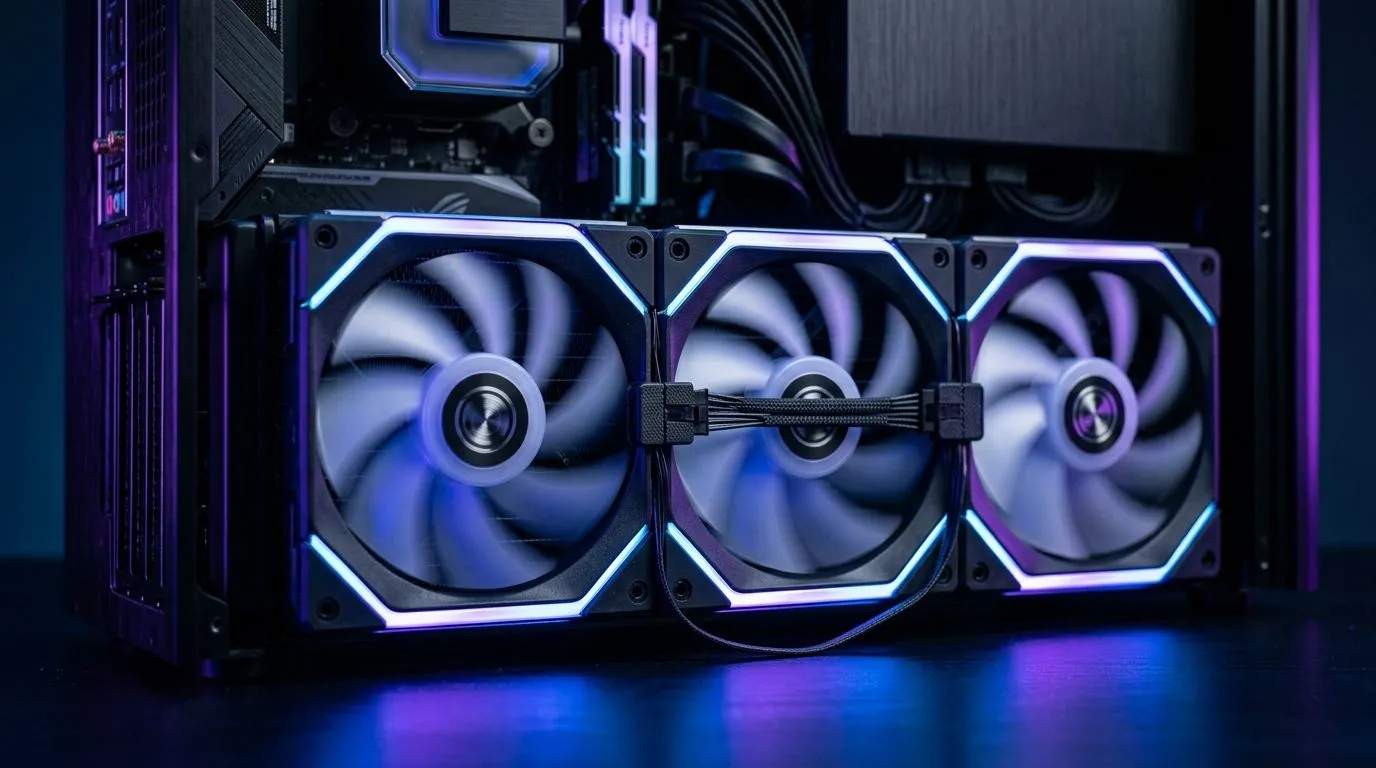
Daisy-Chain Fan Design for Small Cases: Why South African builders care
If you have ever closed a PC case and realised you still have “one more wire” to fight with… you’re not alone. 😅 In smaller setups, airflow matters, but cable chaos matters too. Daisy-chain fan design is a smart way to reduce clutter while keeping your cooling tidy. For gamers in South Africa building budget-friendly rigs (or squeezing upgrades into compact cases), cleaner routing often means fewer installation headaches and easier maintenance.
What “daisy-chain” actually does (in plain English) 🔧
Most case fans need power. With traditional setups, you might run multiple cables to multiple fan headers. Daisy-chain fan design links multiple fans together, usually with a single cable to your motherboard or controller. The result? Less time untangling leads, and a more organised interior.
This matters most in small cases, where:
- There are fewer fan header options.
- Cable clearance near the GPU is tighter.
- You want quick access for dust cleaning between matches.
A quick reality check: headers vs. airflow
Daisy-chaining helps with cable management. It doesn’t magically create more cooling capacity. Fan performance depends on the fan’s airflow, static pressure, and speed control. So the goal is simpler: install cleanly, then let your fans do their job.
For browsing fans by size and style, Evetech makes it easy to compare options here:
- 120mm and 140mm case fans (see links in the next sections).
Daisy-Chain Fan Design for Small Cases: Picking the right fans (120mm and 140mm)
Small cases often specify 120mm or 140mm mounting. Choosing the wrong size is how build plans collapse at the last minute.
If your case supports 120mm fans, start with this range: 120mm case fans at Evetech (then filter further by branding or lighting).
If you’ve got room for 140mm, you’ll often get strong airflow with slightly lower noise, because larger fans can move air more efficiently at the same RPM. For 140mm options: 140mm case fans at Evetech.
Lighting decisions that don’t ruin your cable plan ✨
RGB is fun… until your build turns into a blinking cable board. If you want the tidy look without the extra visual complexity, consider non-RGB options: Non-RGB (lighting effects: None)
Or, if you want the full vibe: RGB case fans
RGB fans can still work with daisy-chains for the fan power side, but lighting control cables may be separate. Check your fan listing and your motherboard or controller inputs before committing.
Daisy-Chain Fan Design for Small Cases: Build tips that prevent rework ⚡
Let’s make this practical. Here’s the approach that saves the most frustration.
Step 1: Plan your fan layout before you buy
Before you open your wallet, check:
- Which mounts are intake vs exhaust
- Where your CPU cooler sits
- How much space you have behind the motherboard tray
Step 2: Match fan models so control behaves predictably
Mixing different fan types can lead to uneven behaviour when the PWM signal changes. Try to keep the same family (and ideally the same size) across your intake and exhaust.
If you want brand consistency, you can browse:
Step 3: Use one header, daisy-chain the rest
Use the daisy-chain setup to feed multiple fans from a single header. This typically reduces the number of cables reaching the motherboard edge, which is exactly what small cases need.
If you want a broad selection to start with, you can compare the full set here: Evetech case fans range
Productivity Pro Tip 🔧
On installation day, test-fit the fans and route their cables before fully tightening screws. Tape the harness temporarily with painter’s tape, close the side panel once, then open it again to confirm nothing presses against the GPU power cables or PSU shroud. It’s faster than redoing a cable run after the build is “almost done”.
Step 4: Don’t ignore maintenance airflow paths
Daisy-chains clean up the build, but dust will still collect. When it’s time to clean, tidy cable routing helps you remove filters and fans without wrestling five connectors.
Ready to find the right cooling setup? Build cleaner, game longer 🚀
Daisy-chain fan design is one of those upgrades you feel immediately. Less cable clutter, easier maintenance, and a cleaner interior that’s actually pleasant to work on. When your case has limited space, the “small” choices add up.
Ready to Find Your Perfect Match? The Mac vs Windows debate is complex, but for maximum power, choice, and value in South Africa, Windows is hard to beat. Explore our massive range of laptop specials and find the perfect machine to conquer your world.











