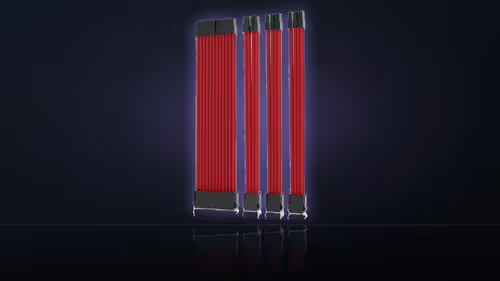
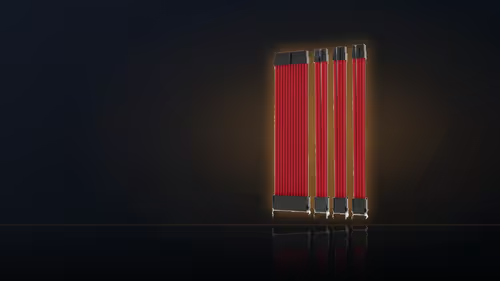
A modular PSU has a reputation as the prerequisite for a clean-looking build, which puts anyone running an older, fixed-cable unit off sleeved cables before they even look at pricing. That reputation does not hold up once you separate what an extension actually connects to from what a full cable replacement connects to.
Quick Answer
No. Extensions join the leads already attached to the unit, so a fixed-cable supply is fine. That is the practical difference between an extension and a replacement cable set, and it is why this R549 kit suits older builds as readily as new ones.
🔗 Extension versus replacement: the connector that matters
A modular replacement cable plugs directly into sockets on the power supply itself, which means it only fits units designed for that connector layout - a fixed-cable supply has nowhere for it to go. An AsiaHorse extension works differently: it plugs into the far end of whatever lead is already coming out of the unit, wherever that lead terminates. Because it never touches the supply's own sockets, the model and age of the unit underneath stop mattering. What matters instead is whether the far-end connectors match - a 24-pin main lead, a 4+4 CPU lead and 6+2 graphics leads - which is a socket-shape question, not a modular-versus-fixed one.
📦 What a fixed-cable supply gives up
The one real trade-off is space. On a fixed-cable unit, the original factory lead still exists in full behind the extension - it does not disappear, it just gets pushed out of sight. A modular supply avoids that surplus length entirely, since there is no factory lead to begin with. In a build with generous room behind the tray this is a non-issue; in a compact case it is worth planning where that extra length will sit before you start.
🧵 Where the join ends up
The connector between the original lead and the new extension can go wherever you choose to put it. Most builders push it behind the motherboard tray, out of the window's sightline, so only the sleeved section shows through the glass. Older supplies present no particular problem here either - age alone changes nothing, since the compatibility question is entirely about connector shape, and mixing an extension with cables you already own works the same way: the extension does not care what sits upstream of it, modular or not.
There is more to look through at cable solutions if this particular kit is not quite the finish you had in mind, and individually sleeved premium cables sets a useful price benchmark for the custom-cable route your fixed-cable supply never technically needed.
Frequently Asked Questions
What makes an extension different from a modular cable?
A modular cable plugs into the supply and only fits that model. An extension plugs into the far end of an existing lead, so the supply model stops mattering.
Does a fixed-cable supply lose anything by using extensions?
Only space. The original lead still exists behind the tray, so a build with limited room behind the panel has more to tuck away than a modular one.
Where does the join between the two cables end up?
Wherever you place it. Most builders push the join behind the motherboard tray so only the sleeved section shows through the window.
Is there any advantage to a modular supply here?
Slightly tidier routing, since there is no surplus original lead to hide. The visible result through the glass is the same either way.
Do older supplies present a problem?
Age alone does not. What matters is that the sockets match: a 24-pin main lead, a 4+4 CPU lead and 6+2 graphics leads.
Can I mix extensions with modular cables I already own?
Yes. An extension does not care what is upstream of it, so it will sit on a stock modular lead as readily as a fixed one.
How many leads does one kit dress?
Four: the main board lead, the CPU lead and two graphics leads. A fifth visible run needs a separate extension bought on its own.
Running an older, fixed-cable power supply?
See Evetech's power supply range for options if you are weighing an upgrade against a cable-only refresh.