Two fault patterns look nothing alike once you actually pay attention to them, even though both show up as "some of my lighting is not working." One dark device among a chain of lit ones is a different animal from everything after a certain point going dark, and the downstream dark pattern is the one worth learning to recognise, because it points directly at the fault instead of leaving you guessing across an entire build.
Quick Answer
A single dark device surrounded by working ones usually points at that device or its own individual connection. Everything after a certain point in the chain going dark, on the other hand, points at the link immediately before the first dark item, because addressable chains fail forward - a break stops the signal from reaching anything downstream of it. Reading which pattern you actually have, before touching a single cable, narrows a search across an entire AsiaHorse install - priced anywhere from R199 to R1,299 in total accessories - down to one specific connector.
🔗 Why addressable chains fail the way they do
An addressable lighting chain passes its control signal from device to device in sequence, with each device reading its own portion of the data and relaying the rest onward to the next one in line. That relay behaviour is exactly why chains fail forward rather than randomly: once a link in the sequence breaks, nothing downstream of it can receive a signal it never gets passed. Everything upstream of the break keeps working normally, because the signal never had to travel through the broken point to reach it.
This is genuinely useful information, because it means the physical position of the fault in a chain is written into the pattern of what stays lit and what does not. You do not need to test every connector individually - you need to find the one boundary between "still working" and "not working" and focus there.
One dark device: a narrower search
When a single device in an otherwise fully lit chain goes dark, the signal is clearly reaching everything after it, which rules out a break at that point in the chain. The fault is most likely either in the device itself or in its own individual connection - the lead running to and from that specific unit, rather than anything upstream or downstream of it. This is the easier of the two patterns to diagnose, because it isolates the problem to one component and its immediate cabling.
Downstream darkness: read backward from the last lit device
When everything from a certain point onward goes dark, the fault sits at the connection immediately before the first dark device - not inside that device itself, and not somewhere further along the chain. Work backward from the last item still lighting normally: the connector, lead, or port linking it to the first dark device is where the actual break lives.
🧪 Testing the suspect link properly
Once a pattern points you at a specific connector or lead, the first move is simply reseating it - unplugging and firmly reconnecting the link, since a partially seated connector is one of the most common causes of exactly this symptom and costs nothing to rule out. If reseating does not resolve it, move the suspect device to a different position in the chain, or connect it directly to a known working header, and see whether the fault follows the device or stays at the original position.
If the fault follows the device wherever it goes, the device itself is likely faulty. If the fault stays at the same position in the chain regardless of which device occupies it, the link itself - the cable, connector, or port - is the actual problem, not any particular device. This distinction matters because replacing a device that was never faulty solves nothing, while the same position in the chain will continue producing the identical symptom with whatever gets plugged in next.
🔍 When the pattern changes between tests
An intermittent fault - one that appears sometimes and not others under seemingly identical conditions - usually points at a partially seated connector rather than a genuinely failed device, since a marginal connection can make and break contact with small amounts of movement or vibration. Cases moved between rooms, or builds that get transported occasionally, are particularly prone to this, and it is worth checking every connector along the suspect section again after any physical disturbance to the machine.
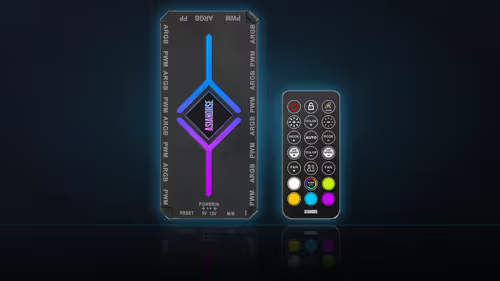
With multiple lighting branches in play, the AsiaHorse ASH-S1 hub takes real effort out of the process, since its nine separate 5V three-pin ports let each branch be isolated and tested individually rather than tracing one long chain end to end. The cable solutions range is worth a look too, for routing accessories that keep the physical layout clear enough to see where one device's cabling ends and the next begins.
🛠 Should the whole chain be rebuilt?
Only once reseating and the follow-the-device test have both failed to resolve or locate the fault is it worth considering a full rebuild of the chain from scratch. A methodical check working from the pattern down to the suspect connector, then testing that connector directly, usually finds the actual fault without needing to dismantle an entire lighting installation and start over. Every AsiaHorse accessory in this range carries a 1 Year Local Warranty, so once a device has genuinely failed on a connection proven to work, that cover applies.
Frequently Asked Questions
What does a single dark device among lit ones usually mean?
Most often a fault in that device or in its own individual connection, since the signal is clearly reaching every device positioned after it in the chain.
What does everything from a point onward going dark suggest?
The link immediately before the first dark device, since everything downstream depends on the signal passing successfully through that specific connection first.
Why do these chains fail forward rather than at random?
Because each device relays the signal along to the next one in sequence, so a break stops everything positioned after it rather than affecting just one item.
How is the suspect link actually tested?
Reseat it first, then move the suspect device to a different position in the chain to see whether the fault follows the device or stays put.
Does the pattern reveal anything beyond the immediate fault?
Yes - a fault that appears at the same position regardless of which device sits there points at the link itself, not at any particular device.
What does an intermittent fault usually indicate?
A partially seated connector rather than a genuinely failed device, since marginal contact can be made and broken by small amounts of movement.
Should the entire chain be rebuilt to find a fault?
Only after reseating and isolation testing have both failed, since a methodical check working from the pattern usually finds the point without full disassembly.
Chasing a fault through a multi-device ARGB chain?
Check out hubs and mounts in the case accessories range, plus routing gear in the cable solutions category to keep the whole layout traceable.