


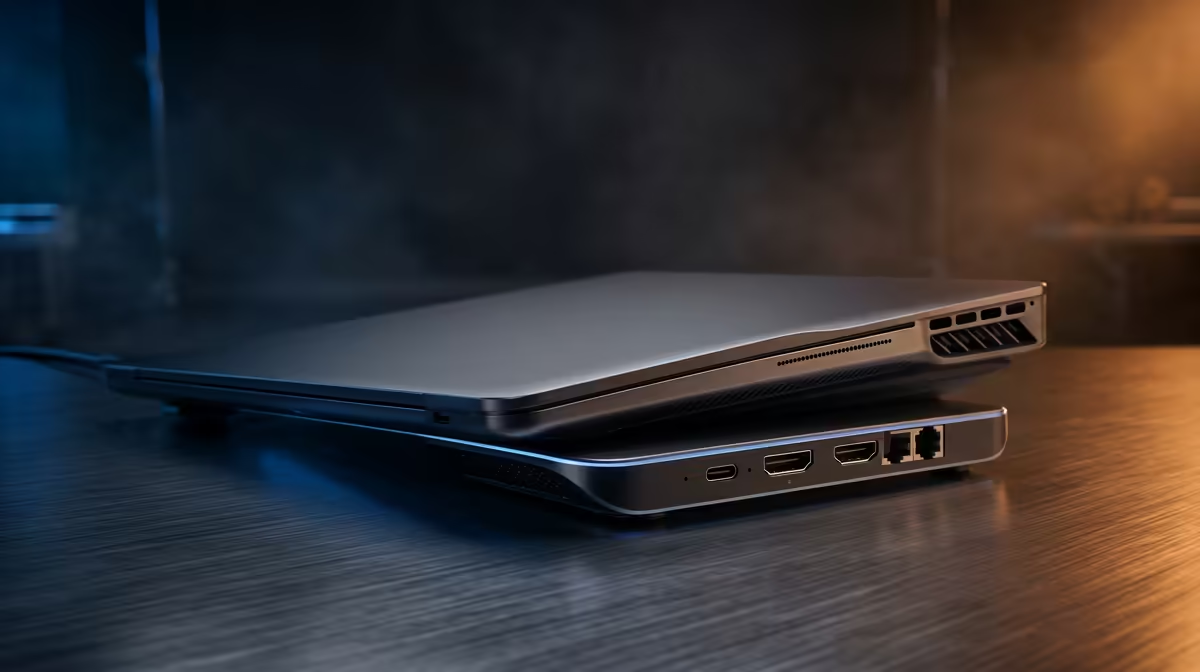
Quick Answer
HDMI 2.0 supports 4K at 60Hz with HDR; DisplayPort 1.4 supports 4K at 120Hz or 1440p at 144Hz and also supports daisy-chaining monitors. USB-A 3.2 handles peripherals at 5 to 10Gbps, USB-C data ports run at 10Gbps, Gigabit Ethernet provides stable wired network connectivity, and the USB-C upstream port delivers video, data, and Power Delivery over a single cable.
Video Output Ports: HDMI vs DisplayPort 🖥️
HDMI 2.0 is the more universally accepted video connector. Every modern monitor sold in South Africa has at least one HDMI port, making it the plug-and-play choice. HDMI 2.0 carries 4K at 60Hz with HDR10, which is the standard for most office and general-use monitors. It does not natively support daisy-chaining multiple monitors in series. DisplayPort 1.4 carries more bandwidth (32.4Gbps vs HDMI 2.0's 18Gbps), enabling 4K at 120Hz, 1440p at 165Hz (for gaming monitors), or dual 1080p monitors via DisplayPort Multi-Stream Transport daisy-chaining. If your monitor is a high-refresh-rate 1440p or 4K gaming panel, use the DisplayPort output on the dock for the full refresh rate benefit.
USB-A and USB-C Data Ports: Speed Tiers Explained 🔌
USB-A 3.2 Gen 1 runs at 5Gbps and handles keyboards, mice, receivers, and most flash drives without bottleneck. USB-A 3.2 Gen 2 doubles this to 10Gbps and suits external SSDs and USB audio interfaces. USB-C data ports on docks are typically USB 3.2 Gen 2 at 10Gbps and accept USB-C accessories like webcams, external NVMe enclosures (not at full NVMe speed unless the dock has a Thunderbolt downstream port), and USB-C headsets. USB-C Power Delivery ports charge phones and tablets at up to 18W or higher depending on dock spec. These are distinct from the upstream host port, which runs at full Thunderbolt or USB4 bandwidth.
Ethernet, Audio and the Remaining Ports 📡
Gigabit Ethernet (RJ-45) on a dock provides 1,000Mbps wired throughput via a dedicated LAN controller, independent of the USB bus. For South African hybrid workers on Vumatel or Frogfoot fibre, this single port is often the most used connector on the dock, replacing unreliable Wi-Fi for video meetings. The 3.5mm combo audio jack routes headphone and microphone signals from the laptop's audio subsystem, useful when the laptop is tucked away behind a monitor arm. SD card readers (full-size SD and microSD) on premium docks support UHS-II speeds in some models (up to 312MB/s), though most dock SD readers cap at UHS-I (104MB/s). A Kensington security slot is a mechanical lock anchor for shared office environments.
HDMI vs DisplayPort: Quick Decision Rule ⚡
If your monitor has both inputs, use DisplayPort if you need above 60Hz or plan to daisy-chain a second screen. Use HDMI if the dock only has HDMI or your monitor's DisplayPort is already occupied. Never use a passive DisplayPort-to-HDMI adapter for 4K 60Hz as it downgrades the signal; use an active adapter or a native HDMI output instead.
FAQ
Why does my dock's HDMI port only output 4K 30Hz instead of 60Hz?
The dock may have an HDMI 1.4 port (limited to 4K 30Hz) rather than HDMI 2.0, or the cable is an older HDMI 1.4 cable. Check the dock spec sheet for the HDMI version, and replace the cable with a certified HDMI 2.0 or higher cable if the port itself supports 4K 60Hz.
Can I run two monitors from a single dock if it only has one HDMI and one DisplayPort output?
Yes, one monitor connects to HDMI and the other to DisplayPort. Both run simultaneously provided the dock supports dual display mode and the host laptop supports two simultaneous external displays.
Are SD card readers on docking stations reliable for camera footage transfers?
For standard UHS-I cards, dock SD readers work reliably at up to 104MB/s. UHS-II cards (used in high-end mirrorless cameras) need a dedicated UHS-II reader to achieve their 312MB/s rated speed.
Not sure which dock ports you actually need? Evetech stocks docking stations with various port combinations to suit different laptop setups. Browse the full docking station range at Evetech and compare specs before you buy.











