


Quick Answer
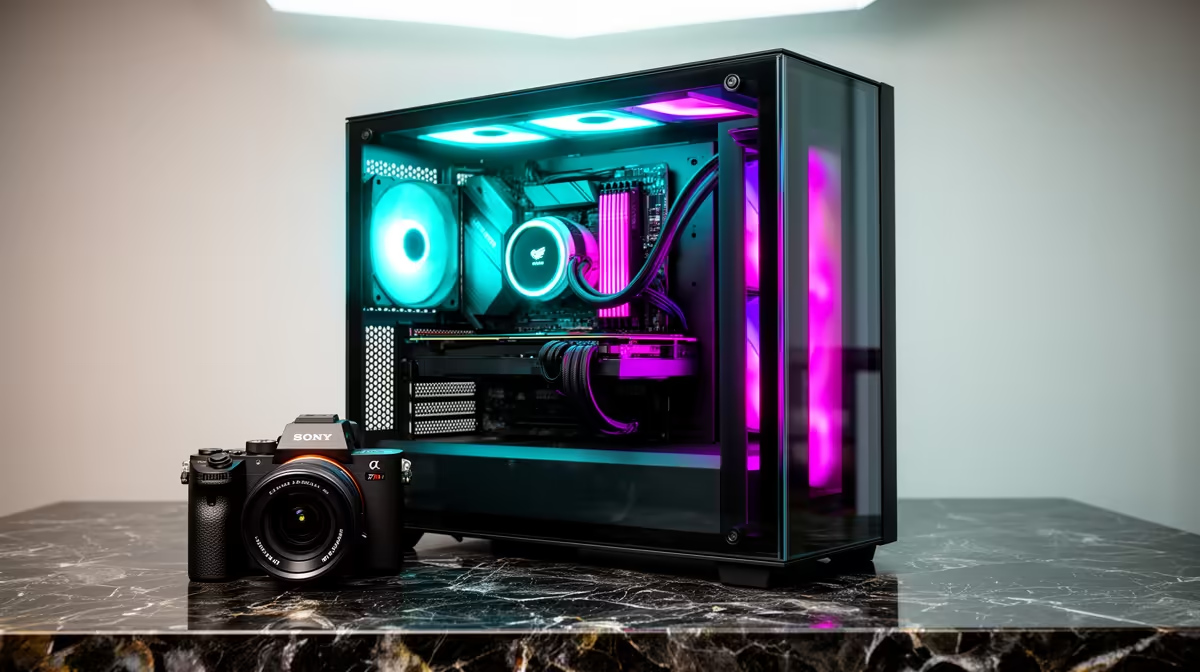
A panorama gaming case combines three-sided or four-sided tempered glass panels, a mirrored display stage, integrated ARGB lighting channels, vertical GPU riser bracket support, and a curated interior layout that keeps all visible components forward-facing. Each feature serves the display purpose: the glass frames the hardware, the mirror amplifies the lighting, the ARGB channels synchronise colour, and the vertical mount turns the GPU face toward the viewer.
Three-Sided Glass and the Panorama Field of View ✨
Conventional cases use a single full-length side panel in tempered glass. Panorama cases add glass at the front (replacing or framing the solid fascia) and often at the top, creating a 180-degree to 270-degree visible arc around the interior. From the front-right viewing angle typical of a desk setup, this means the CPU cooler, RAM, GPU, and ARGB fans are all simultaneously visible without repositioning. The glass is typically 4mm tempered safety glass, lightly tinted to reduce glare and saturate LED colours.
Mirror Display Stage and ARGB Integration 💫
The mirror display stage, typically a reflective acrylic or glass insert at the case base beneath the GPU area, doubles the visual impact of under-card lighting. ARGB GPUs from ASUS ROG Strix and MSI Gaming X Trio designs with underglow LEDs appear to float above an illuminated surface. ARGB fan mounts along the front intake column, top exhaust positions, and rear exhaust collectively form a lighting rig that can synchronise via the motherboard's ARGB header, controlled from Aura Sync, MSI Center, or Gigabyte RGB Fusion. Some premium panorama cases include integrated ARGB LED strips along the interior columns or PSU shroud edge, adding more lighting zones without additional fan purchases.
Vertical GPU Mount: Visibility vs Thermals 🔧
A vertical GPU riser bracket repositions the graphics card so it faces the side glass panel rather than pointing its fans toward the floor. This turns the GPU's largest and most decorated surface, the shroud with ARGB logo, into the focal point of the interior view. The thermal trade-off is real: vertical GPU mounting reduces the gap between the card's fans and the glass panel, restricting intake airflow and typically raising GPU temps by 3 to 8 degrees Celsius. In SA summer ambient temperatures, this penalty is meaningful on a high-wattage RTX 5090 build. Compensate by running the front intake fans faster and setting the GPU fan curve to ramp earlier.
Orient Your Build for the Intended Viewing Angle ⚡
building, stand at the desk chair position and note which direction you will view the case from. Panorama cases are designed for specific viewing angles: front-right is the most common optimal position. Confirm the case orientation on your desk positions the primary glass panels toward your seated eye line before committing to the cable routing plan.
FAQ
Do all panorama cases support vertical GPU mounting?
No. Vertical GPU support requires a dedicated riser bracket, either included with the case or sold separately. Check the case specification for PCIe riser cable inclusion or support.
Is panorama glass harder to clean than a single side panel?
Slightly, because there are more panels to maintain. However, each individual panel is cleaned the same way: a dry microfibre cloth for fingerprints, and compressed air from a distance for interior dust without opening the case.
What GPU models look best in a panorama case with a mirror stage?
GPUs with large, well-lit shrouds and underglow ARGB zones benefit most. ASUS ROG Strix RTX 5080 and RTX 5090 models, MSI Gaming X Trio variants, and Gigabyte AORUS Master editions all feature prominent shroud lighting and branding that become the visual centrepiece above a mirror display stage.
Designing a display-focused gaming setup? Evetech stocks panorama gaming cases with mirror stages, ARGB integration, and vertical GPU mount support for showcase builds.











