


Quick Answer
PC case airflow is determined by four elements: the porosity of front and top panels (how much air passes through), the fan size and quantity (how much air is moved), the internal layout (how air flows from intake to exhaust without short-circuiting), and the dust filtration (how much resistance filters add). Understanding each gives you the tools to evaluate any case on its actual thermal merits.
Panel Design: High-Porosity Mesh Versus Glass and Solid Fronts 🌬️
The front panel is the primary choke point in most PC case airflow systems. A high-porosity mesh front with 60 to 75% open area allows intake fans to pull air with minimal restriction, keeping static pressure requirements low and fan speeds quiet. Mesh is measured by open area percentage: fine mesh like a 0.5mm hole pattern can have high open area but adds more resistance per unit area than a coarser hex or circular perforation pattern. Tempered glass fronts with decorative slots often have an open area below 20%, forcing fans to work harder for the same airflow volume.
Fan Size, Quantity, and Positioning 🔧
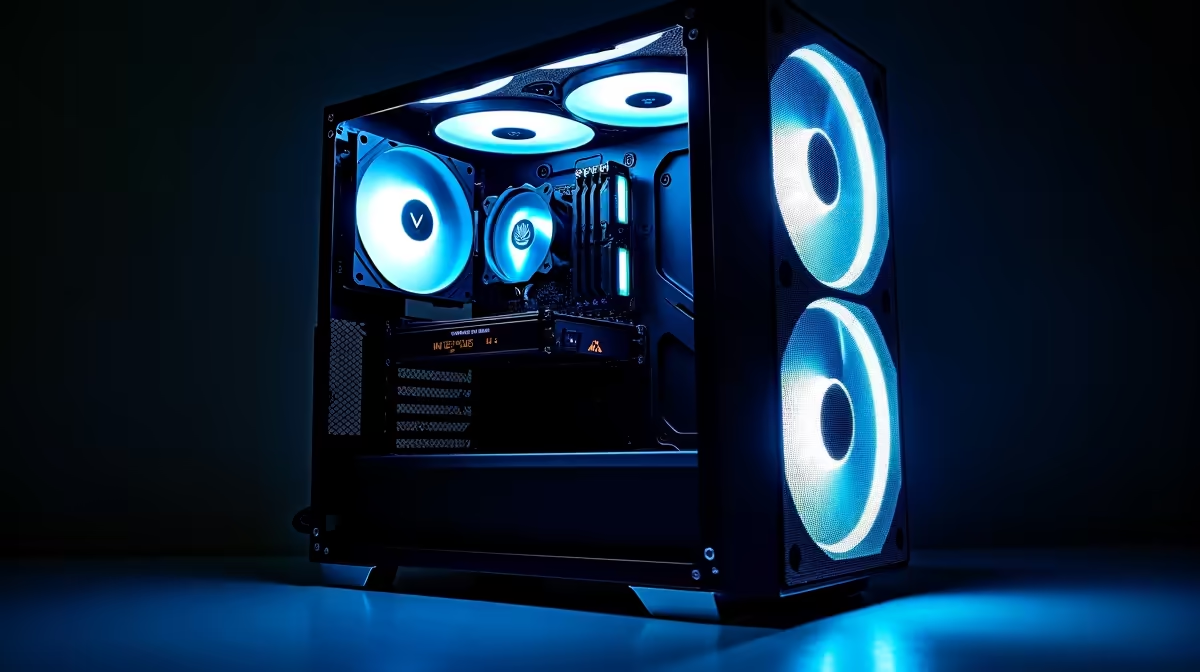
Fan size directly affects how much air can be moved at a given noise level. A 200mm fan at 500 RPM moves more air with less noise than a 120mm fan at 1,200 RPM because the larger blade sweeps more area per revolution. The hierarchy by size: 200mm greater than 140mm greater than 120mm in terms of CFM per decibel. Fan quantity matters for pressure balance: more intake area than exhaust area creates positive pressure, keeping unfiltered gaps clean. Three front intake plus one rear plus one top exhaust creates a strongly positive pressure system.
Filters, Shrouds, and Internal Layout Features 🛡️
Dust filters on intake positions are necessary for South African environments, particularly Gauteng's dry, dusty highveld conditions from May to September. Magnetic snap-out filters make maintenance practical: removable and rinseable without tools. A PSU shroud covering the bottom half of the case interior hides cable runs and directs front intake airflow upward into the GPU zone. Cable management plays an indirect airflow role: excess cables protruding into the main chamber can redirect fan-generated airflow, particularly around the GPU heat sink. GPU vertical mounting exhausts toward the side panel, which creates a thermal pocket unless the glass panel includes adequate spacing from the card surface.
Clean Filters Every Six to Eight Weeks in SA ⚡
In dusty highveld environments, clogged dust filters restrict intake airflow by 20 to 30% before any visible dust appears on the filter surface. Set a calendar reminder to rinse all magnetic intake filters under warm running water every six to eight weeks. Allow them to dry fully before re-seating.
FAQ
Does positive pressure really reduce dust inside a PC case?
Yes significantly. Positive pressure means the case pushes more air out through filtered intakes than it draws in through unfiltered gaps. This prevents dust from being pulled through panel seams and expansion slot covers. Cases running positive pressure keep internal components noticeably cleaner over a six-month period.
What is the difference between static pressure and airflow-optimised fans?
Static pressure fans push air through resistance, making them ideal for radiators and dense dust filters. Airflow-optimised fans move large volumes of air in unobstructed positions like the front intake of a mesh case. Best setups use static pressure fans on the radiator and airflow fans at the front intake.
How many case fans is too many?
More than six fans in a single airflow zone creates diminishing returns and can introduce turbulence that reduces efficiency. Three front intake plus one rear plus one top is the practical optimum for most builds.
Want a case that moves real air and keeps your build cool in SA heat? Evetech stocks high-airflow cases with mesh fronts, large fan supports, and effective dust filtering. Browse the range and find the right airflow solution for your build.











