



RTX 5090 for Spider-Man 2 at 1440p: Cautious Setup Guide
RTX 5090 for Spider-Man 2 at 1440p should be judged by settings, CPU balance, cooling, memory, and monitor goals. Treat 2026 performance as setup-specific until tested on your build.
Read moreThe Core Ultra 7 265K brings genuine efficiency and productivity gains, but its Arrow Lake architecture trails AMD's X3D chips in pure gaming frame rates. Evetech recommends it for buyers who value multitasking and lower power draw as much as gaming.
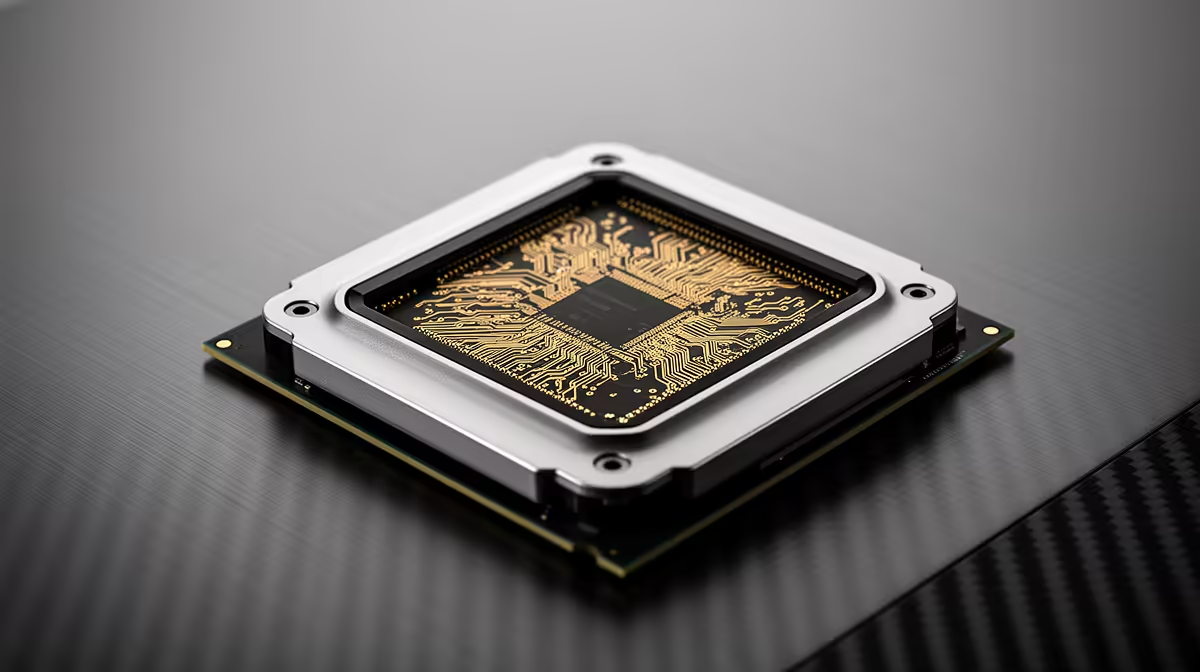
The Core Ultra 7 265K is easier to justify as a mixed-work processor than a pure gaming pick. Its 20 physical cores, updated media and AI engines, and strong productivity performance make sense in a new LGA1851 build. AMD's X3D chips can deliver higher game frame rates.
Choose the 265K when compiling, rendering, editing or sustained multitasking carries as much weight as gaming. Choose an X3D alternative when your main target is the highest CPU-limited game performance. Compare power in your actual workload rather than assuming the Core Ultra name guarantees a low draw.
Put AMD desktop processors beside Intel CPU options, then price motherboard, DDR5 and cooling for each. A CPU-only result misses the cost of moving to LGA1851.
The 265K combines eight Performance-cores and 12 Efficient-cores for 20 cores and 20 threads. This generation drops Hyper-Threading, so thread count matches physical core count. Intel lists a boost up to 5.5GHz and 250W maximum turbo power.
It also includes integrated Intel Graphics and a small NPU. The graphics engine helps with display, media and troubleshooting; the NPU's value depends on whether your software uses it. A discrete GPU still handles demanding games.
Compilation, encoding and multi-application work can use the hybrid core layout well. Check the exact application because core scheduling and acceleration paths differ. A creator using Quick Sync or an updated media engine may see value beyond a generic CPU chart.
Run one weekly project and compare completion time, total system power and noise. Efficiency means work completed for the energy used, rather than the lowest peak wattage. Motherboard power settings and cooler behaviour can change the result.
At 1080p with a flagship GPU, X3D cache can give AMD a lead in many titles. At 1440p or 4K, the graphics card narrows CPU gaps. Check your games, monitor refresh and 1 percent lows.
The 265K remains a capable gaming CPU. Its value weakens when a gaming-first build sacrifices GPU budget for platform cost. Set one complete-build ceiling and compare the frame rate from both systems.
LGA1851 requires a compatible motherboard and DDR5. Confirm cooler mounting support, board firmware and memory compatibility. Choose board features from your ports and storage needs rather than paying for unused expansion.
Cooling must handle sustained work and turbo behaviour. A capable air cooler or suitable liquid unit can work, depending on case airflow and noise goals. Use Intel default power guidance as the starting point.
The 265K earns its price in a PC that works hard between games. For a machine whose heaviest task is gaming, compare an X3D build before deciding.
Yes, it is a strong gaming CPU. AMD X3D processors can lead in many CPU-limited titles.
No. Its eight P-cores and 12 E-cores provide 20 physical cores and 20 threads.
No. The 265K uses LGA1851 and requires a compatible board plus DDR5 memory.
Benchmark one real work project and your main games, then compare complete 265K and X3D platforms at the same budget.
Yes, it is a strong gaming CPU. AMD X3D processors can lead in many CPU-limited titles.
No. Its eight P-cores and 12 E-cores provide 20 physical cores and 20 threads.
No. The 265K uses LGA1851 and requires a compatible board plus DDR5 memory. {{PRODUCTS: { facets: { query: "Core Ultra 7 265K" }, limit: 12, title: "Compare Core Ultra 7 Builds", style: "4" } }}
RTX 5090 for Spider-Man 2 at 1440p should be judged by settings, CPU balance, cooling, memory, and monitor goals. Treat 2026 performance as setup-specific until tested on your build.
Read more
Wireless mice are replacing wired in Centurion esports because modern links can feel quick without cable drag. Check sensor quality, weight, shape, battery, dongle placement, and polling rate before switching.
Read more
Indiana Jones and the Great Circle on RTX 5080 Super at 4K should be planned around smooth settings, not fixed FPS claims. Use this SA-focused guide to compare CPU balance, display refresh, visual settings, and upgrade priorities.
Read more
RTX 5090 is enough for World of Warcraft at 4K if the rest of the PC matches your goals. Use this SA gamer guide to weigh settings, busy zones, raid load, CPU balance, and monitor goals before judging the experience.
Read more
Genshin Impact low FPS on RTX 4080 Super usually needs settings and bottleneck checks. Use an SA tuning path to test drivers, overlays, thermals, CPU pressure, storage pressure, and visual settings before upgrading parts.
Read more
How Much You Should Budget For Upgrades Over 3 Years' planning depends on workload and budget. Use this SA buyer answer to frame sensible ranges, trade-offs, upgrade room, and what to verify before spending.
Read more
Windows never combine taskbar shows separate labelled buttons for open windows. Choose it in Taskbar behaviours, then review space and other-display settings; labels and grouping are linked in the available options.

8BitDo Ultimate 3C+ brings adjustable stick tension to the C Series. Windows uses wired USB or the 2.4 GHz adapter; Android uses Bluetooth. Confirm those modes and local pricing before buying.

EPOMAKER Galaxy75 previews an aluminium 75% keyboard with wireless modes and HUB/VIA customisation. It is still marked coming soon; final pricing and South African supply are not confirmed.

Windows Delivery Optimisation can share update files with other PCs. Review its activity, choose local-only sharing or turn peer sharing off, and use bandwidth controls; those choices do not disable Windows Update.

File Explorer opens Home by default on current Windows 11 layouts. Set Open File Explorer to This PC if you prefer drives first; the change does not move documents or remove their Quick access pins.

Windows show hidden files is a File Explorer visibility option, not a recovery tool. Enable Hidden items to inspect a known folder, keep protected system files separate and avoid deleting unfamiliar entries.

Windows Snap layout popup appears when you hover over a window maximise button. Its dedicated Multitasking option can turn that flyout off; a popup missing in only one app may instead be an app-window issue.

Windows Alt Tab browser tabs can add recent browser pages to the app switcher. Choose the tabs option in Multitasking to reduce that clutter without closing the pages or changing your default browser.
File Explorer opens Home by default on current Windows 11 layouts. Set Open File Explorer to This PC if you prefer drives first; the change does not move documents or remove their Quick access pins.

AWOL LuxVision projector pairs advertised 4K 120Hz output with vertical optical shift. The new preorder report names a November launch; measure the screen, cabinet and complete cost before committing.
Windows show hidden files is a File Explorer visibility option, not a recovery tool. Enable Hidden items to inspect a known folder, keep protected system files separate and avoid deleting unfamiliar entries.
Windows Snap layout popup appears when you hover over a window maximise button. Its dedicated Multitasking option can turn that flyout off; a popup missing in only one app may instead be an app-window issue.