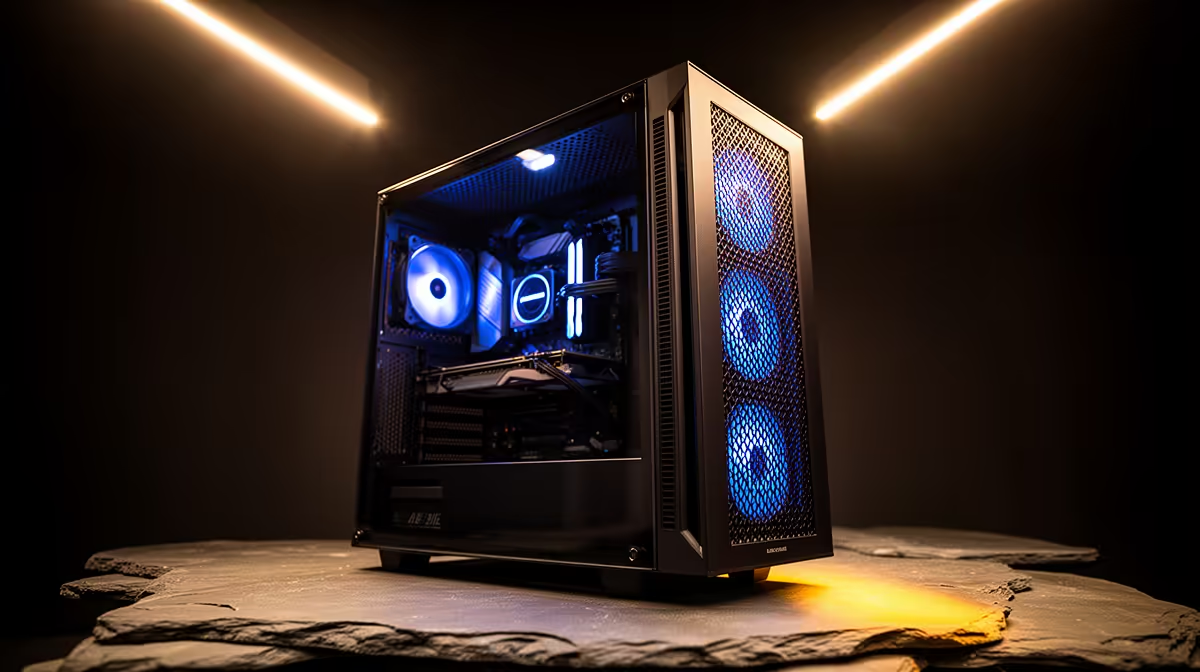
Rand for rand, a case is one of the easiest parts of a build to overspend on, since a shiny styling upgrade sits right alongside line items like the CPU and GPU that actually decide performance. Getting the most from an atx mid-tower case budget means paying first for the parts doing real work, and treating any extra styling as a bonus the case might already throw in.
Quick Answer
The Antec NX410 shows smart case budgeting in practice at R1,199, bundling pre-fitted ARGB fans, six fan-mount positions and a tempered glass panel instead of charging separately for each. That leaves more of the total build budget free for parts that actually shift frame rates.
💰 Where Your Rand Should Go First
Fan-mount count, radiator support and front-port selection are the three specs deciding what a case can still do for you two years from now. Paying for six mounts from day one works out cheaper than starting with a two-mount case and later bolting on brackets, or replacing the case outright.
Radiator Headroom Pays for Itself Down the Line
A case built to take a sizeable front radiator and a smaller one overhead means an AIO can go in later without discovering the shell physically will not allow it. Paying for that headroom now avoids a second case purchase if cooling needs grow.
🏷 Where You Can Actually Save
Check whether fans arrive pre-installed before budgeting for aftermarket ones separately. This case ships with ARGB fans already fitted, removing one line item from the budget compared with a bare shell needing fans bought on top.
Front Connectivity Beats Panel Colour
A quick-transfer USB socket, an older USB socket, an audio jack and a lighting button on the front panel get used constantly, not once. A case offering fewer of these but flashier lighting might photograph better, but it costs convenience at the desk every single day.
📐 Confirm Fit Before You Commit
Checking motherboard size support, cooler clearance and PSU length against your parts list protects you from paying twice. The spec page for this model puts cooler headroom at 168mm and power supply depth at 165mm, and confirms the shell takes the compact, mid-size and full-size board formats alike. Comparing finishes across the wider Antec range makes sense if similar pricing elsewhere catches your eye, and the case fan category covers any airflow upgrades your build needs later without buying a new case.
Frequently Asked Questions
Is it worth paying extra for a case with fans already fitted?
Yes, if the price already covers them, since buying fans separately afterwards usually costs more overall.
Should I budget for radiator support even without an AIO right now?
Yes, a case with both front and top radiator mounting spares you a case swap later if cooling needs change.
How much should a solid case in this class cost?
Models like this one at R1,199 show that six fan mounts, a glass panel and genuinely useful front ports can come together at a reasonable price.
Are front USB ports worth prioritising over flashier lighting?
For daily use, yes, since the ports get touched constantly while lighting stays purely cosmetic.
Ready to stretch your Rand further on this build?
Land on the mid-tower NX410 in the Evetech gaming case lineup for R1,199 even. It frees up budget for the fans and cooler that matter more to performance.