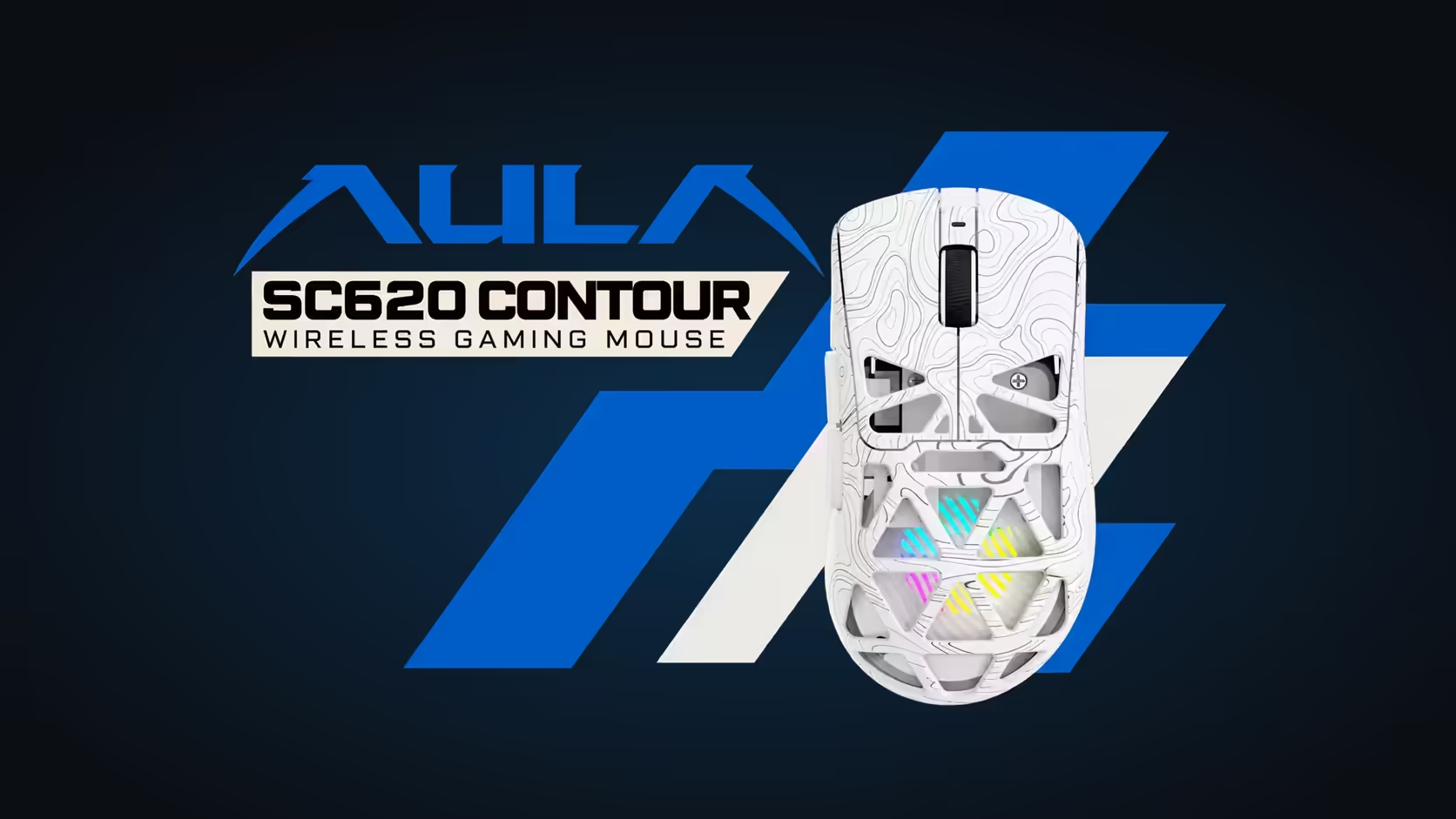
Pick up the AULA SC620 Contour and what you notice straight away is that you can see into it. The top of the shell is cut into a pattern of six-sided openings, and the lighting sits underneath rather than in a strip along the edge. This honeycomb mouse shell is doing two jobs at once, and neither of them is purely decoration.
Quick Answer
The SC620 Contour's shell is hollowed out into a honeycomb so its RGB lighting glows through the gaps, and those cut-outs also help keep the mouse at 67g. AULA's driver sets how bright the glow is and how fast it moves. The mouse comes in black and white, both tri-mode, both on a PAW3311 sensor. Either colour is R349 at Evetech.
🐝 Why cut holes in a mouse at all?
Weight is the practical reason. Every piece of solid plastic removed from the top shell is mass your hand no longer has to start and stop. AULA credits the hollowed-out design with holding the SC620 Contour to 67g, and that figure includes a 400mAh battery and the lighting hardware.
A honeycomb is a sensible pattern for this. The repeating six-sided cells leave thin walls between them, so the shell keeps its shape while shedding material. It is the same idea engineers use in lightweight panels, applied to something you hold for hours.
What the holes mean for grip
AULA shapes the SC620 Contour for claw, palm and fingertip grips. With a honeycomb top, your palm rests on a textured surface rather than smooth plastic. Some people like the extra bite, others notice the edges for a day or two. It is worth knowing before you buy that the feel is different from a closed mouse, even if it is not better or worse.
🌈 Lighting that comes from inside
On most RGB mice the light shows through a logo or a strip. On this one the whole top becomes a diffuser. The glow comes up through the cells, so the colour fills the shape of the mouse instead of outlining it.
You control it in AULA's Windows driver, which adjusts the brightness and speed of the effect along with DPI, polling, sleep time and button mapping. Lighting tweaks need the dongle or the lead plugged in, because the software ignores a Bluetooth 5.3 link, so settle the look before pairing with a laptop.
⚫ Black or white: how the colour changes the look
The two colourways use the same shell and the same lighting, but they read differently on a desk. The black version lets the gaps stand out as windows, so the RGB looks like it is floating. The white version softens the glow, and the lit cells blend into the pale plastic for a gentler effect.
Beyond looks the two are identical: 67g, six DPI levels from 800 to 12,000, 1000Hz polling, a programmable Fire button, and 2.4GHz, Bluetooth 5.3 or cable. You can see both alongside other lightweight designs in Evetech's gaming mice category, and the wireless mouse listing groups it with other cable-free models.
Frequently Asked Questions
What is the point of all those openings?
They cut weight, helping the mouse stay at 67g, and they let the internal RGB lighting shine through the top.
Which colourways can you choose from?
Black and white. The shell, sensor and features are the same on both.
How do you change the glow?
In AULA's Windows driver, which sets brightness and effect speed. Connect with the receiver or the cable, since the driver does not work over Bluetooth.
Does the open top feel different in the hand?
Yes. Your palm meets a textured, cell-shaped surface. Many people adapt quickly, but it is not the same as a smooth closed shell.
Can you see the internals?
The cut-outs are there so the lighting shows through, so expect to glimpse the lit interior rather than a solid surface.
What cover comes with it?
Both colours carry a 1 Year Local Warranty, handled by Evetech.
Like the look of a mouse that glows from the inside?
Compare the SC620 Contour with other lightweight and RGB designs in Evetech's gaming mouse range.