


How Evetech Warranty Works: Complete Claims Guide for SA Buyers
How Evetech Warranty Works: Complete Claims Guide. Comprehensive checklist covering every spec and feature you should verify before buying in SA.
Read moreEverything that matters about 1500R curvature: refresh ceilings, response time modes, sync tech and panel curvature in plain terms. Lays out 1500R curvature focal distance, when 1000R feels aggressive, and how 1500R suits typical desk depth.
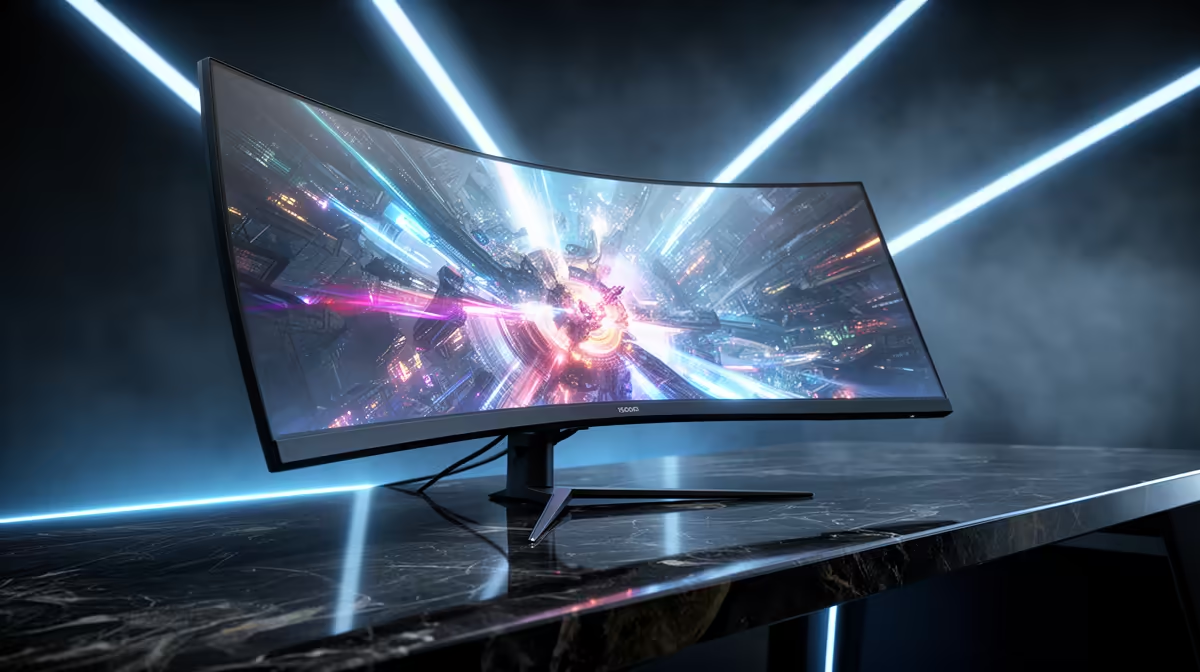
1500R curvature means the screen curves along an arc whose radius is 1,500 millimetres, or 1.5 metres. A tighter radius means a more pronounced curve; 1500R is one of the more aggressive curvatures available and is optimised for panels between 27 and 34 inches where the screen edges need to be pulled closer to the viewer's eye plane.
The R in curvature notation stands for radius, measured in millimetres from the screen surface to the theoretical centre of the circle that the curve follows. A flat screen has an infinite radius. Common monitor curvatures are 4000R (very subtle), 1800R (moderate), 1500R (strong), and 1000R (very tight, primarily seen on ultrawide panels). The practical implication is this: a 1500R screen places the left and right edges of the panel approximately 50 to 80 mm closer to your eyes compared to a flat panel of the same diagonal size. This reduces the angular difference between the centre and edges, keeping more of the display within your comfortable focus range without requiring you to swivel your eyes as far.
For panels at 27 inches and larger, 1500R is particularly effective because the physical width of the screen (roughly 690 mm for a 31.5-inch panel) is significant enough that the corners sit noticeably far from the eyes on a flat screen. At 1500R, the geometry pulls those corners into a position that matches the natural curvature of the human visual field more closely. Samsung popularised 1500R on its gaming monitors with the claim that it matches the average human eye's focal curvature.
1800R is a more moderate curve that suits users who split screen time between gaming and content creation or productivity work, where straight lines and document edges should look straight. 1500R is more immersive and better for dedicated gaming setups where the curved-edge distortion of straight lines is acceptable in exchange for the deeper wraparound feel. If your desk setup has you sitting close to the screen (60 to 70 cm), 1500R enhances the immersive effect significantly. If you sit further back at 90 cm or more, the curvature benefit reduces and 1800R is equally good.
The curvature benefit of a 1500R screen is only apparent when you sit at the intended focal distance, roughly 60 to 90 cm for a 31.5-inch panel. If you evaluate the screen from standing or from two metres away, it looks distorted and the curve seems excessive. Sit at your actual gaming chair position before forming an opinion on whether the curvature suits your setup.
Straight horizontal lines appear very slightly curved at the extreme edges of a 1500R panel. For casual document work this is imperceptible, but graphic designers and CAD users who need ruler-straight reference lines often prefer flat or 1800R panels for work use. A dedicated gaming monitor with 1500R is best in a setup where gaming is the primary use.
For most panel sizes, 1500R provides the right balance of curve depth and visual comfort. 1000R is extremely tight and is only appropriate on ultrawide panels (34 inches and above) where the physical width makes a 1500R curve feel insufficient at the edges.
No. 31.5-inch panels use curvatures between 1500R and 1800R depending on the manufacturer. Always check the spec sheet for the specific R value rather than assuming based on screen size.
Shopping for a curved gaming monitor with the right curvature for your space? Evetech stocks curved gaming monitors in multiple sizes and curvature ratings. Browse current availability to find the right panel for your viewing distance and gaming style.
How Evetech Warranty Works: Complete Claims Guide. Comprehensive checklist covering every spec and feature you should verify before buying in SA.
Read more
Handheld Gaming PCs for entry-level PC should be shortlisted around the job it must do. South African buyers should compare fit, performance, compatibility, and upgrade room, warranty path, and upgrade room before treating any pick as best.
Read more
Handheld Gaming PCs for low-latency online should be shortlisted around the job it must do. South African buyers should compare fit, performance, compatibility, and upgrade room, warranty path, and upgrade room before treating any pick as best.
Read more
Should SA buyers pay more for boom arm support should be shortlisted around the job it must do. South African buyers should compare panel type, resolution, refresh rate, and ports, warranty path, and upgrade room before treating any pick as best.
Read more
Should SA buyers pay more for noise rejection should be shortlisted around the job it must do. South African buyers should compare audio quality, mic clarity, comfort, and connection type, warranty path, and upgrade room before treating any pick as best.
Read more
Should SA buyers pay more for pickup pattern should be shortlisted around the job it must do. South African buyers should compare audio quality, mic clarity, comfort, and connection type, warranty path, and upgrade room before treating any pick as best.
Read more
Best Value Laptops South Africa 2026 — Find top picks, local prices and buy tips to maximise performance per rand. Compare deals for students, creators and gamers. 🔎💸

Struggling with a weak Desktop PC Wi-Fi signal? 📶 Discover expert tips on positioning your tower and external antennas to eliminate lag and maximize your internet speeds for gaming and streaming. 🚀

Tired of loadshedding router restarts killing your Wi-Fi? ⚡ Discover why power cuts disrupt your connection and learn expert tips to get back online faster after the lights return. 🌐

Master using a Nano SIM 4G router as your primary internet solution. Get stable speeds and seamless connectivity for gaming and streaming at home! 🌐🚀

Gauteng r30 000 needs practical checks before you choose. Compare fit, workload, support, setup needs, timing, and delivery expectations without relying on live availability or fixed 2026 claims.

Gauteng r40 000 needs practical checks before you choose. Compare fit, workload, support, setup needs, timing, and delivery expectations without relying on live availability or fixed 2026 claims.

Gauteng r50 000 needs practical checks before you choose. Compare fit, workload, support, setup needs, timing, and delivery expectations without relying on live availability or fixed 2026 claims.

Gauteng r60 000 needs practical checks before you choose. Compare fit, workload, support, setup needs, timing, and delivery expectations without relying on live availability or fixed 2026 claims.

Three-tier smart watch plan for commuting should be shortlisted around the job it must do. South African buyers should compare fit, performance, compatibility, and upgrade room, warranty path, and upgrade room before treating any pick as best.

AR Glasses buying order for commuting students should be shortlisted around the job it must do. South African buyers should compare fit, performance, compatibility, and upgrade room, warranty path, and upgrade room before treating any pick as best.

Smart Watch buying order for commuting should be shortlisted around the job it must do. South African buyers should compare fit, performance, compatibility, and upgrade room, warranty path, and upgrade room before treating any pick as best.

Smart Watch buying order for quiet PC builds needs a balanced parts plan, not a random basket. Map the CPU, GPU, RAM, SSD, cooling, and monitor target to the budget so SA builders know where to spend first.