Quick Answer
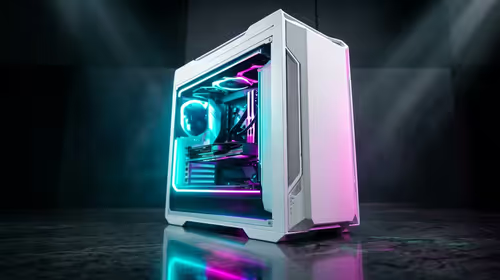
Ignore cosmetic claims first; they rarely improve Windows 11 upgrades. The useful PC case spend goes into airflow, GPU clearance, front-panel USB, fan mounts and cable space behind the motherboard tray, because those details decide whether the part still feels right after months of daily use. A realistic SA shortlist should include Corsair 4000D Airflow, NZXT H5 Flow and Cooler Master MasterBox TD500 Mesh as reference points, with broad local pricing around R800-R3,500 rather than a guessed live special.
Specs You Can Safely Deprioritise
For Windows 11 upgrades, the real workload is TPM support, newer storage and a cleaner rebuild. The PC case should support that use without creating heat, cable, comfort or compatibility problems. Check airflow, GPU clearance, front-panel USB, fan mounts and cable space behind the motherboard tray before comparing small extras, because those basics decide whether the purchase feels right in daily use. Keep the target measurable: lower noise, fewer cable problems, steadier 60 fps play, or a cleaner desk is a real win.
Specs That Still Matter
The overrated specs are the ones that do not change the daily task. RGB, small factory overclocks, oversized peak numbers and vague pro labels matter less than airflow, GPU clearance, front-panel USB, fan mounts and cable space behind the motherboard tray. Treat them as extras after the useful checks are already passed. The safer buy is rarely the absolute cheapest item; it is the lowest-priced option that still passes the fit, support and reliability checks. For South African buyers, also check return handling, courier timing, plug or cable requirements and whether the product fits the desk, case or residence room before ordering.
Practical Spec And Price Guide
Use front mesh airflow, 160 mm CPU-cooler clearance, 320 mm GPU clearance and at least two included fans as the practical floor. In the R800-R3,500 band, expect visible differences in warranty length, bundled cables, cooling quality, material strength or software support. If two models are close, choose the one that solves a weekly annoyance: cleaner voice, quieter fans, stronger Wi-Fi, better cable routing, more RAM capacity or a clearer upgrade route.
FAQ
What is the first spec SA buyers should check?
Start with compatibility and the main workload. For Windows 11 upgrades, that means checking airflow, GPU clearance, front-panel USB, fan mounts and cable space behind the motherboard tray before paying attention to styling, brand language or bundled extras.
Is the cheapest PC case good enough?
It can be good enough if it meets the practical floor and has local warranty support. If it misses front mesh airflow, 160 mm CPU-cooler clearance, 320 mm GPU clearance and at least two included fans, the cheaper price may turn into a replacement cost later.
When is it worth paying more?
Pay more when the upgrade gives a weekly benefit: better comfort, cleaner signal, quieter operation, more capacity, safer power delivery or smoother 60 fps and above performance. Do not pay more for features you will not use in the actual setup.