



How Evetech Warranty Works: Complete Claims Guide for SA Buyers
How Evetech Warranty Works: Complete Claims Guide. Comprehensive checklist covering every spec and feature you should verify before buying in SA.
Read moreWhy Is My SSD Corrupted Detailed answer with SA data, expert analysis & practical recommendations for local buyers.

An SSD becomes corrupted most commonly due to sudden power loss during a write operation, firmware bugs, physical NAND cell wear past the drive's rated write endurance, or file system errors caused by improper shutdown. In South Africa, load shedding is a significant contributing factor to SSD corruption because abrupt power cuts during active writes can leave file system metadata in an inconsistent state.
SSD corruption is alarming when it happens, partly because SSDs are marketed as more reliable than hard drives - and in many ways they are. But they fail differently, and understanding why your SSD is corrupted is the first step to recovering data and preventing the same problem from recurring.
Sudden power loss during writes This is the most common cause of SSD data corruption, especially in South Africa where load shedding causes abrupt and unannounced power cuts. When an SSD is writing data to NAND flash cells, the file system metadata - the index that tells your OS where every file lives - is updated simultaneously. If power cuts in the middle of this process, the metadata can be left in a half-written state, causing the drive to appear corrupted even if the underlying data is physically intact.
SSDs with power loss protection (PLP) capacitors can complete the in-progress write cycle using stored capacitor charge after power cuts. Most consumer SSDs do not have PLP - it is an enterprise feature. This makes consumer SSDs particularly vulnerable to load shedding corruption.
File system errors from improper shutdown Forcing off a PC using the power button instead of a proper Windows or Linux shutdown routine leaves file system journals unfinished. Over time, repeated forced shutoffs (often because of load shedding) accumulate minor file system inconsistencies that can escalate to apparent corruption.
NAND wear and P/E cycle exhaustion Every NAND flash cell has a limited number of Program/Erase (P/E) cycles before it becomes unreliable. TLC NAND (used in most consumer SSDs) supports roughly 500 to 3,000 P/E cycles per cell. When cells reach end of life, they can store incorrect values, causing read errors that manifest as file corruption. The SSD's controller marks worn cells as bad blocks and redirects writes, but once the bad block reserve is exhausted, visible corruption appears.
Firmware bugs SSDs run complex firmware managing wear leveling, garbage collection, and error correction. Firmware bugs in specific drive models can cause data corruption during certain operations. Checking for a firmware update from your SSD manufacturer is a legitimate troubleshooting step when corruption is unexplained.
Before assuming the worst, run diagnostics:
chkdsk C: /f /r. This scans for file system errors and attempts to repair them.If SMART data shows uncorrectable errors or the percentage of remaining lifetime is below 10%, data recovery should be your immediate priority before attempting further repairs.
Given South Africa's load shedding reality, the most effective prevention is a UPS (Uninterruptible Power Supply) for your PC. A 650VA to 1000VA UPS provides 10 to 20 minutes of battery runtime - enough for Windows to complete any pending writes and shut down cleanly during a load shedding event. Enable Windows' fast startup and sleep settings so the shutdown completes within the UPS runtime window. This single step eliminates the most common cause of SSD corruption for SA users.
Q: Can a corrupted SSD be repaired and data recovered? A: Often yes, especially if the corruption is file system-level rather than physical NAND failure. CHKDSK and file system repair tools recover many corruption cases. For more severe cases, data recovery software like Recuva or professional data recovery services in SA can retrieve files even from heavily corrupted drives. The key is to stop writing to the drive immediately to avoid overwriting recoverable data.
Q: Does load shedding cause SSD corruption directly? A: Yes. Abrupt power cuts during active read/write operations are one of the top causes of SSD file system corruption in South Africa. A UPS is the most practical protection. If a UPS is not feasible, enabling Windows' Fast Startup and avoiding heavy file operations during suspected load shedding windows reduces risk.
Q: How long do SSDs last before they fail? A: Most modern consumer SSDs last 5 to 10 years under normal desktop usage. The TBW (Terabytes Written) rating on the drive's spec sheet is the practical endurance limit - a 500GB SSD might be rated for 150TBW, meaning it can write 150TB of data before endurance concerns begin. Normal desktop use rarely approaches TBW limits within the drive's usable lifespan.
Ready to Find Your Perfect Match? Upgrade to a reliable SSD or build a more resilient PC setup with Evetech.
Why Is My SSD Corrupted available at Evetech.co.za with local warranty and fast delivery.
Why Is My SSD Corrupted - check Evetech for latest stock and SA pricing.
Depends on your use case. Why Is My SSD Corrupted offers good value at current Rand pricing.
How Evetech Warranty Works: Complete Claims Guide. Comprehensive checklist covering every spec and feature you should verify before buying in SA.
Read more
Handheld Gaming PCs for entry-level PC should be shortlisted around the job it must do. South African buyers should compare fit, performance, compatibility, and upgrade room, warranty path, and upgrade room before treating any pick as best.
Read more
Handheld Gaming PCs for low-latency online should be shortlisted around the job it must do. South African buyers should compare fit, performance, compatibility, and upgrade room, warranty path, and upgrade room before treating any pick as best.
Read more
Should SA buyers pay more for boom arm support should be shortlisted around the job it must do. South African buyers should compare panel type, resolution, refresh rate, and ports, warranty path, and upgrade room before treating any pick as best.
Read more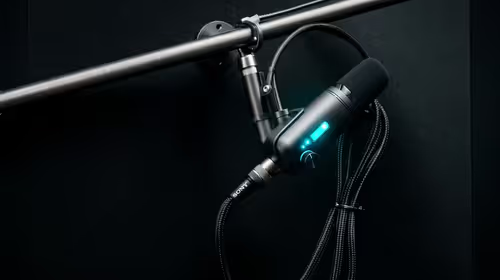
Should SA buyers pay more for noise rejection should be shortlisted around the job it must do. South African buyers should compare audio quality, mic clarity, comfort, and connection type, warranty path, and upgrade room before treating any pick as best.
Read more
Should SA buyers pay more for pickup pattern should be shortlisted around the job it must do. South African buyers should compare audio quality, mic clarity, comfort, and connection type, warranty path, and upgrade room before treating any pick as best.
Read more
Best Value Laptops South Africa 2026 — Find top picks, local prices and buy tips to maximise performance per rand. Compare deals for students, creators and gamers. 🔎💸

Struggling with a weak Desktop PC Wi-Fi signal? 📶 Discover expert tips on positioning your tower and external antennas to eliminate lag and maximize your internet speeds for gaming and streaming. 🚀

Tired of loadshedding router restarts killing your Wi-Fi? ⚡ Discover why power cuts disrupt your connection and learn expert tips to get back online faster after the lights return. 🌐

Master using a Nano SIM 4G router as your primary internet solution. Get stable speeds and seamless connectivity for gaming and streaming at home! 🌐🚀

Gauteng r30 000 needs practical checks before you choose. Compare fit, workload, support, setup needs, timing, and delivery expectations without relying on live availability or fixed 2026 claims.

Gauteng r40 000 needs practical checks before you choose. Compare fit, workload, support, setup needs, timing, and delivery expectations without relying on live availability or fixed 2026 claims.

Gauteng r50 000 needs practical checks before you choose. Compare fit, workload, support, setup needs, timing, and delivery expectations without relying on live availability or fixed 2026 claims.

Gauteng r60 000 needs practical checks before you choose. Compare fit, workload, support, setup needs, timing, and delivery expectations without relying on live availability or fixed 2026 claims.

Three-tier smart watch plan for commuting should be shortlisted around the job it must do. South African buyers should compare fit, performance, compatibility, and upgrade room, warranty path, and upgrade room before treating any pick as best.

AR Glasses buying order for commuting students should be shortlisted around the job it must do. South African buyers should compare fit, performance, compatibility, and upgrade room, warranty path, and upgrade room before treating any pick as best.

Smart Watch buying order for commuting should be shortlisted around the job it must do. South African buyers should compare fit, performance, compatibility, and upgrade room, warranty path, and upgrade room before treating any pick as best.

Smart Watch buying order for quiet PC builds needs a balanced parts plan, not a random basket. Map the CPU, GPU, RAM, SSD, cooling, and monitor target to the budget so SA builders know where to spend first.