



How Evetech Warranty Works: Complete Claims Guide for SA Buyers
How Evetech Warranty Works: Complete Claims Guide. Comprehensive checklist covering every spec and feature you should verify before buying in SA.
Read moreGet a wired USB-C gaming controller working on Xbox Series X|S and PC fast—no lag, fewer headaches. Follow this setup flow and test your inputs smoothly 🎮⚙️
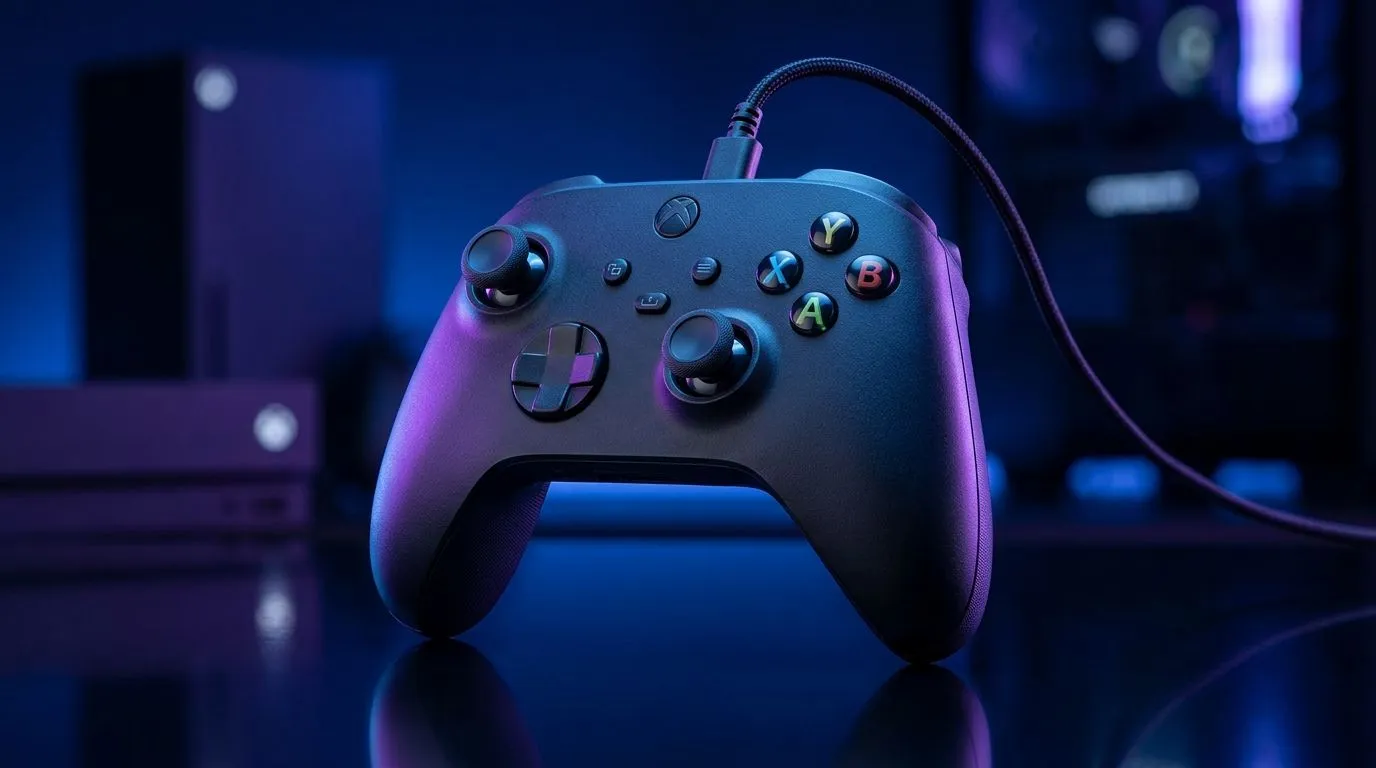
Tired of Bluetooth lag or batteries dying mid-match? If you’re gaming in South Africa on Xbox Series X or a PC, a wired USB-C controller can feel instantly more stable. 🔧 In this guide, I’ll walk you through a clean, no-drama setup. You’ll get controls working fast, troubleshoot common issues, and learn how to get consistent performance for shooters, racers, and everything in between. ⚡
If you don’t see it listed, try a different USB port on the console and avoid hubs. The goal is a direct connection.
On PC, wired controllers are usually plug-and-play. Still, do a quick sanity check:
Some PC games prefer different controller modes. If your game supports it, set the controller profile to “Gamepad” and not “Keyboard.”
Wired generally helps with responsiveness compared to wireless. If you still feel delay:
On PC, if your controller inputs are detected but mapping feels wrong, open Steam’s Controller settings and use the built-in test + layout options. You can quickly verify whether it’s a game binding issue or a controller calibration issue, before you spend hours troubleshooting in-game.
Not all “wired” experiences are equal. When you’re picking a controller, think about:
If you want a tournament-style option with a solid reputation, check out the Razer Wolverine V3 Tournament Edition (8K) here: Razer Wolverine V3 Tournament Edition 8K. Prefer to browse options and compare what fits your rig and budget in ZAR? Start here: Buy gaming controllers. And if you’re specifically considering Razer models, use this brand-focused page: Buy gaming controllers (Raze).
With the right controller and a stable wired setup, your inputs feel consistent… and your aim stops fighting the tech.
Ready to Find Your Perfect Match? The Mac vs Windows debate is complex, but for maximum power, choice, and value in South Africa, Windows is hard to beat. Explore our massive range of laptop specials and find the perfect machine to conquer your world.
Yes. Many wired USB-C controllers work on Xbox Series X|S once plugged in and detected, but some need firmware updates or Xbox-compatible support.
Plug in via USB-C, then check Windows settings and your game/controller software. For Steam, open Controller settings and verify input.
Try a different USB port or cable, confirm controller firmware, and restart the game client. Windows may also need updated drivers.
Often no, but some controllers require a companion app for button mapping, profiles, or firmware updates to work correctly.
Use game settings or Steam Controller settings to remap inputs. Save the profile, then test in a controller-friendly menu.
Open Xbox controller settings, check button layout, and ensure the controller is using the correct mode. Replug the cable if inputs drift.
Wired typically reduces latency compared to wireless. Still, verify the game’s input settings and test consistently for smooth response.
Use a data-capable USB-C cable (not just charging). Shorter cables with good shielding help ensure reliable detection and stable input.
How Evetech Warranty Works: Complete Claims Guide. Comprehensive checklist covering every spec and feature you should verify before buying in SA.
Read more
Handheld Gaming PCs for entry-level PC should be shortlisted around the job it must do. South African buyers should compare fit, performance, compatibility, and upgrade room, warranty path, and upgrade room before treating any pick as best.
Read more
Handheld Gaming PCs for low-latency online should be shortlisted around the job it must do. South African buyers should compare fit, performance, compatibility, and upgrade room, warranty path, and upgrade room before treating any pick as best.
Read more
Should SA buyers pay more for boom arm support should be shortlisted around the job it must do. South African buyers should compare panel type, resolution, refresh rate, and ports, warranty path, and upgrade room before treating any pick as best.
Read more
Should SA buyers pay more for noise rejection should be shortlisted around the job it must do. South African buyers should compare audio quality, mic clarity, comfort, and connection type, warranty path, and upgrade room before treating any pick as best.
Read more
Should SA buyers pay more for pickup pattern should be shortlisted around the job it must do. South African buyers should compare audio quality, mic clarity, comfort, and connection type, warranty path, and upgrade room before treating any pick as best.
Read more
Best Value Laptops South Africa 2026 — Find top picks, local prices and buy tips to maximise performance per rand. Compare deals for students, creators and gamers. 🔎💸

Struggling with a weak Desktop PC Wi-Fi signal? 📶 Discover expert tips on positioning your tower and external antennas to eliminate lag and maximize your internet speeds for gaming and streaming. 🚀

Tired of loadshedding router restarts killing your Wi-Fi? ⚡ Discover why power cuts disrupt your connection and learn expert tips to get back online faster after the lights return. 🌐

Master using a Nano SIM 4G router as your primary internet solution. Get stable speeds and seamless connectivity for gaming and streaming at home! 🌐🚀

Gauteng r30 000 needs practical checks before you choose. Compare fit, workload, support, setup needs, timing, and delivery expectations without relying on live availability or fixed 2026 claims.

Gauteng r40 000 needs practical checks before you choose. Compare fit, workload, support, setup needs, timing, and delivery expectations without relying on live availability or fixed 2026 claims.

Gauteng r50 000 needs practical checks before you choose. Compare fit, workload, support, setup needs, timing, and delivery expectations without relying on live availability or fixed 2026 claims.

Gauteng r60 000 needs practical checks before you choose. Compare fit, workload, support, setup needs, timing, and delivery expectations without relying on live availability or fixed 2026 claims.

Three-tier smart watch plan for commuting should be shortlisted around the job it must do. South African buyers should compare fit, performance, compatibility, and upgrade room, warranty path, and upgrade room before treating any pick as best.

AR Glasses buying order for commuting students should be shortlisted around the job it must do. South African buyers should compare fit, performance, compatibility, and upgrade room, warranty path, and upgrade room before treating any pick as best.

Smart Watch buying order for commuting should be shortlisted around the job it must do. South African buyers should compare fit, performance, compatibility, and upgrade room, warranty path, and upgrade room before treating any pick as best.

Smart Watch buying order for quiet PC builds needs a balanced parts plan, not a random basket. Map the CPU, GPU, RAM, SSD, cooling, and monitor target to the budget so SA builders know where to spend first.