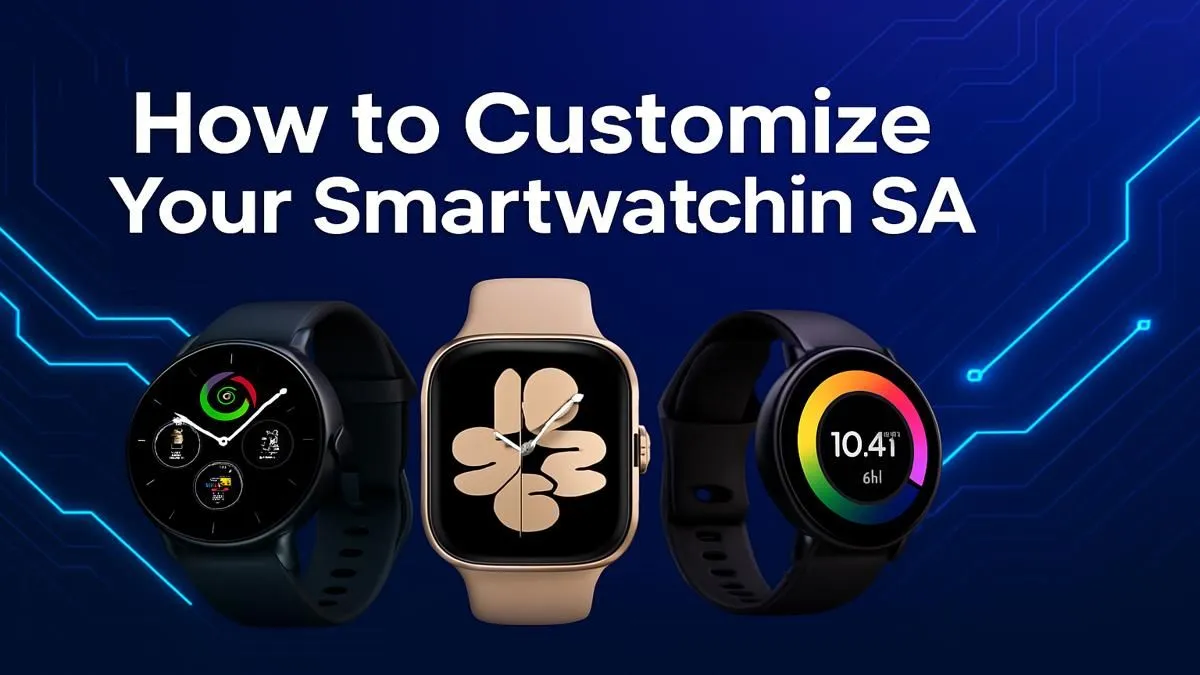
Your smartwatch is more than a step counter or a notification hub… it’s a statement. It’s the one piece of tech you wear every day. So, why let it look like everyone else's? For tech enthusiasts across the country, smartwatch customization in South Africa is no longer a niche hobby; it’s the ultimate way to fuse personal style with powerful functionality. Ready to make your wearable truly yours? Let’s dive in. ⌚
Why Bother Customising Your Smartwatch?
Think about it. You choose your phone's wallpaper, your PC's RGB lighting, and your gaming avatar. Your smartwatch deserves the same attention. Personalising your wearable allows you to:
- Match Any Occasion: Swap from a silicone strap for your morning run at Virgin Active to a classic leather one for a client meeting in Sandton.
- Express Your Vibe: Your watch face can reflect your mood, support your favourite team, or showcase a photo of your beloved boerboel.
- Optimise Your Workflow: Customise complications (the little widgets on your watch face) to show the weather in Cape Town, your next meeting, or the current prolonged outage periods at a glance.
This isn't just about aesthetics; it's about making your technology work smarter for you.
Level 1: Mastering Watch Faces
The easiest and most impactful way to begin your smartwatch customization journey is with the watch face. This is your device's home screen, and the options are nearly endless.
Stock vs. Third-Party Faces
Most smartwatches come with a decent selection of pre-installed faces. These are optimised for battery life and performance. But the real magic happens when you explore apps like Facer or WatchMaker, which offer thousands of designs from a global community of creators. You can find everything from minimalist designs to retro digital layouts and data-heavy dashboards for the ultimate tech enthusiast.
Photo Face Pro Tip 📸
Want to create a truly unique look? Use a photo of your family, pet, or a stunning landscape from a recent Drakensberg hike as your watch face. Most companion apps let you do this easily. For the best results, choose a photo with a clear subject and a simple background so the time remains easy to read.
Level 2: The Strap Swap – A Style Game-Changer
A new strap can completely transform the look and feel of your smartwatch. It’s the equivalent of putting new rims on a car. Most modern wearables use a standard pin mechanism, making it incredibly easy to switch straps without any tools.
Key materials to consider:
- Silicone: Durable, waterproof, and perfect for sports and everyday wear.
- Nylon/Woven: Breathable and comfortable, offering a more casual, rugged look.
- Leather: A timeless choice that adds a touch of class, ideal for the office or a night out.
- Metal (Stainless Steel/Titanium): Offers a premium, classic watch feel, but can be heavier.
The key is to check your watch's lug width (usually 20mm or 22mm) to ensure compatibility. Many of the devices in our extensive smartwatch collection use standard sizes, giving you a world of third-party options.
Level 3: Software Tweaks & App Power-Ups
True smartwatch customization goes beyond the surface. Diving into the settings can significantly improve your daily experience. Start by managing your notifications—decide which apps are important enough to buzz on your wrist. This single tweak can turn a distracting gadget into a focused productivity tool.
Explore your watch's app store to find apps that suit your South African lifestyle. Think weather apps with accurate local forecasts or timers for your braai. Brands like Promate, for instance, often pack their devices with versatile software that provides a great starting point for personalization. 🔧
Get Started Without Breaking the Bank
You don’t need the most expensive flagship model to enjoy a personalised experience. The beauty of smartwatch customization in South Africa is its accessibility. You can find fantastic, feature-rich devices that serve as a perfect canvas for your creativity. In fact, there are excellent smartwatches available for under R1000 that support custom faces and standard strap sizes. Paired with a few affordable straps from online retailers, you can create a versatile collection for any outfit or activity.
Ready to Create Your Signature Look?
True smartwatch customization starts with the right foundation. Whether you need a feature-packed flagship or a stylish budget-friendly option, we've got the perfect canvas for your wrist. Explore our massive range of smartwatches and find the perfect tech to match your South African lifestyle.