


Clean Gaming Keyboard: Guide for Dusty & Humid Conditions
Clean gaming keyboard quickly and safely in dusty or humid conditions with step-by-step tips, tool checklist, and maintenance routines to prevent corrosion and switch failure. 🧼💨
Read moreAdd more case fans to improve airflow and lower temps? Learn when extra fans help, where to place them, noise trade-offs, and installation tips. 🛠️❄️
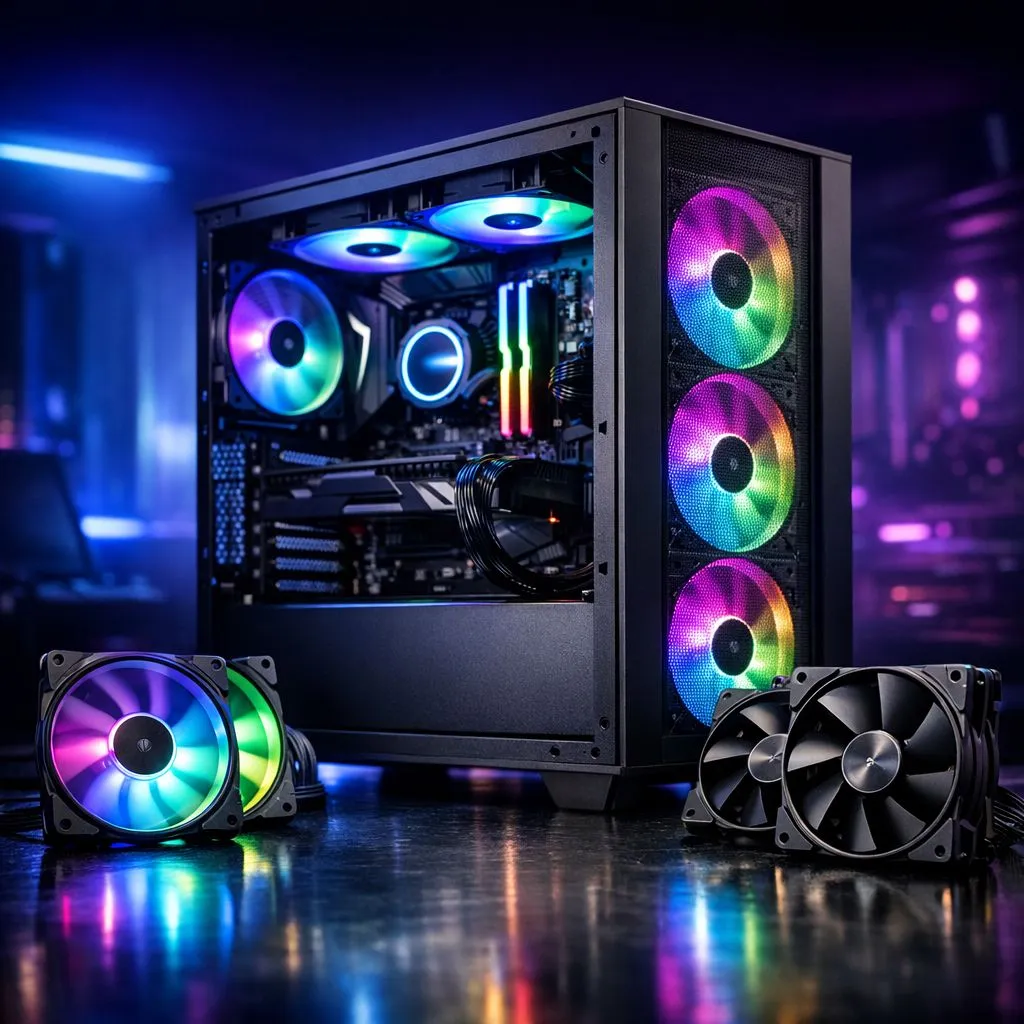
It’s a hot summer evening in Mzansi, and you’re deep into a ranked match. Suddenly, your PC’s fans spin up, sounding like a jet preparing for take-off at O.R. Tambo. Your frames drop, and you start to wonder… is my rig overheating? The knee-jerk reaction for many gamers is to simply add more case fans. But is that really the silver bullet for cooling your components, or are you just adding more noise? Let's investigate.
Before you rush to fill every empty fan slot, it’s crucial to understand the basics of airflow. Think of your PC case as a wind tunnel. The goal isn't just to blast air around randomly; it's to create a consistent, efficient path for air to travel. This means bringing cool air in (intake) and pushing hot air out (exhaust).
Most standard setups follow a front-to-back and bottom-to-top path.
A well-designed airflow path ensures that every component gets a steady stream of cool air. Without a clear path, you could create pockets of stagnant, hot air, even with a dozen fans. The design of modern computer cases is built around optimising this very principle. 💨
Now for the big question. You should consider adding extra fans if you tick one or more of these boxes:
For builds that need serious cooling out of the box, exploring options like Fractal Design PC cases can be a great starting point, as they often prioritise airflow performance.
Here’s a hard truth: simply deciding to add more case fans without a plan can sometimes make things worse. Packing every slot can create air turbulence, where different streams of air collide and disrupt the smooth pathway, leading to less effective cooling.
Before you buy more fans, try these steps first:
Sometimes, the case itself is the bottleneck. If you're struggling with an older design, upgrading to modern Gamdias gaming cases can provide much better ventilation thanks to mesh fronts and smarter layouts. ✨
Instead of immediately buying new fans, dive into your PC's BIOS UEFI or use free software like Fan Control. Here, you can adjust your fan curves. This tells your fans how fast to spin at certain temperatures. A more aggressive fan curve can often solve temperature issues without you having to spend a cent, though it might be a bit louder.
Improving your PC's cooling doesn't have to cost a fortune. Often, one or two strategically placed, high-quality fans are more effective than five cheap, noisy ones. Look for fans that offer a good balance of airflow (measured in CFM) and static pressure (for pushing air through radiators or tight spaces).
If your case is the main problem, you can still find excellent, airflow-focused options without emptying your wallet. There are fantastic Gamdias gaming cases under R1500 that offer features like mesh front panels and multiple fan mounts, giving you a solid foundation for a cool and quiet build.
The verdict? You don't always need to add more case fans. It’s about creating smart, efficient airflow. Analyse your current setup, identify the bottleneck, and make a targeted upgrade. Your PC (and your ears) will thank you for it. 🔧
Ready to Master Your Thermals? Whether you need to add more case fans or upgrade your entire chassis, getting your PC's airflow right is key to peak performance. Don't let overheating throttle your gameplay. Explore our massive range of PC cooling solutions and find the perfect hardware to keep your rig frosty.
Only if temps, airflow, or dust issues appear. Check CPU/GPU temps, fan curves, and pressure balance before adding more case fans.
Typically 2–4 fans: front intake(s) and rear/top exhaust. Adjust for case size and component heat based on how many case fans do i need.
Not always. Wrong placement or excessive exhaust can reduce efficiency. Use the best fan configuration for airflow and test temps.
Add intake at front/bottom and exhaust at rear/top. Balanced placement follows a case fan placement guide to reduce dust and boost airflow.
More fans can raise noise, but using PWM fans, lower RPM models and tuned fan curves achieves a strong fan speed and noise balance.
Case fans improve chassis airflow while AIOs target CPU temps. Combine case fans and AIO/air coolers for optimal results—case fans vs aio cooling matters.
Measure fan size, get correct screws or clips, connect to a motherboard header or hub, and set fan curves in BIOS or software.
Clean gaming keyboard quickly and safely in dusty or humid conditions with step-by-step tips, tool checklist, and maintenance routines to prevent corrosion and switch failure. 🧼💨
Read more
Best gaming keyboard features to prioritize when building a high-end setup: mechanical switches, low latency, hot-swap, RGB, macros, durability and ergonomics 🎮⌨️
Read more
Custom actuation point keyboard setup guide: learn to set per-key actuation on your analog gaming keyboard for faster, precise inputs and better control 🎮⚙️
Read more
Cable management for home entertainment helps you eliminate cable clutter quickly and safely. Learn routing, concealment, and product picks to tidy your setup fast 📺🔌
Read more
conference room setup Microsoft Teams Zoom: Upgrade AV, camera, mic, and network to ensure seamless meetings, clear audio, and crisp video 🎯🔧
Read more
• Audit setup • Link accounts • Configure ViewBoard • Test workflows Integrate Google Workspace with ViewSonic ViewBoard to enable secure SSO, calendar and Drive sync, and smooth collaborative whiteboarding 🔗📋
Read more
Discover webcams that automatically adjust light and color for crystal-clear video calls 🎥✨. Boost your streaming quality today!
Read more
Discover webcams that blend into your workflow 🎯 Capture moments while you work, stream, or create. Upgrade your setup with smart, multitasking tech!
Read more
Dedicated media keys give streamers one-touch control to mute, switch scenes, clip highlights, and adjust audio — cutting task time and boosting consistency 🎛️⚡
Read more
Checklist: 1) Map keyboard actuation depth to genres 2) Step-by-step adjust settings 3) Test and tune for performance 🎮⌨️ Learn keyboard actuation depth for FPS, MOBA, RTS, and RPG to improve response and accuracy.
Read more
Optical switches deliver faster actuation and lower latency than traditional mechanical switches, using light-based triggers and minimal debounce to boost gaming and typing performance ⚡⌨️
Read more Clean gaming keyboard quickly and safely in dusty or humid conditions with step-by-step tips, tool checklist, and maintenance routines to prevent corrosion and switch failure. 🧼💨
Read more