



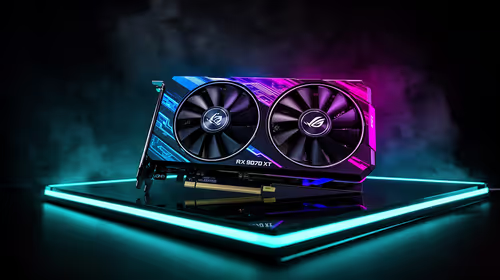
Fix Dead pixel checks on RX 9070 XT build
Dead pixel on RX 9070 XT build needs careful display-chain checks, not a single-part blame. Test the screen, cable, port, scaling, drivers, and setup context before replacing hardware.
Read moreHunting for the best budget PC cases? You don't need to overspend to get great airflow and aesthetics. 💰 Explore our top picks for affordable gaming cases that feature tempered glass and RGB without breaking the bank. 🚀

Building a new gaming rig in South Africa? It’s easy to get hyped about a powerful GPU or a lightning-fast CPU. But what about the home for all that hardware? Skimping on the case can lead to a thermal nightmare, throttling your performance when the action heats up. The good news? You don’t need to spend a fortune. Finding the best budget PC cases with excellent style and airflow is easier than you think.
Let's be honest, a slick-looking case is a huge plus. But beyond aesthetics, the primary job of a PC case is to protect your valuable components and, most importantly, keep them cool. A well-designed chassis promotes airflow, preventing your parts from overheating and ensuring they last longer and perform better.
The first step is ensuring compatibility. Your case needs to fit your motherboard's form factor, whether it's a full-size ATX, a compact Micro-ATX, or a tiny Mini-ITX. Choosing from a selection of quality Intel and AMD motherboards will help you determine the case size you need, which is the foundation of your entire build.
When you're hunting for an affordable PC chassis, a few key features separate the champs from the cheap knock-offs. Focusing on these will give you the best performance for your Rand.
Modern components generate a lot of heat. The single most important feature for a performance-focused build is airflow. Look for cases with a mesh front panel, as this allows fans to draw in cool air far more effectively than a solid or glass front. Many of the best budget PC cases now come with pre-installed fans, but check if there's room to add more later.
Great airflow also gives your other cooling hardware room to breathe. The size of your case will determine which CPU coolers you can install, so always check the maximum cooler height specification.
That massive new graphics card won't do you much good if it doesn't physically fit. Before you buy a case, check its maximum GPU length. This is crucial for high-end NVIDIA and AMD graphics cards, which are often quite long. You'll also want to ensure there's enough clearance for your RAM modules, especially if you're planning on using a large air cooler that might overhang the DIMM slots.
Before buying a case, always double-check the maximum supported GPU length, CPU cooler height, and radiator size. Cross-reference these specs with the components you own or plan to buy. A few minutes of checking can save you hours of frustration and the pain of a return.
A messy interior doesn't just look bad; it can restrict airflow. A good budget case will have features to make building easier and cleaner. Look for a power supply shroud to hide the PSU and extra cables, along with routing channels and tie-down points behind the motherboard tray. This makes it much simpler to manage cables from your power supply unit, resulting in a build that looks professional and runs cooler. ✨
Choosing an affordable PC case is a brilliant move because it frees up cash for the parts that directly impact your frame rates. Every Rand saved on the chassis is a Rand you can put towards a faster processor or a more powerful graphics card.
One of the smartest ways to get top-tier performance on a budget is by looking at upgrade kits and component bundles, which often package a CPU, motherboard, and RAM at a fantastic price. Once you have your core components, you can confidently browse the full range of budget-friendly computer cases to find one that fits your parts, your style, and your wallet perfectly. 🚀
Ready to Build Your Masterpiece? A great case is just the beginning. Now that you know what to look for, bring your vision to life by pairing the perfect components with your chosen chassis. Use the Evetech PC Builder to create a balanced, powerful rig from the ground up.
Look for chassis with mesh front panels. The Antec NX series and Montech options are often cited as the best budget PC cases for maximizing cooling performance.
Yes, many affordable gaming cases include 1 to 3 pre-installed fans. Always check the spec sheet to see if you need to purchase additional cooling.
Most budget mid tower cases support standard GPUs, but you must check the maximum GPU length clearance against your graphics card dimensions before buying.
Modern value pc chassis have improved significantly, often using decent steel gauges and tempered glass, providing good durability for the price.
Many budget chassis support 240mm AIO radiators, usually front or top-mounted. Verify radiator support in the manual for specific affordable gaming cases.
While tighter than premium towers, the best budget PC cases now feature PSU shrouds and ample tie-down points to keep your build looking clean and professional.
Dead pixel on RX 9070 XT build needs careful display-chain checks, not a single-part blame. Test the screen, cable, port, scaling, drivers, and setup context before replacing hardware.
Read more
Genshin Impact anti-cheat error on RTX 4090 usually needs service, permissions, overlay, and file integrity checks. Use this SA-focused fix path to isolate launch blockers before reinstalling or changing security settings.
Read more
Mass Effect launch trouble on RX 7800 XT needs focused driver, settings, launcher, and heat checks. Use this SA-friendly guide to isolate the likely cause, protect saves, and return to smoother play without unsupported hardware claims.
Read more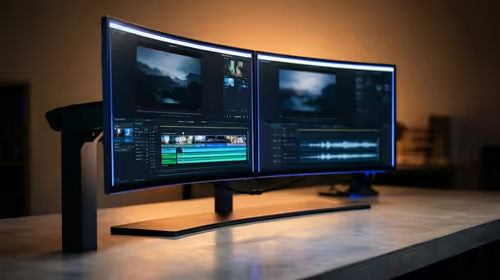
144Hz 1440p setup for video editing in 1080p - what SA needs a balanced, cautious look before buying. Compare fit, budget, workload, warranty support, and upgrade room so the choice makes sense for South African buyers.
Read more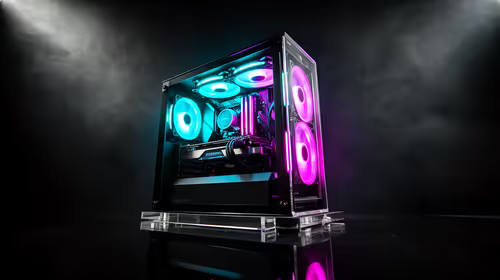
R8,000 gaming PC build in KwaZulu-Natal needs a practical check before you shortlist anything. Compare fit, compatibility, warranty support, timing, and total setup balance for South African buyers.
Read more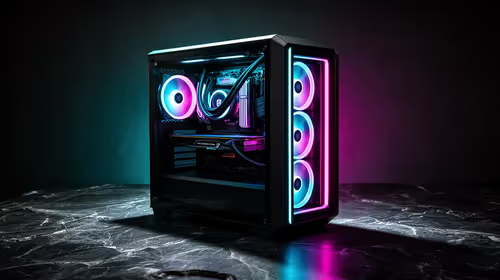
Brits video editing in 4K build under R20,000 needs a balanced parts plan, not a random basket. Map the CPU, GPU, RAM, SSD, cooling, and monitor target to the budget so SA builders know where to spend first.
Read more
Windows never combine taskbar shows separate labelled buttons for open windows. Choose it in Taskbar behaviours, then review space and other-display settings; labels and grouping are linked in the available options.

8BitDo Ultimate 3C+ brings adjustable stick tension to the C Series. Windows uses wired USB or the 2.4 GHz adapter; Android uses Bluetooth. Confirm those modes and local pricing before buying.

EPOMAKER Galaxy75 previews an aluminium 75% keyboard with wireless modes and HUB/VIA customisation. It is still marked coming soon; final pricing and South African supply are not confirmed.

Windows Delivery Optimisation can share update files with other PCs. Review its activity, choose local-only sharing or turn peer sharing off, and use bandwidth controls; those choices do not disable Windows Update.
Windows never combine taskbar shows separate labelled buttons for open windows. Choose it in Taskbar behaviours, then review space and other-display settings; labels and grouping are linked in the available options.
Windows Delivery Optimisation can share update files with other PCs. Review its activity, choose local-only sharing or turn peer sharing off, and use bandwidth controls; those choices do not disable Windows Update.

Windows touch indicator adds visual feedback where you touch a screen. Change it in Accessibility, Mouse pointer and touch; a feedback circle is different from inaccurate input, ghost touches or a damaged panel.

Windows underline access keys makes supported menu letters easier to see. Enable the keyboard accessibility option, then follow the app's displayed Alt cues; this does not remap keys or create missing app shortcuts.

Windows Task View button visibility is a taskbar preference. Hide it in Taskbar settings if you prefer Windows plus Tab, and keep virtual desktop switching separate from closing your applications.

Windows taskbar search box display options can free space without removing search. Choose Hide, an icon or a box in Taskbar settings, then use Windows plus S when you need to search.

Windows text suggestions can offer word choices while you type with a physical keyboard. Enable the setting under Typing, test a supported app, and keep suggestions separate from automatic corrections.

Windows autocorrect settings and application spelling tools are separate controls. Change one at a time, test a harmless sentence, and keep useful spelling highlights if automatic replacements get in your way.