


Clean Gaming Keyboard: Guide for Dusty & Humid Conditions
Clean gaming keyboard quickly and safely in dusty or humid conditions with step-by-step tips, tool checklist, and maintenance routines to prevent corrosion and switch failure. 🧼💨
Read moreBest CPU Air Cooler for Gaming PC: Learn how to choose the right cooler—match TDP, socket, case clearance and noise to boost performance and longevity. 🔧❄️
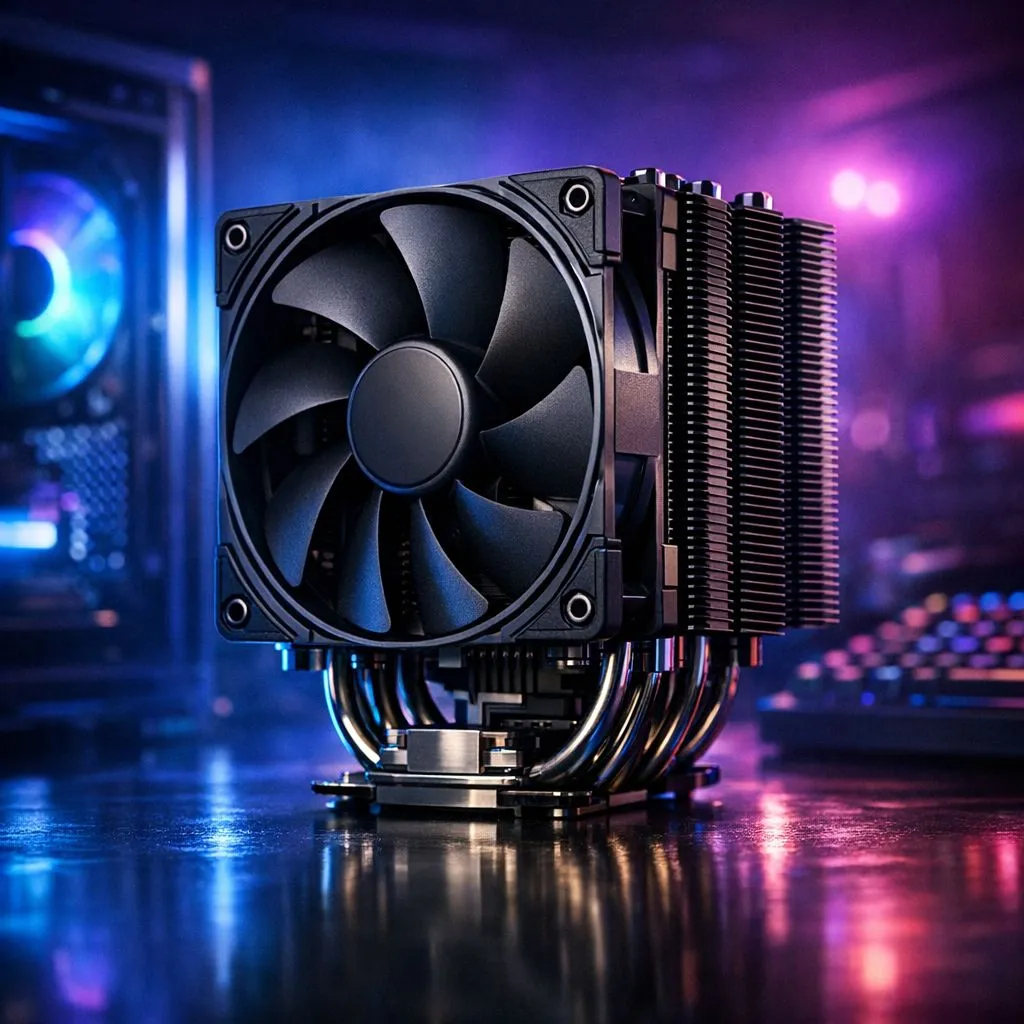
Is your gaming PC starting to sound like it’s preparing for takeoff during a heated Apex Legends match? That’s your stock CPU cooler screaming for help. Choosing the best CPU air cooler for your gaming PC isn’t just about silencing that racket; it’s about unlocking the performance you paid for. A hot CPU throttles, dropping your frame rates when you need them most. Let’s fix that and keep your processor frosty. 🧊
Your CPU is the brain of your rig, and just like ours, it works best when it's cool. When you're pushing it hard in games like Baldur's Gate 3 or Cyberpunk 2077, it generates a serious amount of heat. If the stock cooler can't dissipate that heat fast enough, your CPU protects itself by slowing down… a process called thermal throttling.
This is the number one enemy of smooth gameplay. Finding the best gaming PC air cooler for your setup means:
Picking the right cooler isn't just about grabbing the biggest one. You need to match it to your specific CPU and case. Here’s what to look for.
This is the most critical spec. TDP measures the maximum amount of heat a component generates. Your cooler's TDP rating must be equal to or, ideally, higher than your CPU's TDP. Running an Intel Core i9 or AMD Ryzen 9? You’ll need a cooler with a high TDP rating to handle the load. You can explore a wide variety of CPU coolers to match any processor's needs.
CPU sockets change every few generations. A cooler that fits an older AMD AM4 socket won't necessarily fit a new AM5 socket without a specific bracket. Always double-check that the cooler explicitly lists support for your motherboard's socket (e.g., LGA 1700 for modern Intel CPUs).
buying a massive dual-tower cooler, check two critical clearances: RAM height and case width. Tall RGB RAM sticks can physically block the cooler's fan or heatsink. Similarly, a tall cooler might prevent you from closing your case side panel. Check the cooler's height spec against your case's max CPU cooler height spec on its product page.
For most builds, a high-performance single-tower air cooler offers the perfect balance of performance, size, and value. They are easier to install and have excellent compatibility.
Dual-tower coolers, with two heatsink stacks and often two fans, are designed for enthusiasts looking to overclock high-end CPUs. They offer maximum cooling potential but are larger, heavier, and require more careful planning around case and RAM clearance.
When you start shopping, you'll see a few names pop up repeatedly. The most popular and effective models often use quiet and efficient 120mm fans, which provide a great mix of airflow and low noise.
In the South African market, brands like Deepcool have become legendary for their performance and reliability, with models that compete with the best in the world. At the same time, value-focused brands like EINAREX are making a name for themselves by offering excellent cooling without breaking the bank. ✨
Choosing the best CPU air cooler for your gaming PC is one of the most satisfying upgrades you can make. It’s a simple change that delivers noticeable results in performance, acoustics, and peace of mind.
Ready to Chill Out and Level Up? Don't let your CPU throttle its way through another boss fight. The best CPU air cooler for your gaming PC is waiting. Browse our massive range of CPU Coolers and unlock your rig's true potential.
Match cooler TDP to your CPU, confirm socket and case clearance, check fan noise and fan curve, and consider headroom for overclocking.
High-end air coolers can handle moderate overclocks; for extreme overclocking or limited space consider AIO. Compare air cooler vs aio for gaming.
Tall tower coolers with strong heatpipe contact and high CFM suit Ryzen CPUs—search best air cooler for ryzen gaming for model picks.
Measure maximum CPU cooler height in your case and RAM clearance—allow a 5–10mm safety margin and check tall tower air cooler compatibility.
Low-profile coolers work for compact builds and lower TDP chips; for high-TDP gaming CPUs choose a full tower air cooler for better cooling.
Top air coolers typically run 20–35 dBA under load; larger fans and better bearings give quieter results—see quiet air cooler for gaming PC options.
Yes. Follow the mounting guide, apply thermal paste, secure the backplate and verify socket compatibility—check cpu cooler mounting socket compatibility tips.
Clean gaming keyboard quickly and safely in dusty or humid conditions with step-by-step tips, tool checklist, and maintenance routines to prevent corrosion and switch failure. 🧼💨
Read more
Best gaming keyboard features to prioritize when building a high-end setup: mechanical switches, low latency, hot-swap, RGB, macros, durability and ergonomics 🎮⌨️
Read more
Custom actuation point keyboard setup guide: learn to set per-key actuation on your analog gaming keyboard for faster, precise inputs and better control 🎮⚙️
Read more
Cable management for home entertainment helps you eliminate cable clutter quickly and safely. Learn routing, concealment, and product picks to tidy your setup fast 📺🔌
Read more
conference room setup Microsoft Teams Zoom: Upgrade AV, camera, mic, and network to ensure seamless meetings, clear audio, and crisp video 🎯🔧
Read more
• Audit setup • Link accounts • Configure ViewBoard • Test workflows Integrate Google Workspace with ViewSonic ViewBoard to enable secure SSO, calendar and Drive sync, and smooth collaborative whiteboarding 🔗📋
Read more
Discover webcams that automatically adjust light and color for crystal-clear video calls 🎥✨. Boost your streaming quality today!
Read more
Discover webcams that blend into your workflow 🎯 Capture moments while you work, stream, or create. Upgrade your setup with smart, multitasking tech!
Read more
Dedicated media keys give streamers one-touch control to mute, switch scenes, clip highlights, and adjust audio — cutting task time and boosting consistency 🎛️⚡
Read more
Checklist: 1) Map keyboard actuation depth to genres 2) Step-by-step adjust settings 3) Test and tune for performance 🎮⌨️ Learn keyboard actuation depth for FPS, MOBA, RTS, and RPG to improve response and accuracy.
Read more
Optical switches deliver faster actuation and lower latency than traditional mechanical switches, using light-based triggers and minimal debounce to boost gaming and typing performance ⚡⌨️
Read more Clean gaming keyboard quickly and safely in dusty or humid conditions with step-by-step tips, tool checklist, and maintenance routines to prevent corrosion and switch failure. 🧼💨
Read more