



Fix Dead pixel checks on RX 9070 XT build
Dead pixel on RX 9070 XT build needs careful display-chain checks, not a single-part blame. Test the screen, cable, port, scaling, drivers, and setup context before replacing hardware.
Read moreUnlock the secrets of budget PC cooling and learn how to maximize your rig's performance without breaking the bank. We dive into the science of airflow, CPU coolers, and case fans to help you build a cool and quiet gaming machine. 🌬️💻 Get ready to master thermal management!
Is your PC sounding like a jet engine during a tense Apex Legends match? We’ve all been there. As your components work overtime, heat builds up, and suddenly your performance tanks. But you don't need a massive budget to fix it. Mastering the science of budget PC cooling is your secret weapon to unlocking smoother frame rates and a quieter rig. Let's dive into the simple, affordable ways to keep those temperatures in check. 🌡️
Ever noticed your game stuttering after an hour of play, even on a decent rig? That's likely thermal throttling. It's your computer's self-defence mechanism. When your CPU or GPU gets too hot, it automatically slows down to prevent damage. The result? Lower FPS and a frustrating gaming experience.
Effective cooling isn't just for high-end builds; it's crucial for getting the most out of any hardware. Proper PC cooling ensures your components can run at their peak speeds for longer, giving you the consistent performance you paid for. It's the foundation of any reliable build, a principle we apply to all our best gaming PC deals.
Before you spend a single Rand, understanding airflow is key. Think of your PC case as a wind tunnel. You want a clear, consistent path for cool air to enter, flow over your hot components, and then exit. This is the absolute cornerstone of budget PC cooling.
For most builds, a slight positive pressure is ideal. Start by ensuring you have intake fans at the front or bottom and exhaust fans at the back or top. Heat rises, so this path works with natural convection. This simple principle is vital, especially for many budget gaming PCs where every degree counts.
Not sure which way your fans are blowing? Shut down your PC, hold a small piece of tissue paper near the fan grill, and power it on. If the tissue is sucked towards the fan, it's an intake. If it's blown away, it's an exhaust. This is a quick and easy way to map your case's airflow.
Once your airflow is optimised, a few strategic hardware upgrades can make a massive difference without emptying your wallet.
The stock cooler that came with your CPU is designed to be "just good enough." For a few hundred Rand, a budget tower air cooler can dramatically lower your CPU temperatures. Brands like Cooler Master and Deepcool offer fantastic options that provide quieter operation and much better thermal performance, giving your processor the headroom it needs to boost higher and longer. This is often the single most effective upgrade for PCs under R20k.
Your case might have come with fans, but they're often basic models. Upgrading to a set of two or three quality fans focused on high airflow or static pressure (for pushing air through radiators or tight spaces) can significantly improve the overall temperature inside your case. While systems above R20k often feature premium fans, this is a cost-effective way to bring that level of performance to a more affordable build.
Looking for immediate results? Try these tips that won't cost you anything.
If you've tried everything and your PC is still running hot, it might be time to consider a system built from the ground up with thermals in mind. Our range of pre-built PC deals are professionally assembled and tested to ensure optimal airflow and cooling right out of the box.
Ready for a Cooler, Faster PC? The science of PC cooling is the key to unlocking your hardware's true potential. If you'd rather leave the thermal paste and fan curves to the pros, we've got you covered. Explore our massive range of gaming PCs and find a perfectly optimised machine built to conquer the heat.
For most budget CPUs at stock speeds, the included cooler is adequate. However, for lower temps, less noise, and potential overclocking, a dedicated budget tower cooler is a great upgrade.
You can improve budget PC airflow by tidying up internal cables to clear pathways. Also, ensure your PC has space around it and regularly clean dust filters and fans for optimal performance.
A solid baseline for a budget gaming PC is two case fans: one for intake at the front and one for exhaust at the rear. This creates a simple but effective airflow path to cool components.
Both are vital. A good CPU cooler directly cools the processor, while case fans supply it with cool air and exhaust hot air, preventing heat from building up inside the case.
While some affordable All-in-One (AIO) liquid coolers exist, a high-quality budget air cooler often provides better value, reliability, and comparable performance for the price.
Positive pressure (more intake fans) helps reduce dust buildup. Negative pressure (more exhaust fans) excels at removing heat but can pull dust through unfiltered gaps in the case.
Dead pixel on RX 9070 XT build needs careful display-chain checks, not a single-part blame. Test the screen, cable, port, scaling, drivers, and setup context before replacing hardware.
Read more
Genshin Impact anti-cheat error on RTX 4090 usually needs service, permissions, overlay, and file integrity checks. Use this SA-focused fix path to isolate launch blockers before reinstalling or changing security settings.
Read more
Mass Effect launch trouble on RX 7800 XT needs focused driver, settings, launcher, and heat checks. Use this SA-friendly guide to isolate the likely cause, protect saves, and return to smoother play without unsupported hardware claims.
Read more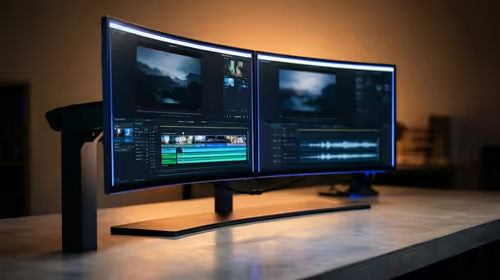
144Hz 1440p setup for video editing in 1080p - what SA needs a balanced, cautious look before buying. Compare fit, budget, workload, warranty support, and upgrade room so the choice makes sense for South African buyers.
Read more
R8,000 gaming PC build in KwaZulu-Natal needs a practical check before you shortlist anything. Compare fit, compatibility, warranty support, timing, and total setup balance for South African buyers.
Read more
Brits video editing in 4K build under R20,000 needs a balanced parts plan, not a random basket. Map the CPU, GPU, RAM, SSD, cooling, and monitor target to the budget so SA builders know where to spend first.
Read more
Windows never combine taskbar shows separate labelled buttons for open windows. Choose it in Taskbar behaviours, then review space and other-display settings; labels and grouping are linked in the available options.

8BitDo Ultimate 3C+ brings adjustable stick tension to the C Series. Windows uses wired USB or the 2.4 GHz adapter; Android uses Bluetooth. Confirm those modes and local pricing before buying.

EPOMAKER Galaxy75 previews an aluminium 75% keyboard with wireless modes and HUB/VIA customisation. It is still marked coming soon; final pricing and South African supply are not confirmed.

Windows Delivery Optimisation can share update files with other PCs. Review its activity, choose local-only sharing or turn peer sharing off, and use bandwidth controls; those choices do not disable Windows Update.
Windows never combine taskbar shows separate labelled buttons for open windows. Choose it in Taskbar behaviours, then review space and other-display settings; labels and grouping are linked in the available options.
Windows Delivery Optimisation can share update files with other PCs. Review its activity, choose local-only sharing or turn peer sharing off, and use bandwidth controls; those choices do not disable Windows Update.

Windows touch indicator adds visual feedback where you touch a screen. Change it in Accessibility, Mouse pointer and touch; a feedback circle is different from inaccurate input, ghost touches or a damaged panel.

Windows underline access keys makes supported menu letters easier to see. Enable the keyboard accessibility option, then follow the app's displayed Alt cues; this does not remap keys or create missing app shortcuts.

Windows Task View button visibility is a taskbar preference. Hide it in Taskbar settings if you prefer Windows plus Tab, and keep virtual desktop switching separate from closing your applications.

Windows taskbar search box display options can free space without removing search. Choose Hide, an icon or a box in Taskbar settings, then use Windows plus S when you need to search.

Windows text suggestions can offer word choices while you type with a physical keyboard. Enable the setting under Typing, test a supported app, and keep suggestions separate from automatic corrections.

Windows autocorrect settings and application spelling tools are separate controls. Change one at a time, test a harmless sentence, and keep useful spelling highlights if automatic replacements get in your way.