No spare SATA port, no spare cable, a laptop with one drive bay: none of it stops you from learning how to clone hdd to ssd without sata cable. The new SSD simply connects over USB through an adapter lead, a dock or an enclosure, while the old drive keeps running the machine. Cloning software then copies everything across, and you swap the drives once it finishes.
Quick Answer
Plug the new SSD into a USB 3 port using a USB-to-SATA adapter (roughly R150 to R400), a docking station (R400 to R1,200) or an M.2 enclosure (R250 to R700). Run cloning software, wait for the copy to finish, then swap the drives and boot. A 500GB clone over USB 3 usually takes 30 to 90 minutes.
🔌 Pick the connection that matches your SSD
Work out what shape of SSD you are holding before you buy anything else. A 2.5-inch SATA SSD needs a USB-to-SATA adapter lead or a dock with a slot for 2.5-inch drives. An M.2 SSD needs an enclosure, and the enclosure must match the drive: SATA M.2 and NVMe M.2 use different interfaces, so read the label on the SSD itself.
Whatever you choose, it must be USB 3.0 or faster, and it must go into a blue or USB-C port on your PC. A USB 2 link tops out near 35MB/s in real use, which turns a 256GB clone into an evening-long job and risks the connection dropping partway.
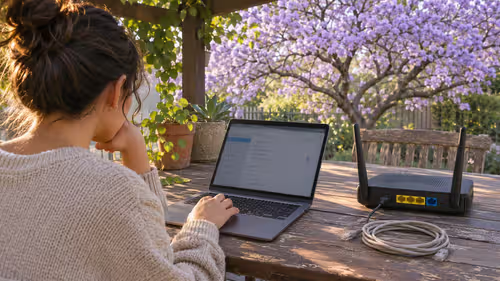
Laptops are the classic case. Most have one bay and one USB cable's worth of free port, so the external route is the only route. Browse the internal SSDs first, then buy the adapter or enclosure that suits your pick.
🧰 Prepare the old drive before you start
Cloning copies used space, but the new SSD must be able to hold it. If your old drive is 1TB with 280GB used, a 512GB SSD is enough, and good cloning tools shrink the big partition to fit. If the SSD is smaller than the data, move photos and video to an external drive first.
Spend ten minutes on housekeeping:
- Run Disk Cleanup and uninstall games you no longer play.
- Open Disk Management (right-click Start) and note whether the old drive is GPT or MBR.
- Download a cloning tool. Many SSD makers offer a free one, and well-known free options also exist.
- Plug the laptop into mains power, as a flat battery mid-clone corrupts the copy.
If the old drive is already struggling, run a quick health check first. Clicking noises or very slow reads are a sign to copy your files out by hand as well.
💽 Run the clone, step by step
Connect the SSD over USB. If Windows asks to initialise it, you can say yes, but the cloning tool will overwrite its contents anyway, so make sure the new SSD is empty.
Open the cloning software and choose the old drive as the source and the USB-connected SSD as the destination. Triple-check which is which; a clone in the wrong direction wipes your data. Tick the option to copy all partitions, including the small recovery and boot ones, and choose to resize the main partition if the SSD is a different size.
Start the clone and leave the PC alone. Most tools show a progress bar and an estimate. Once it reports success, shut the PC down completely rather than restarting.
Swap and boot
For a desktop, fit the SSD in the old drive's place or an extra bay, then look in the BIOS boot menu and make the SSD the first boot device. For a laptop, open the bottom panel, remove the old drive, fit the SSD in its place and close it up. Have a screwdriver set ready, and mind the thin ribbon cables on laptop bays.
If it boots into Windows, open Disk Management and confirm the main partition shows the full SSD size. If space is left unallocated, right-click the partition and choose Extend Volume.
🇿🇦 Making it easier on South African data and hardware
A clone happens entirely between your two drives, so it uses no mobile data. That matters if you work from a capped LTE line or a shared fibre connection where a fresh Windows install plus updates would eat several gigabytes.
For students in res or digs, the same adapter doubles as a portable drive later. Slide the old hard drive into the USB adapter after the swap and you have a handy backup disk for assignments and photos. Keep it in a padded pouch, since dust on the Highveld and bumpy taxi rides are hard on spinning drives.
For fast external storage that is already housed, have a look at the external SSD range as well.
Frequently Asked Questions
What replaces the SATA cable for cloning?
A USB-to-SATA adapter lead, a docking station or a USB enclosure. The new SSD plugs in over USB while the old drive stays installed and running.
Can I clone without any software?
Windows has no real cloning tool, but you can create a system image backup and restore it onto the SSD from recovery. Some docks also clone offline with a button press.
Can I avoid reinstalling Windows?
Yes. A clone keeps your apps, files and settings exactly as they were. A clean install is only worth it if the old system is damaged or messy.
Will an M.2 SSD clone the same way?
Yes, using an M.2 enclosure over USB, as long as your PC has a matching slot. SATA and NVMe M.2 drives are not interchangeable in every slot, so check your board or laptop first.
Does cloning use up my data?
No. Everything is copied locally between the two drives, which helps on capped LTE.
What if the USB adapter is slow?
Check that the adapter is USB 3 and that it sits in a USB 3 port. A USB 2 connection can stretch the job from one hour to many hours.
Ready to give your old PC a faster drive?
Pick an internal SSD in the right size and format for your machine, then add a USB adapter or enclosure to copy your system across without opening a second bay.