



How to make a new SSD your primary drive
A primary drive is the one your PC boots from, so install or clone Windows onto the new SSD, then set it first in the BIOS boot order. Afterwards, move your user folders and save locations across.
Read moreDownload Creality Print from Creality's official site, run the installer, then pick your printer model. The installer is a large file, so use fibre rather than a capped South African LTE bundle. Sign in to Creality Cloud only for its model library and remote tools.
Installing Creality Print takes about ten minutes: download the installer from Creality's official site, run it, and choose your printer in the setup wizard. Treat the Creality Cloud app for PC as an optional extra for the model library and remote tools, not as a requirement for slicing. Use fibre for the download, because the installer is big.
Download Creality Print from Creality's official website, run the installer as administrator on Windows 10 or 11, then pick your exact printer model. Expect a file of a few hundred megabytes, so avoid a capped LTE bundle. You only need a Creality Cloud account for uploads and remote printing, not for local slicing.
Creality Print is the slicer, the program that turns a 3D model into G-code for the printer. Creality Cloud is the online side: a library of shared models, a place to store projects, and remote monitoring.
Go straight to Creality's official site and its download page. Avoid reposted installers on file-sharing sites, because they can be outdated or bundled with extras you did not ask for. Choose the Windows version, or the macOS one if that is what you run.
Check your free space first. A few gigabytes spare is comfortable, since slicing large models writes temporary files. For South African homes sharing a fibre line, start the download when nobody is streaming. On a capped LTE bundle, wait until you can get on a Wi-Fi or fibre connection.
Open the downloaded file. Windows may ask for permission, and you should allow it. Pick an install folder, accept the default unless your system drive is full, and let the setup finish.
If the installer refuses to start, three quick checks help. Right-click the file and choose Run as administrator. Pause your antivirus for a minute, since new installers sometimes get flagged by mistake. And confirm you are on a current Windows build with updates installed.
After the install, launch Creality Print and wait for the first-run screen. It can take a little while on an older hard drive, so be patient. A PC with an SSD opens the program in a few seconds.
The setup wizard lists printer models. Choose your exact model, such as an Ender 3 V2 or a K1, because bed size, nozzle and speed limits differ. Confirm the nozzle diameter, typically 0.4 mm, and the filament type, for example PLA.
Import a model by dragging an STL file into the window. Rotate it so the flattest face sits on the bed, check the layer height of 0.2 mm, and press Slice. Save the G-code to a microSD card, slot it into the printer, and start the job from the printer's menu.
Keep a spare card around. The tiny cards fail more often than people expect, and replacing one is cheaper than losing a long print. Format the card as FAT32 if the printer cannot see it, and keep file names short and free of odd symbols. Eject the card properly from Windows before pulling it out, since a half-written file is a common cause of a print that stops on layer one.
Local slicing works without an account. Sign in only if you want cloud features: browsing and downloading shared models, saving projects online, or sending files to a printer that supports remote jobs.
If you do sign in, use a password you do not use elsewhere. Cloud models come from other users, so check size and orientation in the preview before printing. A model may look right and still need supports.
Update the slicer now and then, since profile fixes for printers arrive in new releases. Once you are set up, restock with 3D printing filament, or browse 3D printers if you plan to add a second machine.
Only from Creality's official website or its linked store pages. Reposted installers may be outdated or bundled with extras.
Yes. Creality Print is the slicer on your PC, while Creality Cloud is the online library with remote control options.
Not for local slicing. An account is only needed for cloud features such as uploads and remote jobs.
Installers run to a few hundred megabytes, so watch your balance. Fibre or uncapped Wi-Fi avoids draining an LTE bundle.
Open the setup wizard, choose your exact model, and confirm the nozzle and filament. Then import a model, slice and save to the SD card.
Run it as administrator, check your Windows version and free disk space, and allow it through antivirus if it was blocked.
Ready to slice your first model? Find a 3D printer and fresh filament in the Evetech categories, install the slicer on fibre, and send your first job to the card.
Only from Creality's official website or its linked store pages. Reposted installers may be outdated or bundled with extras.
Yes. Creality Print is the slicer on your PC, while Creality Cloud is the online library with remote control options.
Not for local slicing. An account is only needed for cloud features such as uploads and remote jobs.
Installers run to a few hundred megabytes, so watch your balance. Fibre or uncapped Wi-Fi avoids draining an LTE bundle.
Open the setup wizard, choose your exact model, and confirm the nozzle and filament. Then import a model, slice and save to the SD card.
Run it as administrator, check your Windows version and free disk space, and allow it through antivirus if it was blocked.
A primary drive is the one your PC boots from, so install or clone Windows onto the new SSD, then set it first in the BIOS boot order. Afterwards, move your user folders and save locations across.
Read more
Wear nitrile gloves and eye protection, wash prints in isopropyl alcohol, then cure them under UV light. Uncured resin is a skin irritant, so work in a ventilated room. Never pour resin or dirty alcohol down a drain; cure the waste first.
Read more
After a fall, check whether the laptop is still running behind a black screen: shine a torch at the display and plug in an external monitor. A picture on the monitor means a damaged panel or cable. Switch off if you smell burning, and back up your data.
Read more
A Lenovo that will not turn on usually has a flat battery, a charger fault or a frozen power state. Check the charger and socket, then try the forced reset or the small Novo pinhole button that many Lenovo models carry beside the power button.
Read more
Download the touchpad driver from Lenovo's support site using your exact machine type, then install it and restart. Remove the old device first in Device Manager if the pad is misbehaving. Windows Update is a fallback, not the first choice.
Read more
A flickering laptop screen is usually a graphics driver glitch, a wrong refresh rate or a power-saving feature, though a worn hinge cable also causes it. Update the display driver, reset the refresh rate and test an external monitor to split software from hardware.
Read more
Yes: the Promate ProLink4K60 cables carry 18Gbps for 4K at 60Hz, while the Promate PrimeLink8K-300 carries 48Gbps. In a small flat, a lounge TV and a desk monitor can each run a different one.

The RTX 3070 Ti is a newer, faster tier than the RX 5700 XT and adds ray tracing and DLSS, which the Radeon lacks. It also draws more power, near 290W against 225W, so check the PSU and case airflow.

The GTX 1660 Ti laptop GPU has 6GB and usually outpaces the RX 5500M, but both vary a lot with each laptop's power limit. You cannot upgrade either, so compare the exact laptop model, its cooling and its memory configuration before paying.

Put both buds back in the case, forget them on your phone, then reset them so they pair to each other first. Many sets pair the left and right buds before the phone sees them. A missed reset leaves one bud silent or the pair in a loop.

Restart the phone, reseat the physical SIM, then cross-test with another compatible handset or SIM. Use a spare compatible phone or ask your South African network to test the card before replacing hardware.

Use the full laptop model or machine type to look up the approved Lenovo charger and compare its plug and electrical ratings. Check the approved part and the intended workload before spending money on a replacement adapter.

Open Task Manager and check CPU usage, then test the laptop on a hard surface with the vents clear. Check workload and airflow before buying a cooling pad or replacing the laptop.
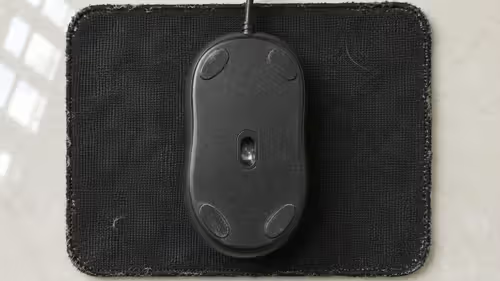
Test your mouse on a matte pad or plain paper, then check the sensor and try a direct USB connection. Use a surface you already own to isolate the problem before shopping for a new mouse.
The RTX 4090 is the faster, more expensive card; both carry 24GB, but the 4090 draws about 450W against roughly 355W. The 4090 uses a 12VHPWR connector and a very large cooler, so check PSU cabling and case space first.
The RTX 2070 Super is far quicker than an RX 580 8GB, so this is a question of ambition rather than rivalry. An RX 580 handles 1080p esports well. The 2070 Super reaches 1440p and ray tracing, but asks for a stronger power supply.
A GTX 670 is a 2012 desktop card that needs a power supply, a slot and a big cooler, while Vega 8 is integrated graphics inside a Ryzen chip. In raw speed the 670 can still compete, but its drivers and power appetite make Vega 8 the sensible modern option.

Bone conduction is better for awareness, earbuds are better for sound. Bone conduction sends vibration through your cheekbones and leaves your ears open, which suits Cape Town road runners who must hear traffic. Earbuds seal the ear and win on bass and noise blocking.