



How to make a new SSD your primary drive
A primary drive is the one your PC boots from, so install or clone Windows onto the new SSD, then set it first in the BIOS boot order. Afterwards, move your user folders and save locations across.
Read moreAfter a fall, check whether the laptop is still running behind a black screen: shine a torch at the display and plug in an external monitor. A picture on the monitor means a damaged panel or cable. Switch off if you smell burning, and back up your data.

A laptop that hits the floor and wakes up with a black screen has not necessarily died. After a fall, the real question is whether the laptop is still running behind the dark glass, and laptop fell down display not working can be answered with a torch, an HDMI cable and about ten minutes.
First, switch off if you smell burning or see swelling. Otherwise look for a power light, fan noise or a backlit keyboard, then plug the laptop into a monitor or TV. A picture there means the board survived and the panel or its cable is damaged. A repair is worth quoting if it costs well under half of a new laptop, which start near R8,000.
Look for signs of life before you try anything else:
Now try the torch trick. In a dim room, shine a phone torch into the dark screen at a shallow angle. A faint image of the desktop or login screen means the panel itself works and only the backlight has failed, which is a smaller repair than a new panel.
If you see nothing at all and there is no light or fan, the battery or board may have taken the knock. Hold the power button for 30 seconds, plug in the charger alone and try once.
Connect an HDMI or USB-C cable from the laptop to a TV or monitor, then press Windows+P and pick Duplicate. Give it twenty seconds to detect the screen.
If the desktop shows on the TV, the processor, memory and graphics survived, which is the most expensive part to lose. Your files are safe and only the screen assembly needs replacing. If the TV shows nothing either, the problem is deeper, such as the board, the memory or the graphics chip, and a technician has to open the laptop.
Use the external screen to copy your important files to a USB drive or cloud storage right away, before anything else fails.
Drops tend to hit the same few parts:
Signs that point to a loose cable include flicker when you move the lid, and a screen that works at one angle. A technician can often reseat or replace the cable cheaply. Damage to the panel itself costs more, and the price varies by size and resolution, so ask for a written quote before agreeing.
A torch-test failure, a cracked pattern and a drop from desk height at the Gautrain platform or in a taxi are all common stories, and the checks above work for each of them.
Ask what repair, parts and time cost, and compare it with a replacement. If the laptop is more than four or five years old, or the quote nears half the price of a new machine, replacing is often the sensible route. Browse Intel gaming laptops for power, or the laptop best sellers for general use. Pull the drive out or copy your files first so that nothing is lost.
Look for a power light, fan noise or a keyboard backlight. Shine a torch at the glass at an angle: a faint image means the panel works and only the backlight failed.
Plug the laptop into a monitor or TV by HDMI and press Windows+P. If the picture appears there, the board and graphics survived and the screen needs repair.
No. Repeated attempts can stress a damaged board or battery. Power it down, unplug the charger and have it checked, especially if it smells hot or burnt.
Yes. The flat display cable and hinge area take the force of a drop and can pull loose, giving a black or flickering screen when the lid moves.
Connect an external monitor to read the desktop, then copy files to a USB drive or cloud. If nothing shows, a technician can remove the drive and copy it.
Often not. If the quote is close to half the cost of a new machine, a replacement gives you a fresh battery and a longer working life.
Ready to replace a laptop that did not survive the fall? Browse the Evetech laptop range to compare sturdy builds, screen sizes and processors, and find a machine that fits your budget.
Look for a power light, fan noise or a keyboard backlight. Shine a torch at the glass at an angle: a faint image means the panel works and only the backlight failed.
Plug the laptop into a monitor or TV by HDMI and press Windows+P. If the picture appears there, the board and graphics survived and the screen needs repair.
No. Repeated attempts can stress a damaged board or battery. Power it down, unplug the charger and have it checked, especially if it smells hot or burnt.
Yes. The flat display cable and hinge area take the force of a drop and can pull loose, giving a black or flickering screen when the lid moves.
Connect an external monitor to read the desktop, then copy files to a USB drive or cloud. If nothing shows, a technician can remove the drive and copy it.
Often not. If the quote is close to half the cost of a new machine, a replacement gives you a fresh battery and a longer working life.
A primary drive is the one your PC boots from, so install or clone Windows onto the new SSD, then set it first in the BIOS boot order. Afterwards, move your user folders and save locations across.
Read more
Wear nitrile gloves and eye protection, wash prints in isopropyl alcohol, then cure them under UV light. Uncured resin is a skin irritant, so work in a ventilated room. Never pour resin or dirty alcohol down a drain; cure the waste first.
Read more
Download Creality Print from Creality's official site, run the installer, then pick your printer model. The installer is a large file, so use fibre rather than a capped South African LTE bundle. Sign in to Creality Cloud only for its model library and remote tools.
Read more
A Lenovo that will not turn on usually has a flat battery, a charger fault or a frozen power state. Check the charger and socket, then try the forced reset or the small Novo pinhole button that many Lenovo models carry beside the power button.
Read more
Download the touchpad driver from Lenovo's support site using your exact machine type, then install it and restart. Remove the old device first in Device Manager if the pad is misbehaving. Windows Update is a fallback, not the first choice.
Read more
A flickering laptop screen is usually a graphics driver glitch, a wrong refresh rate or a power-saving feature, though a worn hinge cable also causes it. Update the display driver, reset the refresh rate and test an external monitor to split software from hardware.
Read more
Yes: the Promate ProLink4K60 cables carry 18Gbps for 4K at 60Hz, while the Promate PrimeLink8K-300 carries 48Gbps. In a small flat, a lounge TV and a desk monitor can each run a different one.

The RTX 3070 Ti is a newer, faster tier than the RX 5700 XT and adds ray tracing and DLSS, which the Radeon lacks. It also draws more power, near 290W against 225W, so check the PSU and case airflow.

The GTX 1660 Ti laptop GPU has 6GB and usually outpaces the RX 5500M, but both vary a lot with each laptop's power limit. You cannot upgrade either, so compare the exact laptop model, its cooling and its memory configuration before paying.

Put both buds back in the case, forget them on your phone, then reset them so they pair to each other first. Many sets pair the left and right buds before the phone sees them. A missed reset leaves one bud silent or the pair in a loop.

Restart the phone, reseat the physical SIM, then cross-test with another compatible handset or SIM. Use a spare compatible phone or ask your South African network to test the card before replacing hardware.

Use the full laptop model or machine type to look up the approved Lenovo charger and compare its plug and electrical ratings. Check the approved part and the intended workload before spending money on a replacement adapter.

Open Task Manager and check CPU usage, then test the laptop on a hard surface with the vents clear. Check workload and airflow before buying a cooling pad or replacing the laptop.
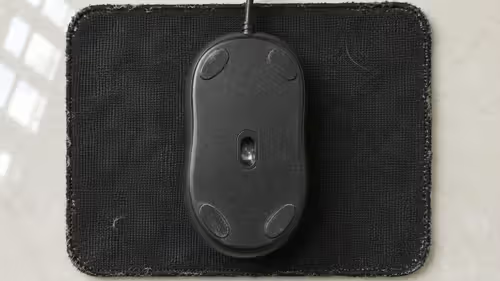
Test your mouse on a matte pad or plain paper, then check the sensor and try a direct USB connection. Use a surface you already own to isolate the problem before shopping for a new mouse.
The RTX 4090 is the faster, more expensive card; both carry 24GB, but the 4090 draws about 450W against roughly 355W. The 4090 uses a 12VHPWR connector and a very large cooler, so check PSU cabling and case space first.
The RTX 2070 Super is far quicker than an RX 580 8GB, so this is a question of ambition rather than rivalry. An RX 580 handles 1080p esports well. The 2070 Super reaches 1440p and ray tracing, but asks for a stronger power supply.
A GTX 670 is a 2012 desktop card that needs a power supply, a slot and a big cooler, while Vega 8 is integrated graphics inside a Ryzen chip. In raw speed the 670 can still compete, but its drivers and power appetite make Vega 8 the sensible modern option.

Bone conduction is better for awareness, earbuds are better for sound. Bone conduction sends vibration through your cheekbones and leaves your ears open, which suits Cape Town road runners who must hear traffic. Earbuds seal the ear and win on bass and noise blocking.