



How to make a new SSD your primary drive
A primary drive is the one your PC boots from, so install or clone Windows onto the new SSD, then set it first in the BIOS boot order. Afterwards, move your user folders and save locations across.
Read moreA Lenovo that will not turn on usually has a flat battery, a charger fault or a frozen power state. Check the charger and socket, then try the forced reset or the small Novo pinhole button that many Lenovo models carry beside the power button.
When i can t turn on my lenovo laptop becomes your Monday morning, resist the urge to panic. The usual causes are a flat battery, a tired charger or a frozen power state. Unplug the charger, hold the power button for ten seconds, reconnect the charger and wait a few minutes before pressing power once.
Check the charger and the wall socket, then keep the power button pressed for around ten seconds with the charger unplugged to force a reset. Many Lenovo models also have a small Novo pinhole button beside the power button that opens a recovery menu. A replacement Lenovo charger of the right wattage costs around R500 to R1,300, so confirm the old one has failed before buying.
Begin with the plug points. Test the wall socket with a phone charger. Look at the Lenovo charger: some use a round barrel plug, newer ones a USB-C connector. Run your fingers along the cable and feel for kinks at either end, which is where they break first.
A loose connector can charge in one position only. Wiggle gently while watching the charging light on the laptop's edge. If it flickers, the plug or the port is worn. Try a different USB-C cable or charger of matching wattage, usually 45W to 65W for everyday models, before suspecting the board.
Leave the original charger connected for ten minutes with the laptop untouched. A deeply drained battery needs a short charge before it will power up at all. Then press power once and watch for lights.
Frozen power states are common after a failed sleep or a crashed update. Unplug the charger, remove any USB devices and hold the power button for around ten seconds. Release, wait a few seconds, reconnect the charger and start the laptop.
Many Lenovo models carry a Novo button: a tiny recessed hole, often beside the power button or on a side edge, pressed with a pin or a straightened paperclip. With the laptop off, press it once and the machine boots into the Novo menu, with options such as BIOS Setup, Boot Menu and System Recovery. On some models the reset hole sits underneath the base. Check your model's quick-start guide.
Even if the Novo menu loads, you have learned something valuable: the hardware works, and the fault sits in Windows.
Chargers fail from mains spikes more often than the laptops they feed. During summer storm season in Gauteng, lightning on the grid can send spikes through unprotected sockets. A surge-protected plug strip costs around R150 to R400 and is a sensible habit, especially in a home office where several devices share one wall plug.
If you keep a laptop on a desk near a window or on a dusty floor, check the vents. Clogged vents lead to overheating, and some laptops refuse to start when hot. Let it cool for 20 minutes and try again.
Watch what the lights do. A charging light that stays off with a good charger suggests a failed charging circuit. A light that blinks, then dies, can mean a battery that no longer holds charge. If the fans spin but the screen stays dark, connect an HDMI cable to a TV and see whether the picture appears there.
If no light shows after a long charge, a forced reset and a second charger, the fault is probably the board or the battery. A qualified technician can test them. If the cost of fixing an older machine is high, browse Lenovo laptops on special for a replacement, and see what South Africans choose on the laptop best sellers page.
A small recessed button, often beside the power button or on a side edge, pressed with a pin. It opens a menu that includes BIOS setup and recovery options.
The battery is probably empty or no longer holding charge. Plug the original charger in, wait ten minutes, then press power once and watch the charging light.
Unplug the charger, keep the power button pressed for around ten seconds, then reconnect the charger and start the laptop. On some models the reset hole sits underneath.
Yes. A wobbly barrel or USB-C connection can charge in one position only. Try another cable or charger of matching wattage before you suspect the board.
It does. Chargers fail from mains spikes more often than the laptops they feed, and storm season in Gauteng makes a protected strip a sensible habit.
If no light shows after a long charge, a forced reset and a second charger, the fault is likely the board or battery and needs a qualified technician.
Ready to move to a laptop you can rely on? Look through Evetech's Lenovo and other laptops and weigh up battery life, charging ports and price before you pick.
A small recessed button, often beside the power button or on a side edge, pressed with a pin. It opens a menu that includes BIOS setup and recovery options.
The battery is probably empty or no longer holding charge. Plug the original charger in, wait ten minutes, then press power once and watch the charging light.
Unplug the charger, keep the power button pressed for around ten seconds, then reconnect the charger and start the laptop. On some models the reset hole sits underneath.
Yes. A wobbly barrel or USB-C connection can charge in one position only. Try another cable or charger of matching wattage before you suspect the board.
It does. Chargers fail from mains spikes more often than the laptops they feed, and storm season in Gauteng makes a protected strip a sensible habit.
If no light shows after a long charge, a forced reset and a second charger, the fault is likely the board or battery and needs a qualified technician.
A primary drive is the one your PC boots from, so install or clone Windows onto the new SSD, then set it first in the BIOS boot order. Afterwards, move your user folders and save locations across.
Read more
Wear nitrile gloves and eye protection, wash prints in isopropyl alcohol, then cure them under UV light. Uncured resin is a skin irritant, so work in a ventilated room. Never pour resin or dirty alcohol down a drain; cure the waste first.
Read more
Download Creality Print from Creality's official site, run the installer, then pick your printer model. The installer is a large file, so use fibre rather than a capped South African LTE bundle. Sign in to Creality Cloud only for its model library and remote tools.
Read more
After a fall, check whether the laptop is still running behind a black screen: shine a torch at the display and plug in an external monitor. A picture on the monitor means a damaged panel or cable. Switch off if you smell burning, and back up your data.
Read more
Download the touchpad driver from Lenovo's support site using your exact machine type, then install it and restart. Remove the old device first in Device Manager if the pad is misbehaving. Windows Update is a fallback, not the first choice.
Read more
A flickering laptop screen is usually a graphics driver glitch, a wrong refresh rate or a power-saving feature, though a worn hinge cable also causes it. Update the display driver, reset the refresh rate and test an external monitor to split software from hardware.
Read more
Yes: the Promate ProLink4K60 cables carry 18Gbps for 4K at 60Hz, while the Promate PrimeLink8K-300 carries 48Gbps. In a small flat, a lounge TV and a desk monitor can each run a different one.

The RTX 3070 Ti is a newer, faster tier than the RX 5700 XT and adds ray tracing and DLSS, which the Radeon lacks. It also draws more power, near 290W against 225W, so check the PSU and case airflow.

The GTX 1660 Ti laptop GPU has 6GB and usually outpaces the RX 5500M, but both vary a lot with each laptop's power limit. You cannot upgrade either, so compare the exact laptop model, its cooling and its memory configuration before paying.

Put both buds back in the case, forget them on your phone, then reset them so they pair to each other first. Many sets pair the left and right buds before the phone sees them. A missed reset leaves one bud silent or the pair in a loop.

Restart the phone, reseat the physical SIM, then cross-test with another compatible handset or SIM. Use a spare compatible phone or ask your South African network to test the card before replacing hardware.

Use the full laptop model or machine type to look up the approved Lenovo charger and compare its plug and electrical ratings. Check the approved part and the intended workload before spending money on a replacement adapter.

Open Task Manager and check CPU usage, then test the laptop on a hard surface with the vents clear. Check workload and airflow before buying a cooling pad or replacing the laptop.
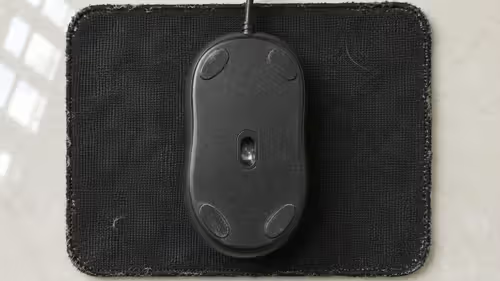
Test your mouse on a matte pad or plain paper, then check the sensor and try a direct USB connection. Use a surface you already own to isolate the problem before shopping for a new mouse.
The RTX 4090 is the faster, more expensive card; both carry 24GB, but the 4090 draws about 450W against roughly 355W. The 4090 uses a 12VHPWR connector and a very large cooler, so check PSU cabling and case space first.
The RTX 2070 Super is far quicker than an RX 580 8GB, so this is a question of ambition rather than rivalry. An RX 580 handles 1080p esports well. The 2070 Super reaches 1440p and ray tracing, but asks for a stronger power supply.
A GTX 670 is a 2012 desktop card that needs a power supply, a slot and a big cooler, while Vega 8 is integrated graphics inside a Ryzen chip. In raw speed the 670 can still compete, but its drivers and power appetite make Vega 8 the sensible modern option.
Bone conduction is better for awareness, earbuds are better for sound. Bone conduction sends vibration through your cheekbones and leaves your ears open, which suits Cape Town road runners who must hear traffic. Earbuds seal the ear and win on bass and noise blocking.